
NEI Addons
Forestry (4.0+)
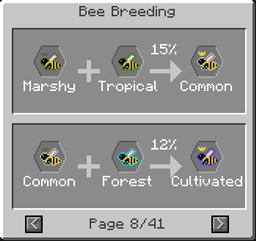
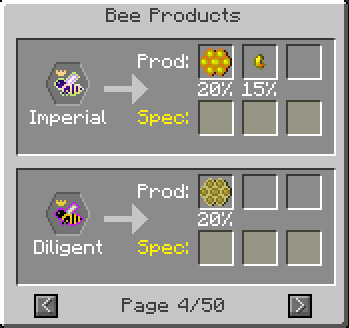
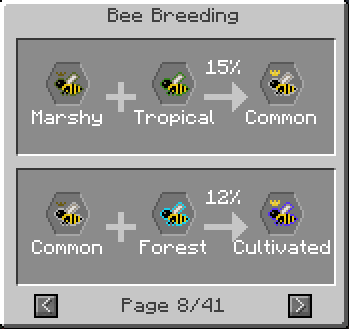
- 蜂の繁殖と生産物をレシピとして表示(秘密の突然変異も任意で含む)
- 特別な突然変異の条件(バイオーム、温度など)を表示可能
- 樹木の繁殖と生産物
- 他のMODで追加された蜂に対応(Thaumic Bees、Extra Beesなど)
- すべての蜂、コーム、苗木、花粉の種類をNEI検索に追加
- Botany
- 花の繁殖を表示
Applied Energistics
- Pattern Encoderの[?]ボタン対応
- アイテムを持っていなくてもレシピから直接パターンを作成可能
Misc Peripherals
- Computer Controlled Crafterの[?]ボタン対応
- アイテムを持っていなくてもレシピを設定可能
- Ex Nihilo
- ふるいとハンマーのドロップを表示
- WAILAがインストールされている場合、ほとんどのブロックに詳細なオーバーレイを追加
Various crafting tables - 多くのMODの代替クラフティングテーブルに[?]ボタン対応を追加
- BuildCraft Autocrafting Table
- Equivalent Exchange 3 Minium Stone
- Andrew2448's addon for MachineMuse's Modular Powersuits In-Place Assembler
- Tinkers' Construct Crafting station
NEI Addonsのインストール方法
With Millida Launcher
Install Millida Launcher
The launcher is free: download it at millida.net/launcher and sign in with any nickname.
Click “Install” on this page
The launcher opens and installs the mod for Minecraft 1.7.10 automatically.
Launch the game
A profile with it appears in the launcher: click “Play”.
Manually
Download the file for your version
In the version list above, pick the file neiaddons-1.12.15.41-mc1.7.10.jar (101 KB) for your game version.
Put it in the mods folder
The folder is inside .minecraft (Windows: %appdata%\.minecraft\mods). If it does not exist, create it.
Launch the loader profile
Open “Mods” in the main menu: NEI Addons should be in the list.
Minecraft 1.7.10 runs on Java 8: with a different Java version the game may close right after launch.
バージョン
依存関係あり
| Minecraft | ローダー | ファイル | 日付 | 操作 |
|---|---|---|---|---|
| 1.7.10 | — | neiaddons-1.12.15.41-mc1.7.10.jar101 KB | ||
| 1.7.10 | — | neiaddons-1.12.14.40-mc1.7.10.jar99.4 KB |
レビュー
NEI Addonsの最初の評価を書きませんか


