
 NeoForge
 Forge
Forge概要
警告: バージョン1.19.2では、Morph-o-ToolにはAutoRegLibが必要です!
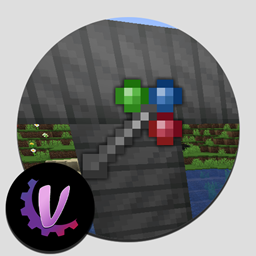
Morph-o-ToolはAkashic Tomeと組み合わせて使うModです。追加されるアイテムはMorphing Toolのみで、以下のようにクラフトします。
Morphing Toolは、レンチ、ドライバー、ハンマー、あるいは枝と花びらで作られたワンドなど、どんなものでも模倣できるため、大型Modパックに最適な「オムニレンチ」となります。
- レンチのようなアイテムを追加するには、Morph-o-Toolをそのアイテムと一緒にクラフトします。
- そのレンチのようなアイテムと同じModのブロックを見るたびに、Morphing Toolはそのアイテムに変化します。
- 入手できるのはModの実際のアイテムであり、エミュレートされたアイテムやコンテナではありません。これにより、そのアイテムの機能と100%の互換性が保証されます。
- アイテムにはNBTデータが付加され、視線を外したときにゲームが元に戻す方法を認識できるようになっています。
- 変化したToolをクラフトに使用できますが、他の付属アイテムをすべて失うため、おそらく使用すべきではありません。
- アイテムを元に戻したくない場合は、オフハンドに持ってください。メインハンドでのみ変化します。(これはコンフィグで入れ替え可能です。)
- 他の何にも変化していない間は、Toolを使ってForgeの回転システムでブロックを回転できます。バニラのブロックとほとんどのModブロックに対応しているはずです。
- 付属アイテムを削除するには、Toolを削除したいアイテムに変化させてから、スニークして「ドロップ」キーを押します。
- また、Toolを持っている間にShiftを押しながらスクロールホイールを使うことで、手動で変化させることもできます。
設定
このModのコンフィグファイルには以下が含まれます:
- すべてのアイテムを付属できるようにするオプション。デフォルトでは無効。
- ツールをメインハンドではなくオフハンドで変化させるオプション。
- アイテムを付属させるべきでないModのブラックリスト。
- 名前を含むアイテムを付属できるようにするホワイトリスト(レンチ、ドライバー、ハンマーなど...)
- 前述の名前を含まないが付属できるようにする特定のアイテムのホワイトリスト(BotaniaのWand of the Forestなど)
- エイリアスリスト。あるModを別のModにリダイレクトできます。例えば、RFToolsはSmart Wrenchを追加し、エイリアスリストには「rftoolsdim=rftools」が含まれているため、Smart Wrenchを持っているときにRFTools Dimensions(別のMod)のブロックを見ると、代わりにそれを取得します。他のエイリアスには、例えばThermal DynamicsからThermal Expansionへのものがあります。
Morph-o-Toolのインストール方法
With Millida Launcher
Install Millida Launcher
The launcher is free: download it at millida.net/launcher and sign in with any nickname.
Click “Install” on this page
The launcher opens and installs the mod for Minecraft 1.12.2–1.21.1 on Forge or NeoForge automatically.
Launch the game
A profile with it appears in the launcher: click “Play”.
Manually
Install Forge or NeoForge
The loader must match the game version of the mod file, for example Minecraft 1.21.1. After installing it, a separate profile appears in your launcher.
Download the file for your version
In the version list above, pick the file Morph-o-Tool-1.8-39.jar (39 KB) for your game version and loader.
Put it in the mods folder
The folder is inside .minecraft (Windows: %appdata%\.minecraft\mods). If it does not exist, create it.
Launch the loader profile
Open “Mods” in the main menu: Morph-o-Tool should be in the list.
Minecraft 1.21.1 runs on Java 21: with a different Java version the game may close right after launch.
バージョン
依存関係あり
| Minecraft | ローダー | ファイル | 日付 | 操作 |
|---|---|---|---|---|
| 1.21.1 | NeoForge | Morph-o-Tool-1.8-39.jar38.6 KB 2 | ||
| 1.20.1 | Forge | Morph-o-Tool-1.7-38.jar34.3 KB 1 | ||
| 1.12.2 | — | Morph-o-Tool-1.2-21.jar29.9 KB 2 |
FAQ
Which Minecraft versions does Morph-o-Tool work on?
There are files for 1.21.1, 1.20.1, 1.12.2. The newest is 1.21.1.
Is Morph-o-Tool for Forge or Fabric?
There are files for Forge: 1.20.1 and for NeoForge: 1.21.1. There are no files for Fabric: a mod for another loader will not start.
Does Morph-o-Tool need other mods?
The author lists no required dependencies: the Forge or NeoForge loader is enough.
Which Java does Morph-o-Tool need?
Minecraft 1.21.1 runs on Java 21. If the game closes right after launch, the usual cause is the wrong Java version in the profile settings.
Where can I download Morph-o-Tool safely?
On this page: the file Morph-o-Tool-1.8-39.jar (39 KB) is stored on Millida’s server, with no link shorteners. SHA-1 checksum: 4d1d573d758d0711bb8ab16f0b3554dc39cbdee1.
レビュー
Morph-o-Toolの最初の評価を書きませんか


