
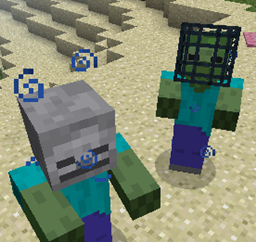
Mob Properties MODについて
ゾンビは遅すぎる、スケルトンは強すぎる、それともクリーパーはクッキーを十分に落とさないだけだと思いますか?それなら、Mob Propertiesでモブを思い通りに設定するだけです!
このMODでは、バニラかどうかに関わらずすべてのモブを、完全に設定可能なドロップ、属性、装備、ポーション効果、さらにはNBTデータまでカスタマイズできます。さらに、多くのプロパティは数値の範囲を受け付け、モブごとにランダム化されます!
このMODのすべては完全に設定可能です!プロパティファイルを編集しない限り、このMODは何もしません。プロパティファイルは.minecraft/configディレクトリに生成されます。
設定の使い方についてはwikiを参照してください。
Mob Propertiesのインストール方法
With Millida Launcher
Install Millida Launcher
The launcher is free: download it at millida.net/launcher and sign in with any nickname.
Click “Install” on this page
The launcher opens and installs the mod for Minecraft 1.10.2 automatically.
Launch the game
A profile with it appears in the launcher: click “Play”.
Manually
Download the file for your version
In the version list above, pick the file mob_properties-1.10.2-1.0.3.jar (147 KB) for your game version.
Put it in the mods folder
The folder is inside .minecraft (Windows: %appdata%\.minecraft\mods). If it does not exist, create it.
Launch the loader profile
Open “Mods” in the main menu: Mob Properties should be in the list.
Minecraft 1.10.2 runs on Java 8: with a different Java version the game may close right after launch.
バージョン
依存関係あり
| Minecraft | ローダー | ファイル | 日付 | 操作 |
|---|---|---|---|---|
| 1.10.2 | — | mob_properties-1.10.2-1.0.3.jar147 KB | ||
| 1.10.2 | — | mob_properties-1.10.2-1.0.3.jar142 KB |
FAQ
Which Minecraft versions does Mob Properties work on?
Only Minecraft 1.10.2: there are no files for other versions.
Which Java does Mob Properties need?
Minecraft 1.10.2 runs on Java 8. If the game closes right after launch, the usual cause is the wrong Java version in the profile settings.
Where can I download Mob Properties safely?
On this page: the file mob_properties-1.10.2-1.0.3.jar (147 KB) is stored on Millida’s server, with no link shorteners. SHA-1 checksum: 83b281d37574152240eb2538043d4e2c7f4661a8.
レビュー
Mob Propertiesの最初の評価を書きませんか


