
MoarSigns MODについて
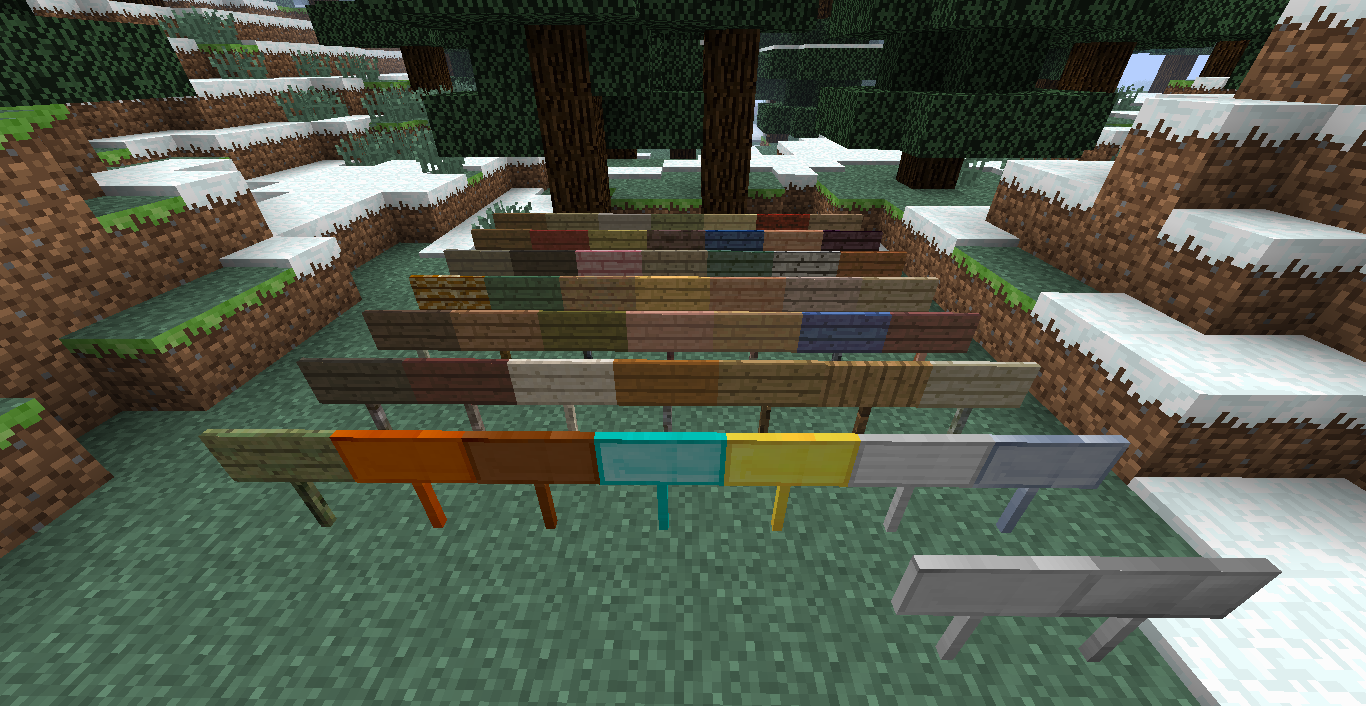
MoarSignsは他のMODの木材や金属をベースにしたたくさんの看板を追加します。
このMOD単体で導入した場合、バニラの板材タイプの看板とバニラの金属のみが利用可能になります。対応MODを導入すると、それらのMODの木材タイプや金属タイプの看板も使用できるようになります。
看板のクラフトは簡単です。好きな板材を使って通常の看板と同じように作成すると、3つの看板が得られます。金属の看板は少し異なり、好きな金属タイプのナゲットを使うと1つの看板が得られ、好きな金属タイプのインゴットを使うと9つの看板が得られます。今のところは普通の棒を使ってください。
スニーク右クリックで看板を地面に平らに設置でき、ブロックの下面にも設置できます。
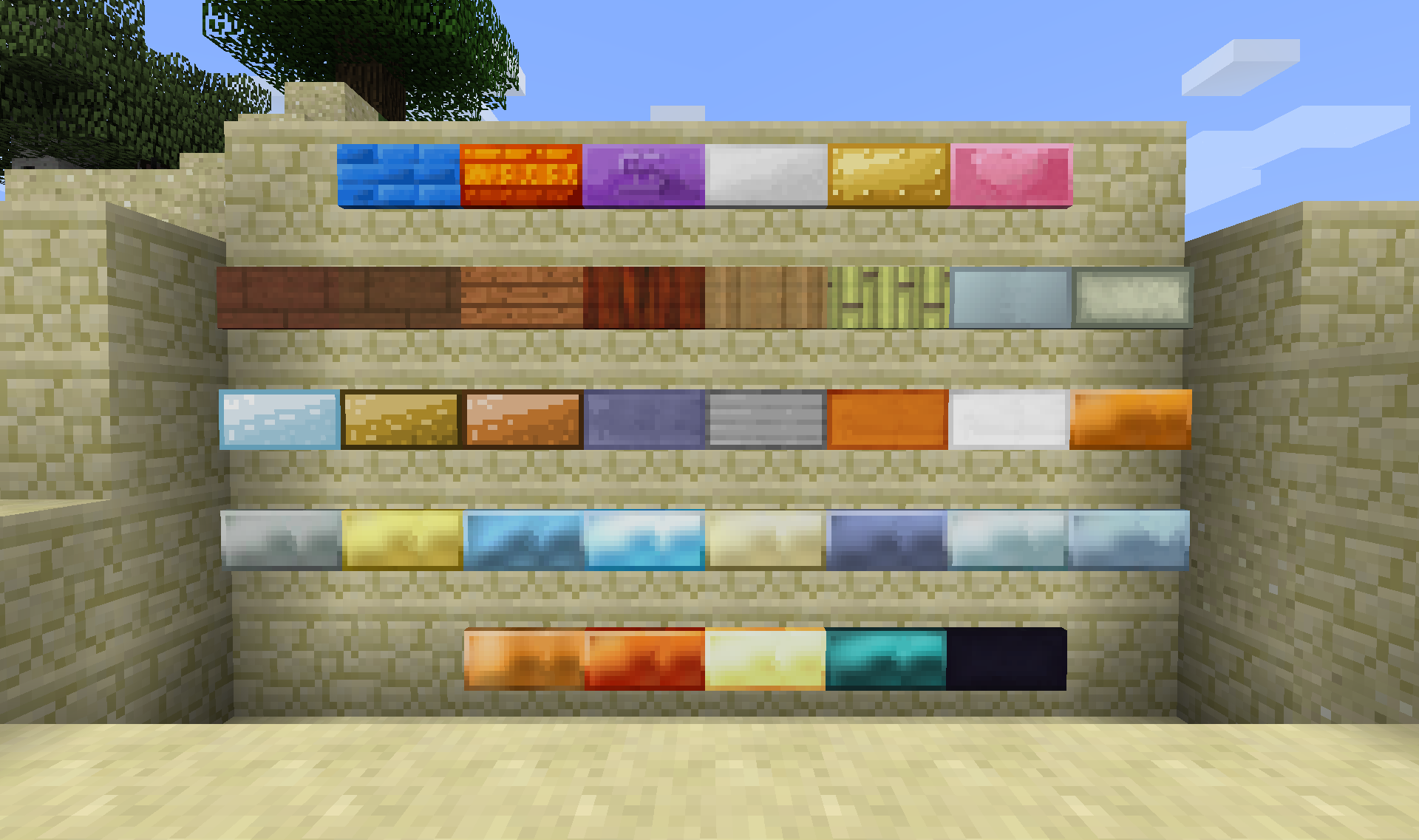
現在対応しているMOD:
連携
1.9.4 1.10.2 1.11.2 1.12.2
Not Enough Items X X
Just Enough Items X X X X
Waila X X X X
Passthrough Signs X X X
Craft Tweaker
(Mine Tweaker 3)
X X X
The One Probe X X
Tumat X X
看板
1.9.4 1.10.2 1.11.2 1.12.2
Biomes O' Plenty X X X X
Forestry X X X X
Natura X X X
IndustrialCraft 2 X X X X
Tinkers' Construct X X X X
Thermal Foundation
(Thermal Expansion)
X X
Railcraft X
Base Metals X X X X
TechReborn X X X X
Psi X X X
Ender IO X X
Extreme Reactors
(Big Reactors)
X X X
Immersive Engineering X X X
Draconic Evolution X X X
Integrated Dynamics X X X
Roots X
Random Things X X X
上記のMODのすべての板材と金属に対応しています。
対応している金属は以下の通りです:
- Copper
- Tin
- Silver
- Bronze
- Steel
- Lead
- Dark Iron
- Cobalt
- Ardite
- Knightslime
- Manyullyn
- Pigiron
- Aluminum
- Aluminum Brass
- Alumite
- Ferrous
- Shiny
- Mana Infused Ingot
- Invar
- Signalum
- Lumium
- Enderium
- Adamantine
- Aquarium
- Brass
- Cold-Iron
- Mithril
- Nickel
- Star-Steel
- Zinc
- など...
さらなるMODと金属を追加予定です。
現在確認されている問題:
- Quarkの右クリックで看板を編集する機能が看板ツールと競合しています
ModPackでの使用について
私のMODをあなたのModPackで自由に使用していただけます。このスレッドへのリンクを必ず記載してください。
バグや提案がありましたら、こちらに投稿してください: Minecraftフォーラムページ: こちら Githubリポジトリ: こちら
MoarSignsのインストール方法
With Millida Launcher
Install Millida Launcher
The launcher is free: download it at millida.net/launcher and sign in with any nickname.
Click “Install” on this page
The launcher opens and installs the mod for Minecraft 1.12.2 automatically.
Launch the game
A profile with it appears in the launcher: click “Play”.
Manually
Download the file for your version
In the version list above, pick the file MoarSigns-1.12.2-6.0.0.11.jar (1.6 MB) for your game version.
Put it in the mods folder
The folder is inside .minecraft (Windows: %appdata%\.minecraft\mods). If it does not exist, create it.
Launch the loader profile
Open “Mods” in the main menu: MoarSigns should be in the list.
Minecraft 1.12.2 runs on Java 8: with a different Java version the game may close right after launch.
バージョン
依存関係あり
| Minecraft | ローダー | ファイル | 日付 | 操作 |
|---|---|---|---|---|
| 1.12.2 | — | MoarSigns-1.12.2-6.0.0.11.jar1.6 MB |
FAQ
Which Minecraft versions does MoarSigns work on?
Only Minecraft 1.12.2: there are no files for other versions.
Which Java does MoarSigns need?
Minecraft 1.12.2 runs on Java 8. If the game closes right after launch, the usual cause is the wrong Java version in the profile settings.
Where can I download MoarSigns safely?
On this page: the file MoarSigns-1.12.2-6.0.0.11.jar (1.6 MB) is stored on Millida’s server, with no link shorteners. SHA-1 checksum: b79040a2a08a8a958d0708178639063825c83ec8.
レビュー
MoarSignsの最初の評価を書きませんか


