

Minecraft 1.20.1, 1.21.1用MEGA Cells MOD
ME Greater Accumulation: キロバイトでは物足りないあなたのために。
 NeoForge
 Forge
Forge Fabric
MEGA Cells MODについて
ME Greater Accumulation: キロバイトでは物足りないあなたへ。
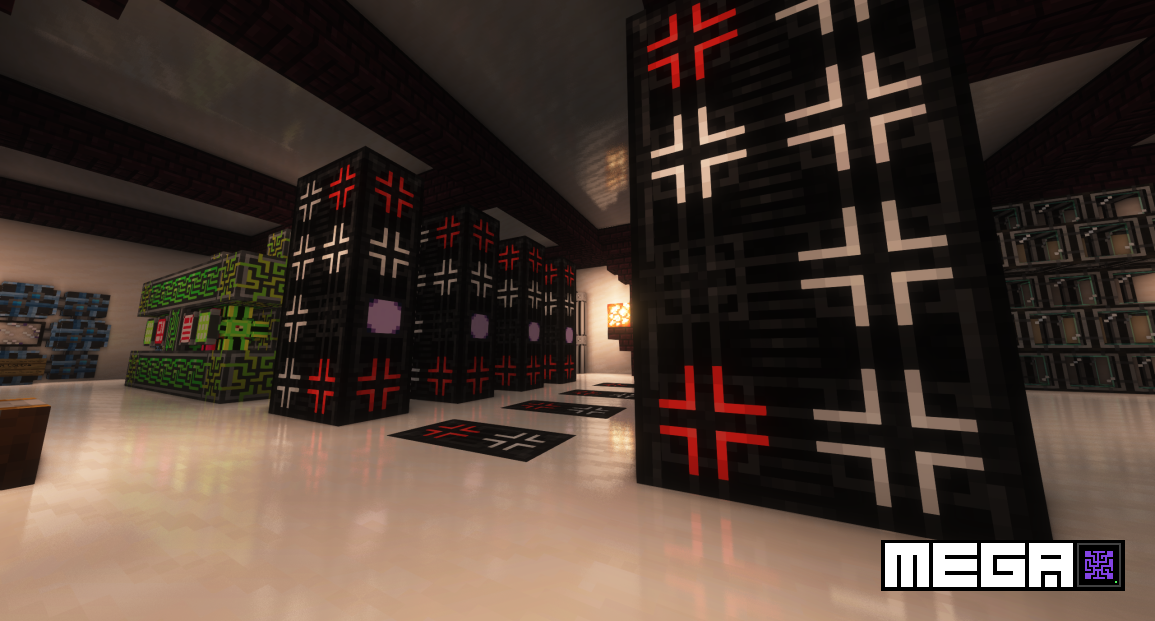
MEGA CellsはApplied Energistics 2のアドオンで、かつてのExtra Cells 2やその後継アドオンのように、1Mから最大256Mまでの容量を持つ上位ティアのストレージを提供します。同系統の従来のアドオンとは異なり、MEGAはかなり異なるアプローチをとっており、独自の専用進行ラインとコンポーネントを備えて、既存のAE2プレイヤーのセットアップをさらに強化し挑戦させる一方で、漆黒のカラースキームによる際立ったビジュアルスタイルを強調しています。
- 1M - 256Mのアイテムおよび液体セル(標準+ポータブル)
- 特注のオールブラックなクラフトユニットを備えたMEGA Crafting CPU:1M - 256Mストレージ、4スレッドの並列処理ユニット、および対応するモニター
- Applied Mekanistics(1-256Mのケミカルセル)やApplied Botanics(1-256Mのマナセル)など、他の複数のAE2アドオンとの統合
- MEGA Bulk Item Storage Cell:単一のアイテムタイプを無限に保管するために設計
- Bulk Compression:Bulkアイテムセルストレージ用にインゴット、ナゲット、ブロック間の自動変換を行い、Decompression Moduleによる自動クラフトを完全サポート
- MEGA Pattern Provider:処理パターン用の倍容量ストレージ
- Superdense Energy CellとGreater Energy Card:AEネットワークおよびポータブルデバイスのエネルギー貯蔵量を増加
...そしてさらに続きます。
すべてのコードはLGPLv3の下でライセンスされており、Applied Energistics 2が使用する同じライセンスに準拠し、一部のコードはAE2自体から借用しています。すべてのアセットはCC BY-NC-SA 3.0の下でライセンスされており、AE2が使用する同じライセンスに準拠し、そのほとんどはAE2自身のアセットに由来します。一部のアセットはSeaKermanの厚意により外部から提供されています。
MEGA Cellsのインストール方法
With Millida Launcher
Install Millida Launcher
The launcher is free: download it at millida.net/launcher and sign in with any nickname.
Click “Install” on this page
The launcher opens and installs the mod for Minecraft 1.20.1–1.21.1 on Fabric, Forge or NeoForge automatically.
Launch the game
A profile with it appears in the launcher: click “Play”.
Manually
Install Fabric, Forge or NeoForge
The loader must match the game version of the mod file, for example Minecraft 1.21.1. After installing it, a separate profile appears in your launcher.
Download the file for your version
In the version list above, pick the file megacells-4.11.0.jar (1.1 MB) for your game version and loader.
Put it in the mods folder
The folder is inside .minecraft (Windows: %appdata%\.minecraft\mods). If it does not exist, create it.
Launch the loader profile
Open “Mods” in the main menu: MEGA Cells should be in the list.
Minecraft 1.21.1 runs on Java 21: with a different Java version the game may close right after launch.
バージョン
依存関係あり
| Minecraft | ローダー | ファイル | 日付 | 操作 |
|---|---|---|---|---|
| 1.21.1 | NeoForge | 4.11.0 (NeoForge 1.21.1)1.1 MB 3 | ||
| 1.20.1 | NeoForge, Forge | 2.4.6 (Forge 1.20.1)378 KB 5 | ||
| 1.20.1 | Fabric | 2.4.6 (Fabric 1.20.1)304 KB 6 | ||
| 1.21 | NeoForge | 4.0.1-alpha (NeoForge 1.21)308 KB 1 | ||
| 1.20.4 | NeoForge | 3.0.2-beta (NeoForge 1.20.4)294 KB | ||
| 1.20.1 | Forge | 2.1.0-beta.8 (Forge 1.20.1)266 KB | ||
| 1.20.1 | Fabric | 2.1.0-beta.8 (Fabric 1.20.1)240 KB |
FAQ
Which Minecraft versions does MEGA Cells work on?
There are files for 1.21.1, 1.21, 1.20.4, 1.20.1. The newest is 1.21.1.
Is MEGA Cells for Forge or Fabric?
There are files for Fabric: 1.20.1, for Forge: 1.20.1 and for NeoForge: 1.20.1–1.21.1.
Does MEGA Cells need other mods?
The author lists no required dependencies: the Fabric, Forge or NeoForge loader is enough.
Which Java does MEGA Cells need?
Minecraft 1.21.1 runs on Java 21. If the game closes right after launch, the usual cause is the wrong Java version in the profile settings.
Where can I download MEGA Cells safely?
On this page: the file megacells-4.11.0.jar (1.1 MB) is stored on Millida’s server, with no link shorteners. SHA-1 checksum: f0b1a44bf30c8a9e14e2fa7fce37360191aa55e8.
レビュー
MEGA Cellsの最初の評価を書きませんか


