
MalisisDoors MODについて
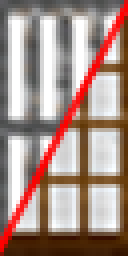
このMODはドア、トラップドア、フェンスゲートに新しいアニメーションを追加します。ガラスドア、牢屋のドア、実験室のドア、工場のドア、ガレージドアなど、それぞれ異なるオリジナルのアニメーションを持つ新しいドアをいくつか追加します。また、見た目と動き方を自分で選べる機械を使って、ドアを完全に自作することもできます。
すべてのブロックとレシピの詳細、またはコメントについては、Minecraftforum.netのMalisisDoorsスレッドをご覧ください。
クラッシュを報告する際は、ログを添付するのを忘れないでください!
警告:このMODにはMalisisCoreが必要です
CurseおよびCurseforgeのコメントは無効になりました。コメント、質問、クラッシュ報告にはMCFスレッドをご利用ください。
MalisisDoorsのインストール方法
With Millida Launcher
Install Millida Launcher
The launcher is free: download it at millida.net/launcher and sign in with any nickname.
Click “Install” on this page
The launcher opens and installs the mod for Minecraft 1.12.2 automatically.
Launch the game
A profile with it appears in the launcher: click “Play”.
Manually
Download the file for your version
In the version list above, pick the file malisisdoors-1.12.2-7.3.0.jar (1.7 MB) for your game version.
Put it in the mods folder
The folder is inside .minecraft (Windows: %appdata%\.minecraft\mods). If it does not exist, create it.
Launch the loader profile
Open “Mods” in the main menu: MalisisDoors should be in the list.
Minecraft 1.12.2 runs on Java 8: with a different Java version the game may close right after launch.
バージョン
依存関係あり
| Minecraft | ローダー | ファイル | 日付 | 操作 |
|---|---|---|---|---|
| 1.12.2 | — | malisisdoors-1.12.2-7.3.0.jar1.7 MB 9 |
FAQ
Which Minecraft versions does MalisisDoors work on?
Only Minecraft 1.12.2: there are no files for other versions.
Which Java does MalisisDoors need?
Minecraft 1.12.2 runs on Java 8. If the game closes right after launch, the usual cause is the wrong Java version in the profile settings.
Where can I download MalisisDoors safely?
On this page: the file malisisdoors-1.12.2-7.3.0.jar (1.7 MB) is stored on Millida’s server, with no link shorteners. SHA-1 checksum: 87e694ed0722b4106242faf5dd33f7e86929ec88.
レビュー
MalisisDoorsの最初の評価を書きませんか


