

Minecraft 1.20.1, 1.21.1用Jade 🔍 MOD
見ているものに関する情報を表示します。(Minecraft 1.16+用のHwyla/Wailaフォーク)
 NeoForge
 Fabric
 Quilt
Quilt Forge
ForgeJade 🔍
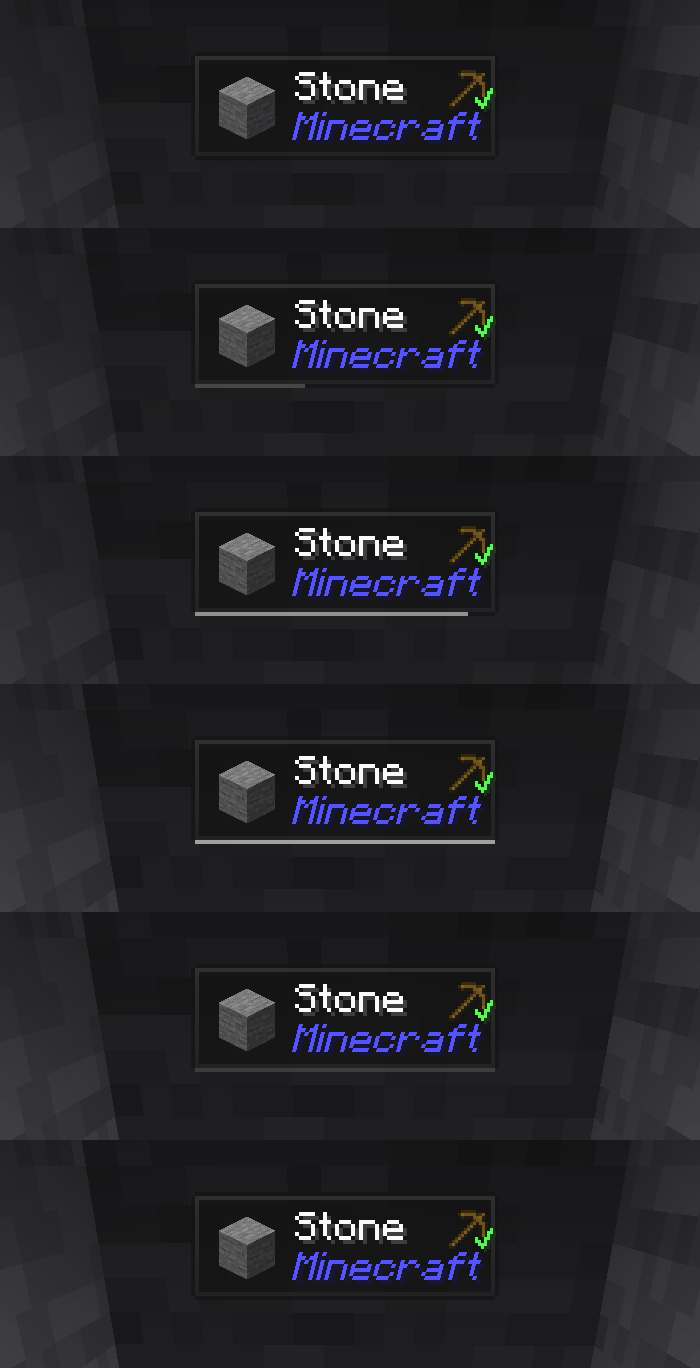
Jadeは情報HUD modです - 現代のMinecraftバージョン向けのHwyla/Wailaです。より良いユーザー体験とAPIのために設計されています。
Jadeはクライアント側にのみインストールできます。ただし、多くの機能はサーバー側にJadeが必要です。(アイテム収納、醸造台の燃料量、養蜂箱のミツバチ...)
mod連携については、Jade Addonsを試してください: NeoForge Fabric

キー (デフォルト):
- テンキー0: 設定画面を開く
- テンキー1: オーバーレイを切り替え
- テンキー2: 液体表示を切り替え
- テンキー3: レシピを表示 (JEIが必要)
- テンキー4: 用途を表示 (JEIが必要)
- テンキー5: 対象を読み上げ

Hwylaと比較した主な変更点:
- APIの再設計
- より多くのバニラアドオン
- より高い設定自由度
- より良いアクセシビリティ
元のプロジェクトHwylaの要求に従い、JadeはCreative Commons Attribution-NonCommercial-ShareAlike 4.0 International (CC BY-NC-SA 4.0)ライセンスを利用しています。
Jade 🔍のインストール方法
With Millida Launcher
Install Millida Launcher
The launcher is free: download it at millida.net/launcher and sign in with any nickname.
Click “Install” on this page
The launcher opens and installs the mod for Minecraft 1.16–26.3 on Fabric, Forge, NeoForge or Quilt automatically, together with its dependencies: Fabric API.
Launch the game
A profile with it appears in the launcher: click “Play”.
Manually
Install Fabric, Forge, NeoForge or Quilt
The loader must match the game version of the mod file, for example Minecraft 26.3. After installing it, a separate profile appears in your launcher.
Download the file for your version
In the version list above, pick the file Jade-mc26.3-NeoForge-26.3.5.jar (1.0 MB) for your game version and loader.
Put it in the mods folder
The folder is inside .minecraft (Windows: %appdata%\.minecraft\mods). If it does not exist, create it. Required dependencies go there too: Fabric API.
Launch the loader profile
Open “Mods” in the main menu: Jade 🔍 should be in the list.
On a server
A server on Fabric, Forge, NeoForge or Quilt
The mod only works on a server with the same loader and game version, for example 26.3.
File goes into the server’s mods folder
Stop the server, put the mod file into the mods folder and start the server again.
Use the “To server” button
On Millida Hosting, the button at the top of the page uploads the file to your server and restarts it for you.
バージョン
依存関係あり
| Minecraft | ローダー | ファイル | 日付 | 操作 |
|---|---|---|---|---|
| 26.1.2 | NeoForge | 26.1.21005 KB 7 | ||
| 26.3 | NeoForge | 26.31 MB 18 | ||
| 26.3 | Fabric, Quilt | 26.31 MB 603 | ||
| 26.3 | NeoForge | 26.31 MB 1 | ||
| 26.3 | Fabric, Quilt | 26.31 MB | ||
| 26.3 | Fabric, Quilt | 26.31 MB | ||
| 26.3 | Fabric, Quilt | 26.31 MB | ||
| 26.3 | NeoForge | 26.31007 KB |
動作に必要なもの
これを必要とするコンテンツ
レビュー
Jade 🔍の最初の評価を書きませんか


