

Minecraft 1.20.1, 1.21.1用Integrated Terminals MOD
Integrated Dynamicsネットワークを管理・概観するためのターミナル
 NeoForge
 Forge
ForgeIntegrated Terminals MODについて

これにはCyclops CoreライブラリとIntegrated Dynamics + Integrated Tunnelsが必要です!
Cyclops Discordサーバーのintegratedmodsでぜひ話しかけてください!
このMODは、Integrated Dynamicsネットワークを管理・概観するための端末を追加します。
保存されたすべてのアイテム、液体、エネルギーはStorage Terminalを使って一か所から表示・操作できるようになり、クラフトジョブはCrafting Job Terminalから管理できるようになります。
このMODは、Integrated Dynamicsの「On the Dynamics of Integration」の本を通じて、ゲーム内ドキュメントとチュートリアルを提供します。
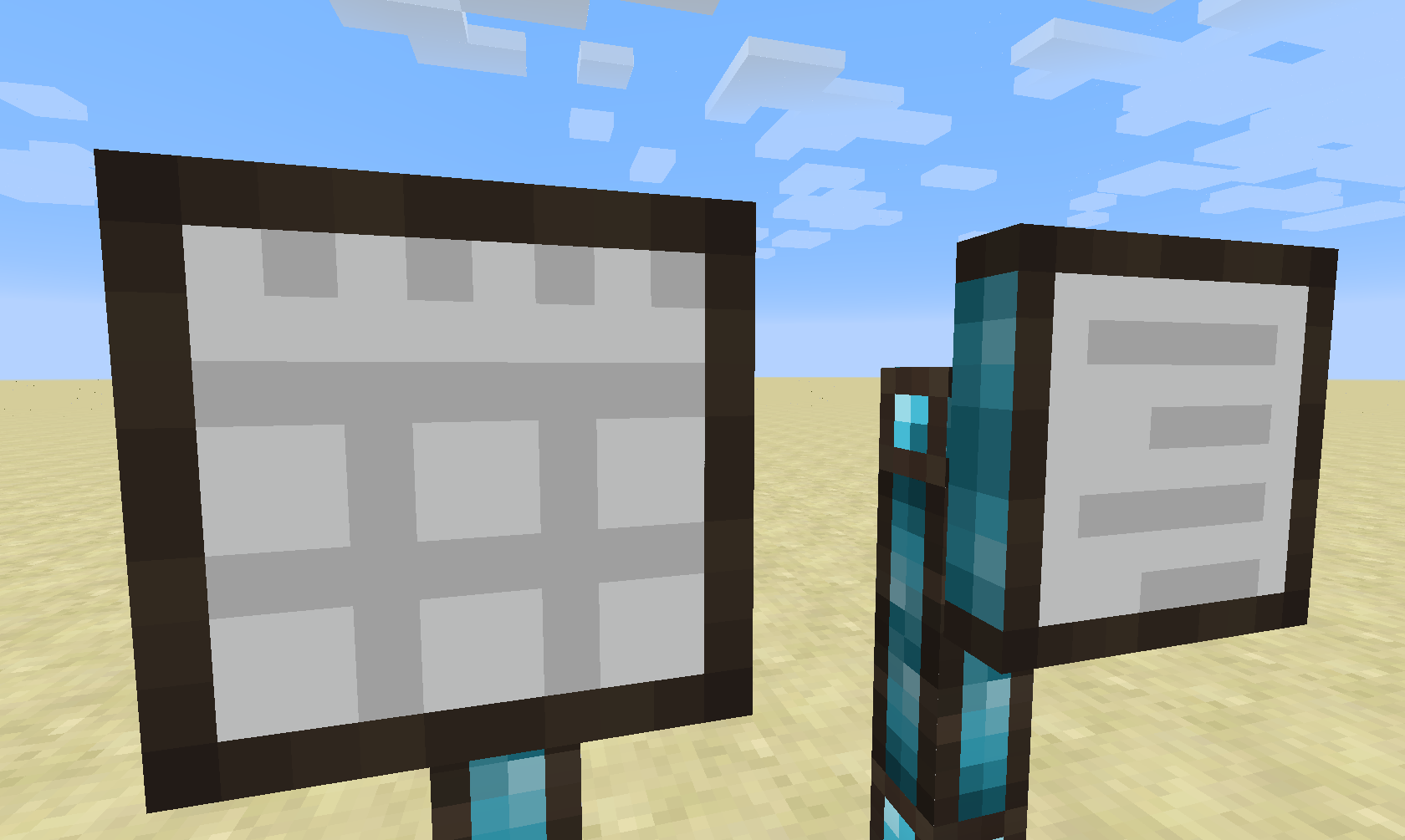
現在、このMODは2種類の端末を追加します。Storage TerminalとCrafting Job Terminalです。(将来的には異なる種類の端末も計画されています)
Storage Terminal
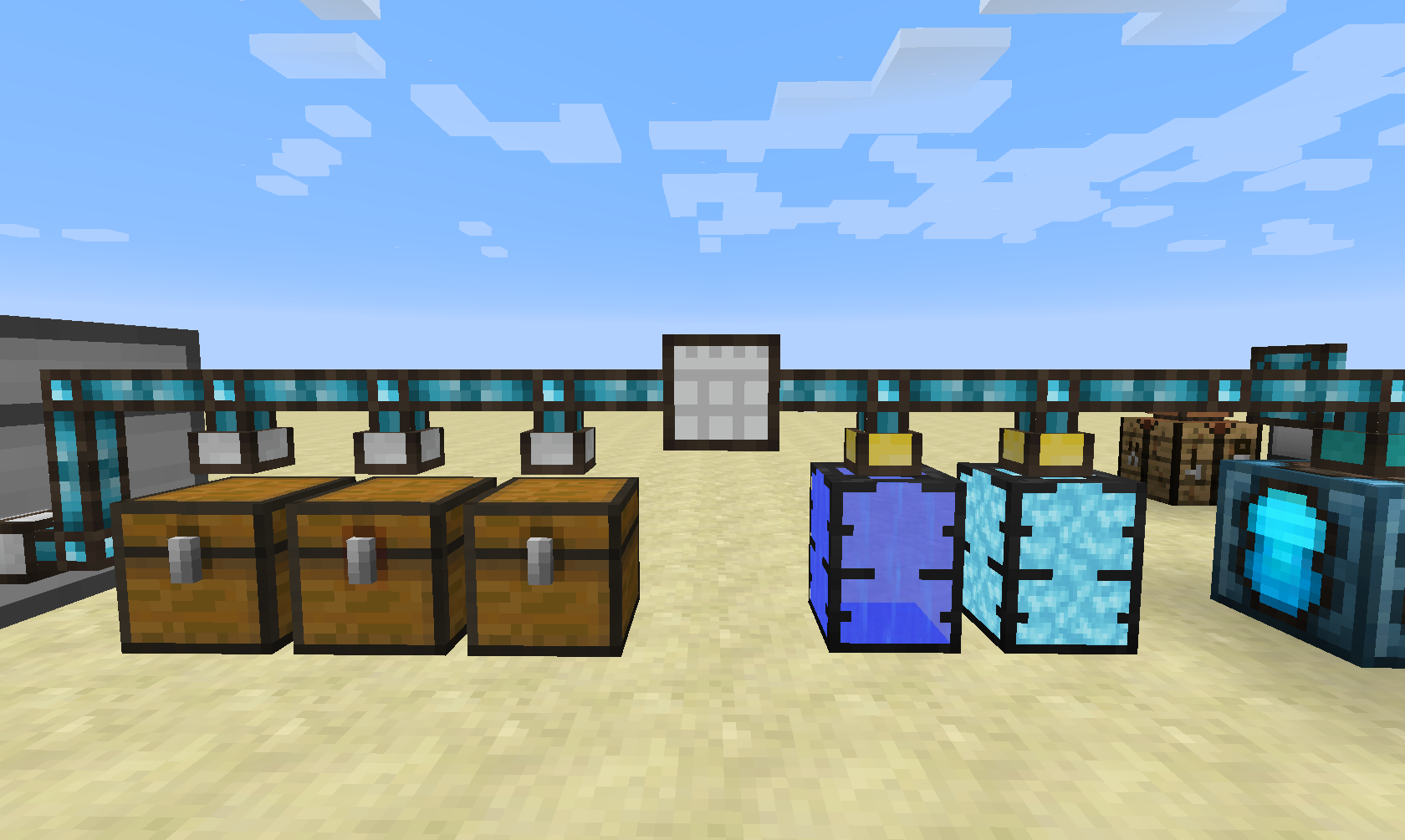
Storage Terminalはシンプルなことをします。それは、ストレージネットワークへの中央アクセスを提供することです(これはIntegrated Tunnels Interfacesを使用することで実現されます)。
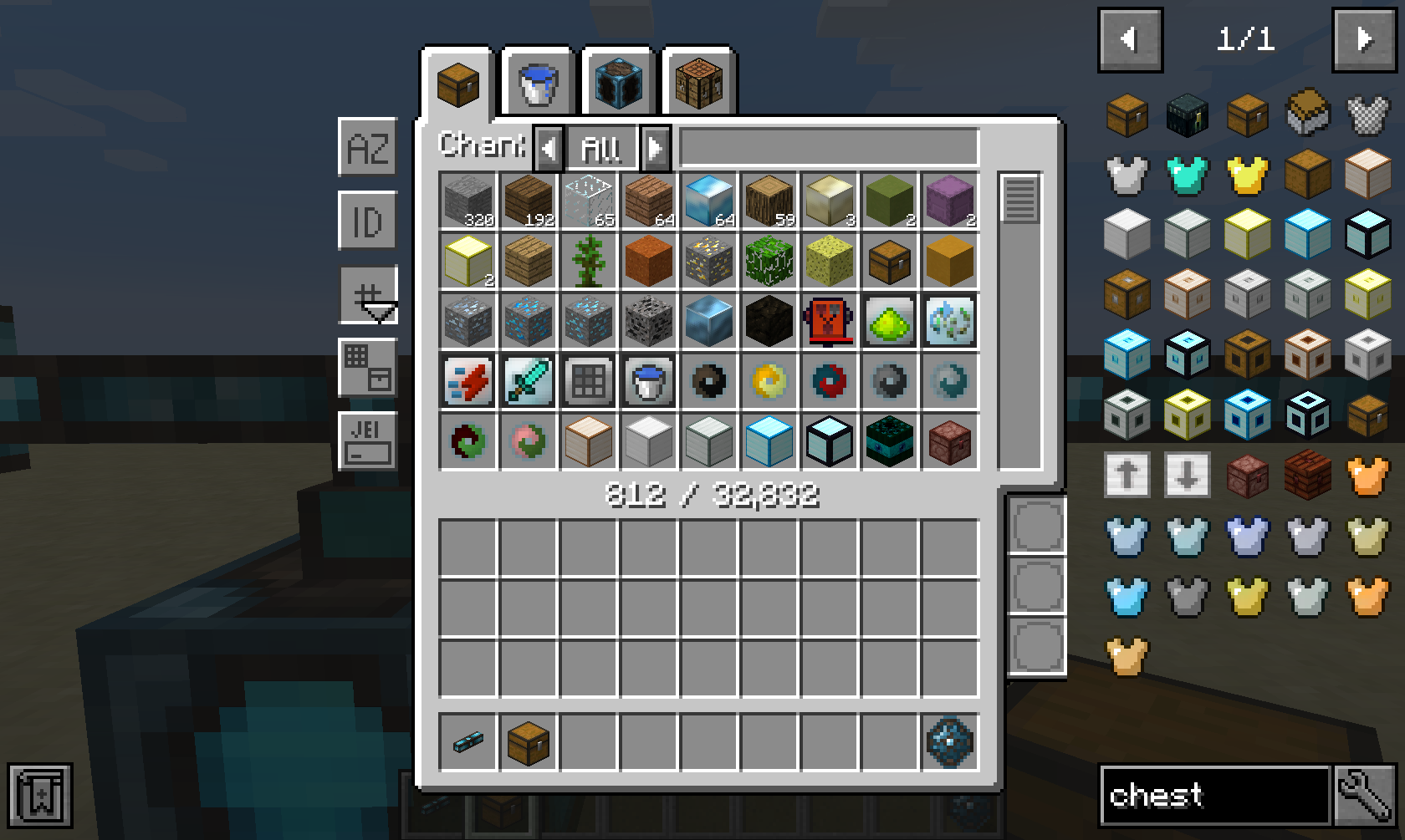
Storage TerminalのGUIは、アイテム、液体、エネルギーなど、ネットワーク内の各素材タイプごとにタブを提供します。さらに、ネットワーク内で直接クラフトするためのタブも提供します。
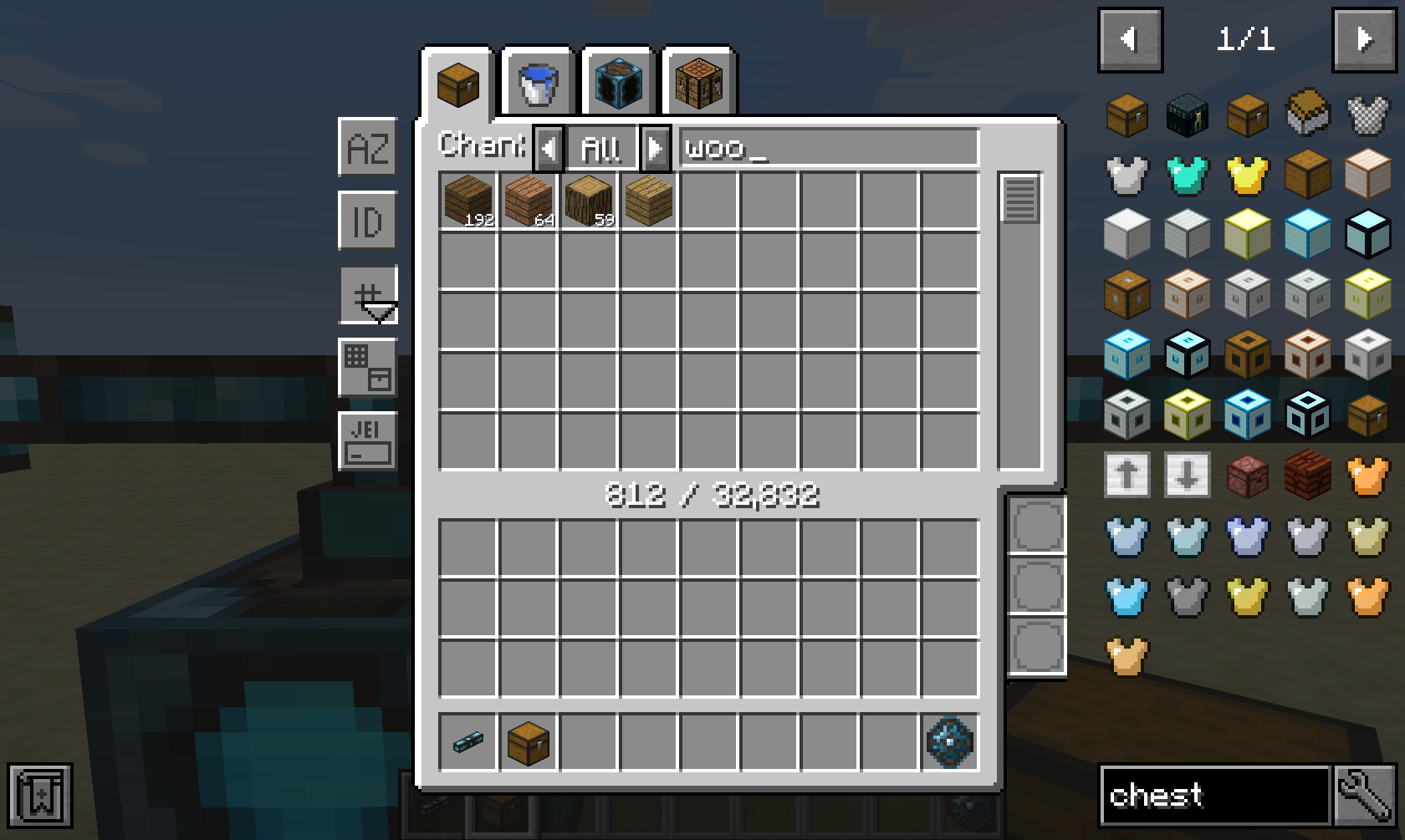
幅広い並べ替えと高度なフィルタリングオプションが利用可能で、MODによるフィルタリング("@minecraft")、ツールチップ("FE")、鉱石辞書("$wood")などがあります。さらに、右下の3つのスロットに挿入できるIntegrated Dynamicsの述語を使って動的にフィルタリングすることもできます。
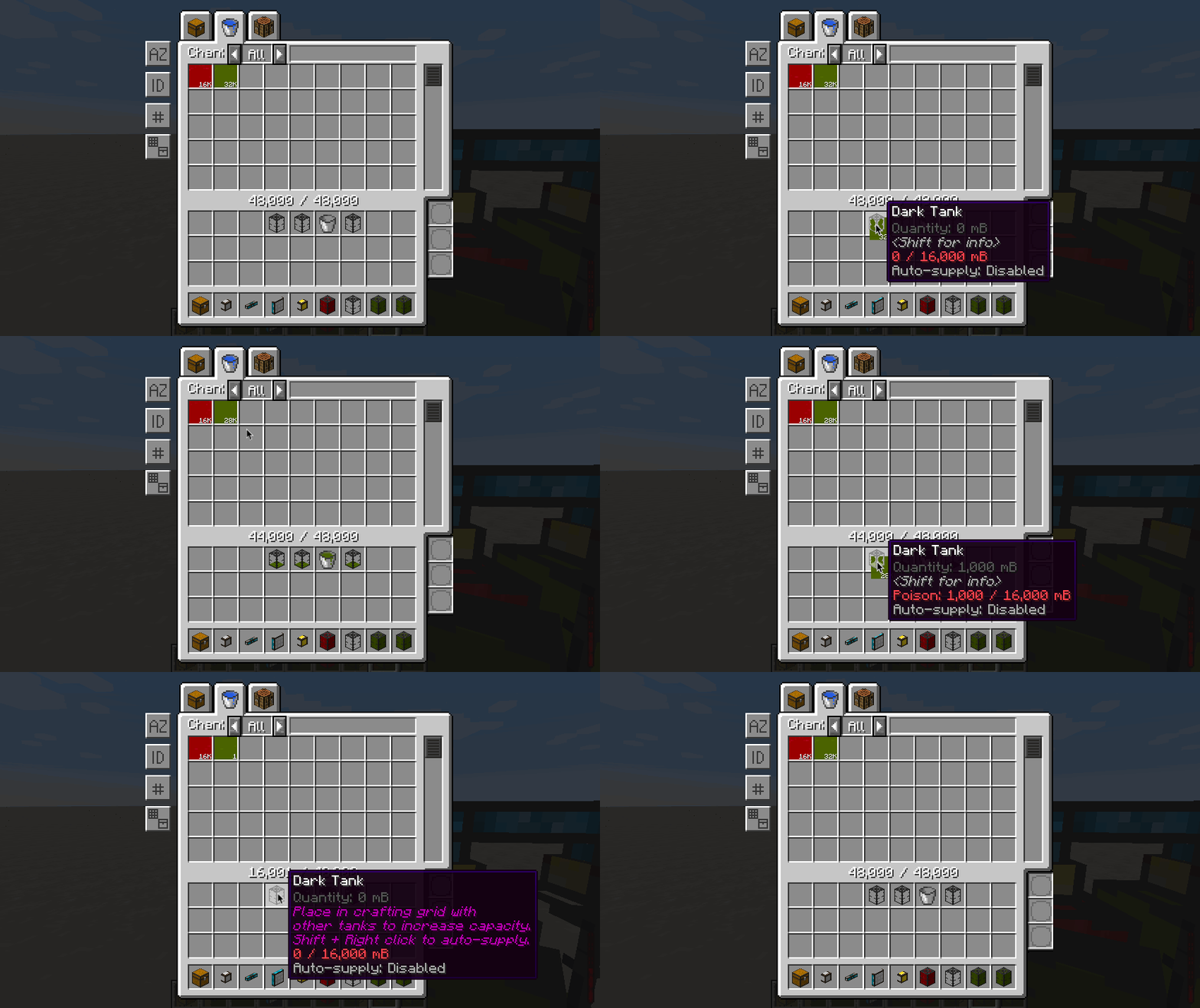
液体とエネルギーはアイテムと同様の方法で抽出・挿入できますが、唯一の違いは、インベントリ内にある場合は液体とエネルギーが有効な容器に入っていなければならないことです。
GUIは完全にレスポンシブで、画面の幅と高さに基づいてスケーリングできます。異なるスケーリングモードが利用可能で、コンフィグファイルで完全に設定できます。
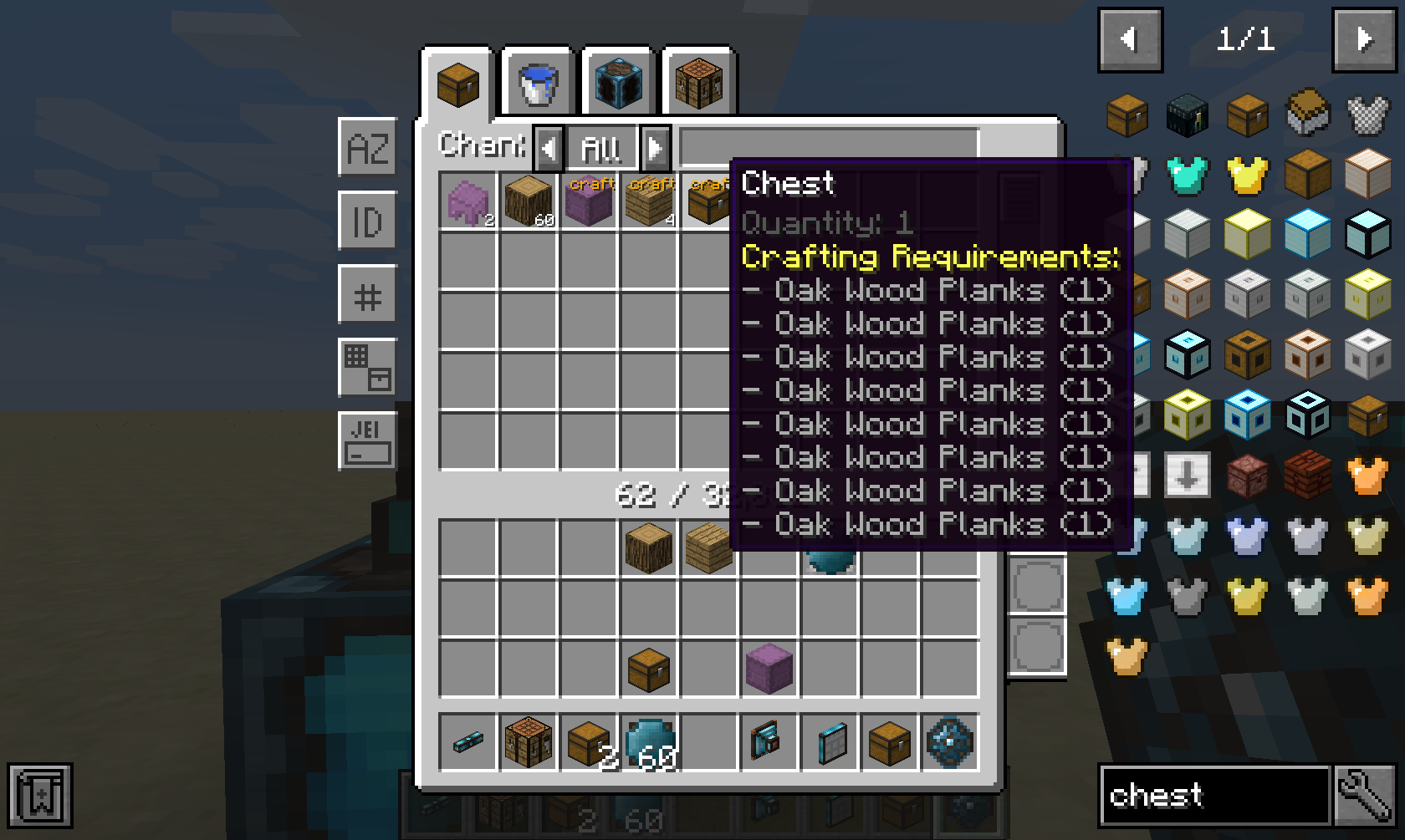
Integrated Craftingなど対応する自動クラフトMODがインストールされている場合、ネットワークからのすべてのクラフトオプションが表示されます。
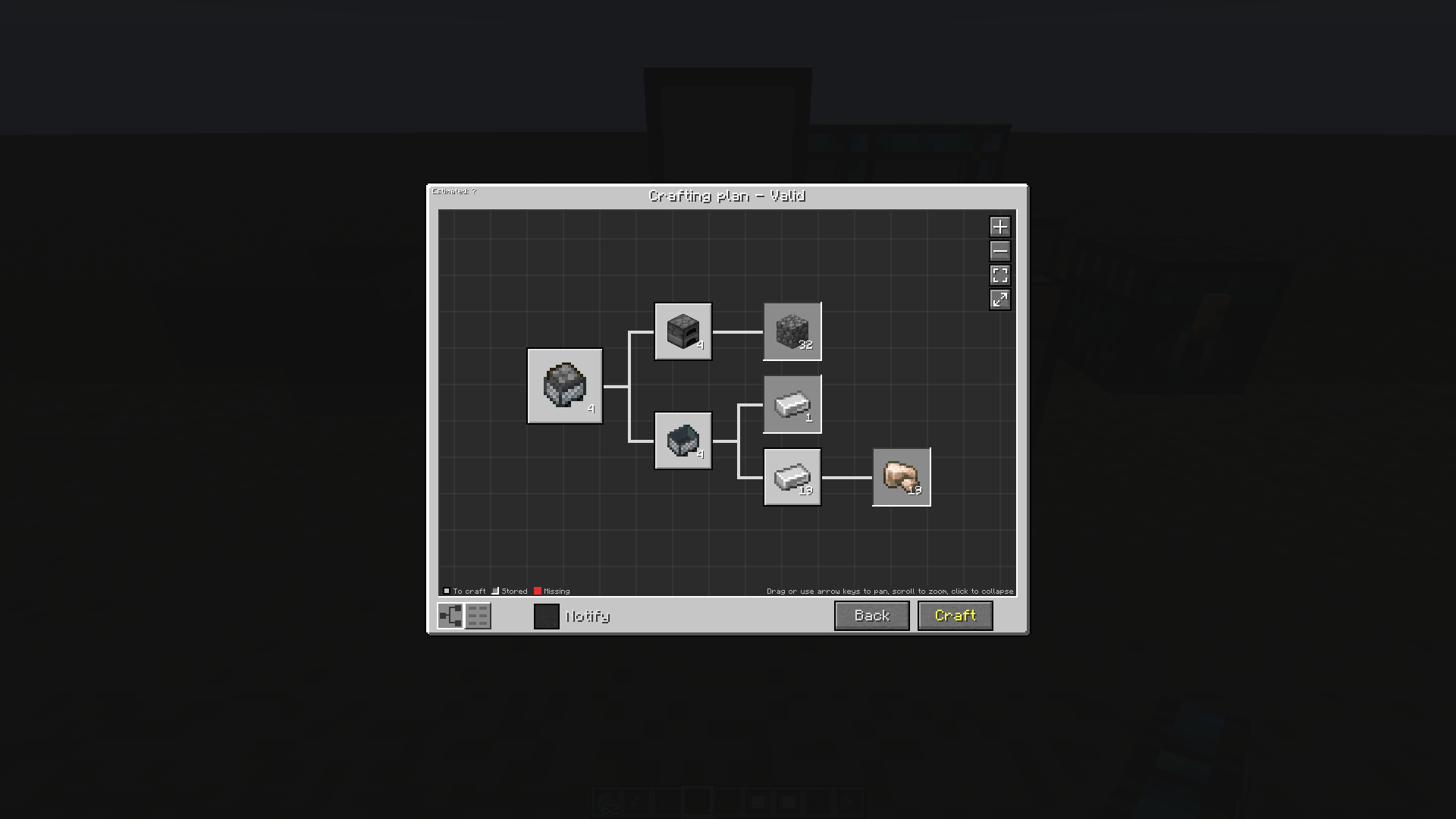
クラフトオプションをクリックして数量を指定すると、確認時に実行されるクラフトプランが表示されます。
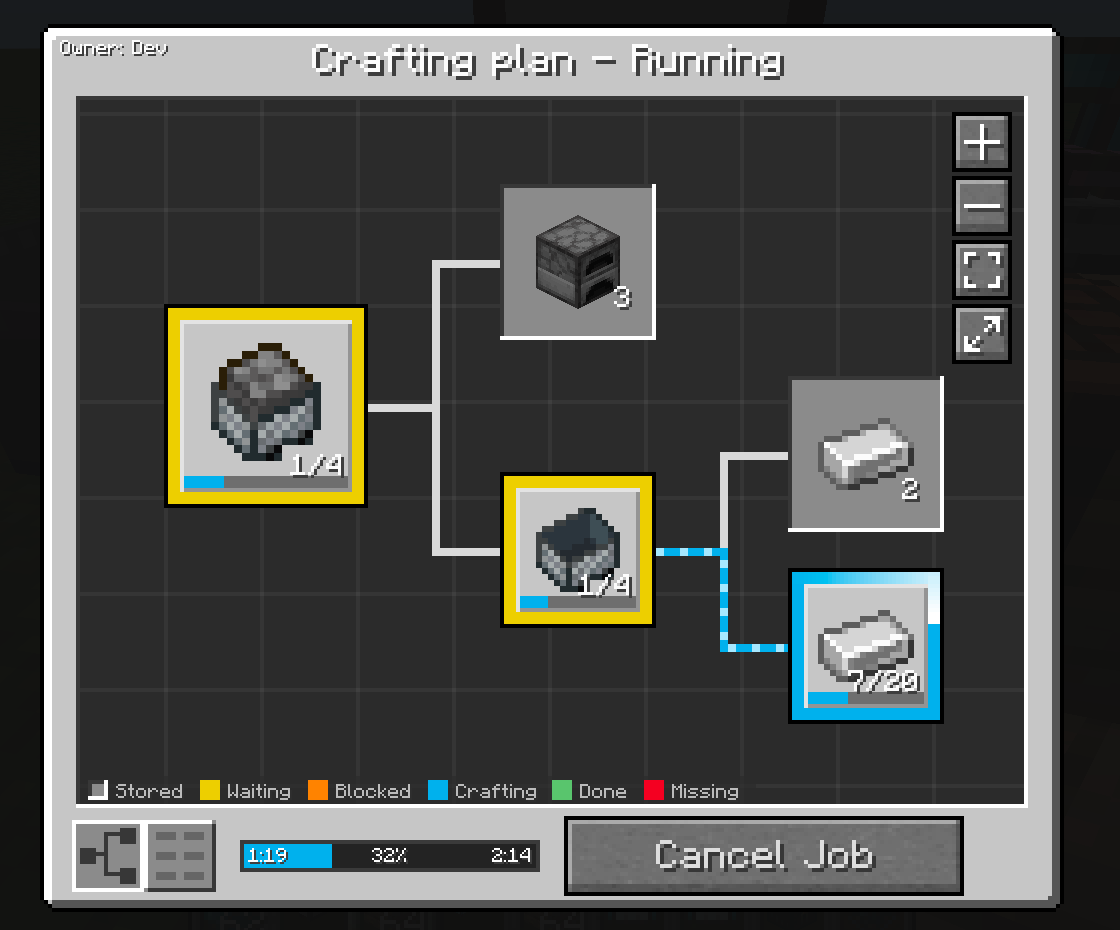
このMODのより新しいバージョンでは、ライブのグラフベースのクラフトプランビューが表示されます。
Crafting Job Terminal
この部分は、Integrated Craftingなど対応する自動クラフトMODがインストールされている場合にのみ役立ちます。
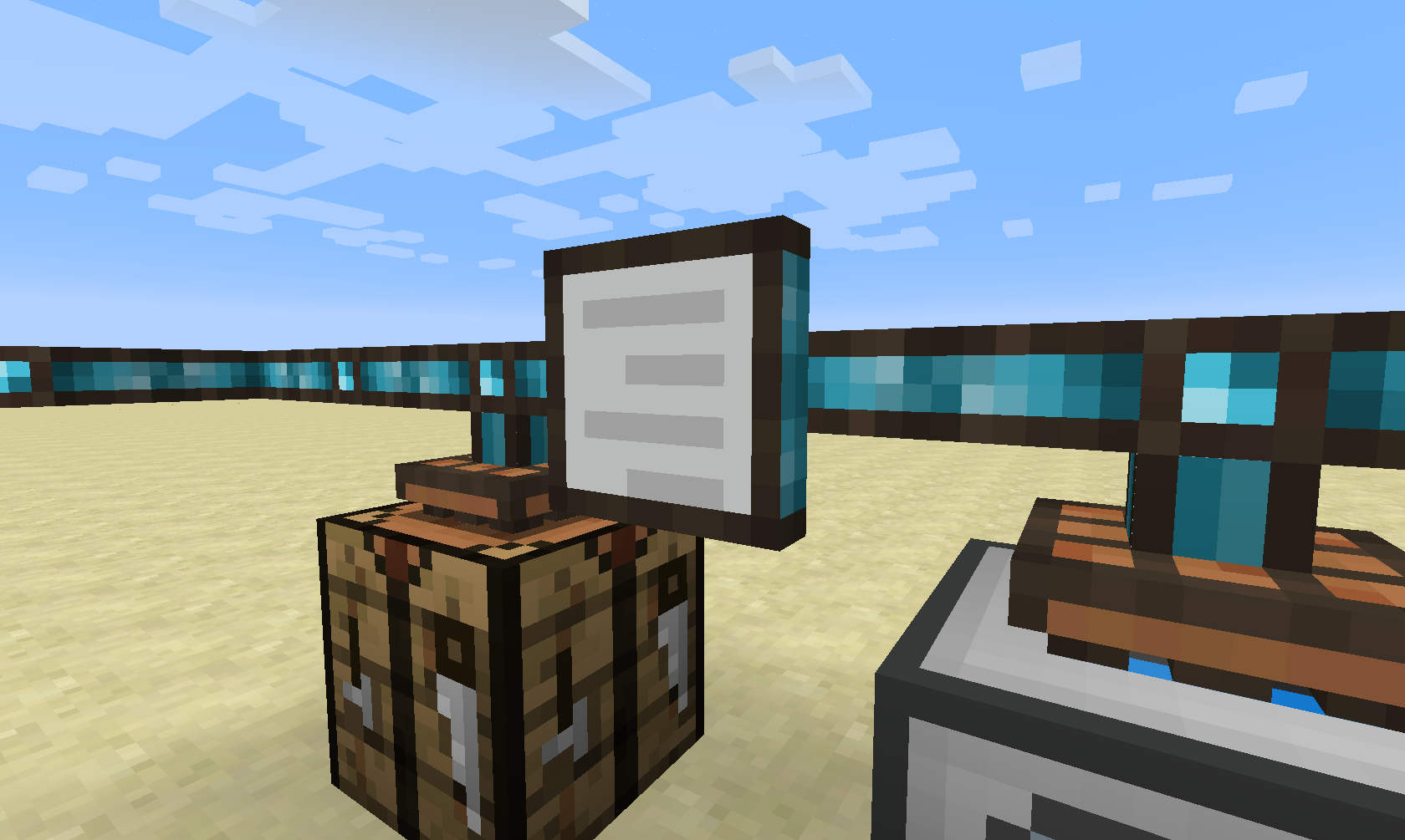
Crafting Job Terminalでは、ネットワーク内のすべてのアクティブおよび保留中のクラフトジョブを表示できます。
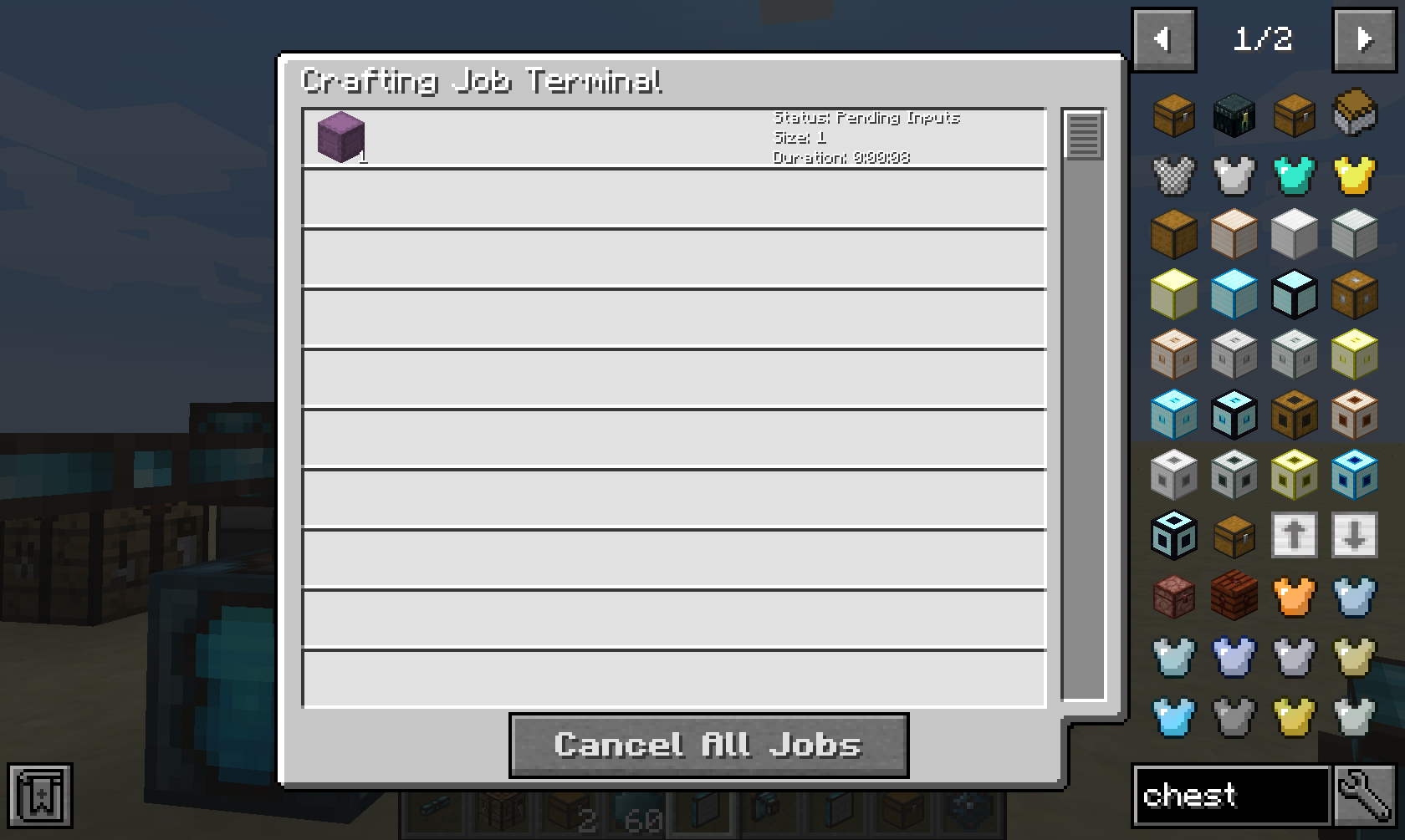
このネットワーク内のすべてのクラフトジョブのライブリストが表示され、それらをキャンセルするオプションが提供されます。
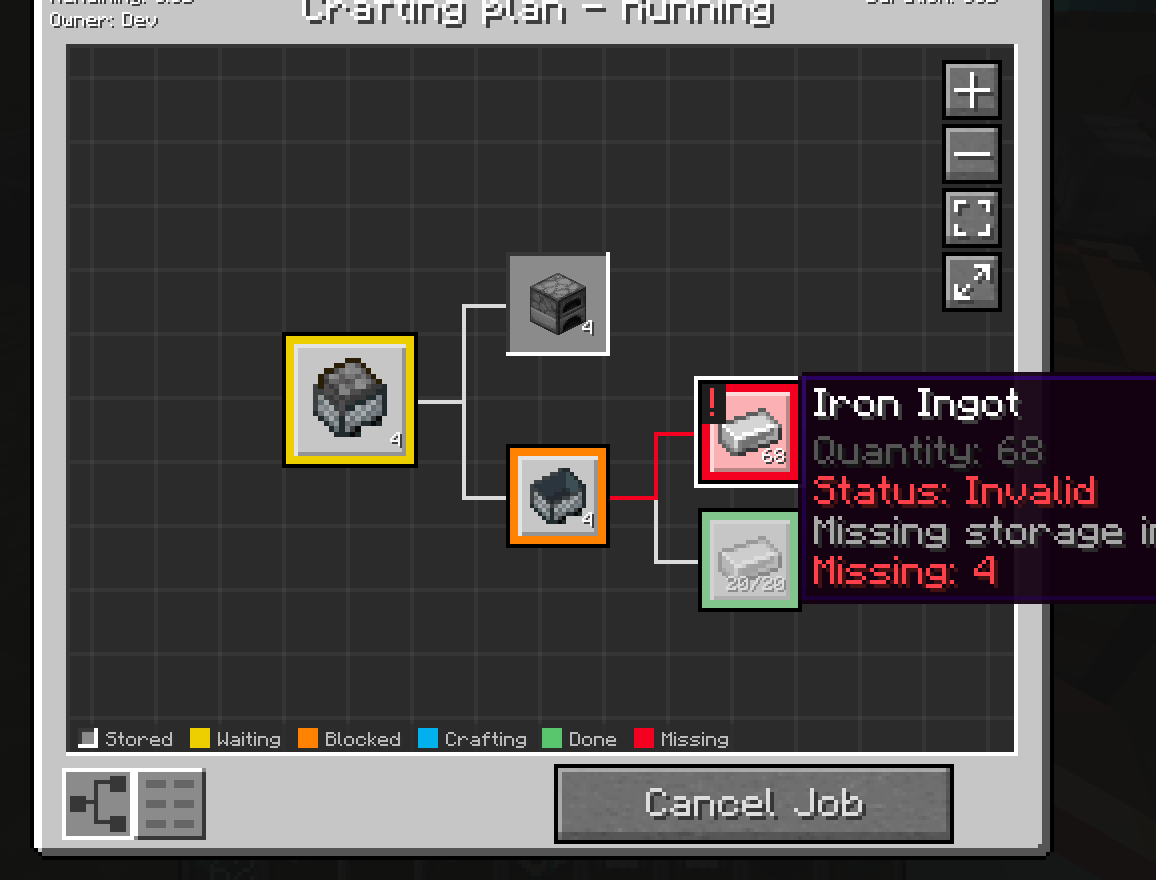
ジョブをクリックすると、保留中の依存関係や不足しているアイテム、液体、エネルギーなど、より詳細な情報が表示されます。
このMODは匿名化された起動データを収集します。これはコンフィグファイルで無効にでき、Minecraftのスヌーパー設定に従います。

Bisect Hostingでサーバーをレンタルする際に紹介コードcyclopsで私たちを支援すると、最初の月が25%オフになります!
このMODが気に入ったら、Patreonでの支援を検討してください!
Integrated Terminalsのインストール方法
With Millida Launcher
Install Millida Launcher
The launcher is free: download it at millida.net/launcher and sign in with any nickname.
Click “Install” on this page
The launcher opens and installs the mod for Minecraft 1.12.2–26.3 on Forge or NeoForge automatically.
Launch the game
A profile with it appears in the launcher: click “Play”.
Manually
Install Forge or NeoForge
The loader must match the game version of the mod file, for example Minecraft 26.3. After installing it, a separate profile appears in your launcher.
Download the file for your version
In the version list above, pick the file integratedterminals-26.3-neoforge-1.7.0-1022.jar (837 KB) for your game version and loader.
Put it in the mods folder
The folder is inside .minecraft (Windows: %appdata%\.minecraft\mods). If it does not exist, create it.
Launch the loader profile
Open “Mods” in the main menu: Integrated Terminals should be in the list.
バージョン
依存関係あり
| Minecraft | ローダー | ファイル | 日付 | 操作 |
|---|---|---|---|---|
| 26.3 | NeoForge | integratedterminals-26.3-neoforge-1.7.0-1022.jar837 KB 1 | ||
| 1.21.1 | NeoForge | integratedterminals-1.21.1-neoforge-1.10.0.jar803 KB 5 | ||
| 1.20.1 | Forge, NeoForge | IntegratedTerminals-1.20.1-1.7.0.jar578 KB 2 | ||
| 1.12.2 | — | IntegratedTerminals-1.12.2-1.0.11.jar559 KB |
FAQ
Which Minecraft versions does Integrated Terminals work on?
There are files for 26.3, 1.21.1, 1.20.1, 1.12.2. The newest is 26.3.
Is Integrated Terminals for Forge or Fabric?
There are files for Forge: 1.20.1 and for NeoForge: 1.20.1–26.3. There are no files for Fabric: a mod for another loader will not start.
Does Integrated Terminals need other mods?
The author lists no required dependencies: the Forge or NeoForge loader is enough.
Where can I download Integrated Terminals safely?
On this page: the file integratedterminals-26.3-neoforge-1.7.0-1022.jar (837 KB) is stored on Millida’s server, with no link shorteners. SHA-1 checksum: f58f1989c7060710de66016733d35ac5dcf229a2.
レビュー
Integrated Terminalsの最初の評価を書きませんか


