
Minecraft 1.20.1, 1.12.2用Integrated Crafting MOD
Integrated Dynamicsネットワークでクラフト
 NeoForge
 Forge
ForgeIntegrated Crafting MODについて
これにはCyclops CoreライブラリとIntegrated Dynamics + Integrated Tunnelsが必要です!
Cyclops Discordサーバーのintegratedmodsでぜひ話しかけてください!
Integrated Dynamicsのネットワークでアイテム、液体、エネルギーを自動クラフトできます。
非常に柔軟なIntegrated Dynamicsのロジックを使えば、自動クラフトシステムを構築できます。外部マシンと連携することで、アイテム、液体、エネルギーのあらゆる組み合わせで自動的にクラフトさせることができます。これにより、「雨が降っている間はバケツをクラフトする」や「板材が64枚未満ならSawmillで板材をクラフトし、それ以外はCrafting Tableでクラフトする」といったトリガーを組むことができます。
このMODは、Integrated Dynamicsの「On the Dynamics of Integration」の本を通じて、ゲーム内ドキュメントとチュートリアルを提供します。
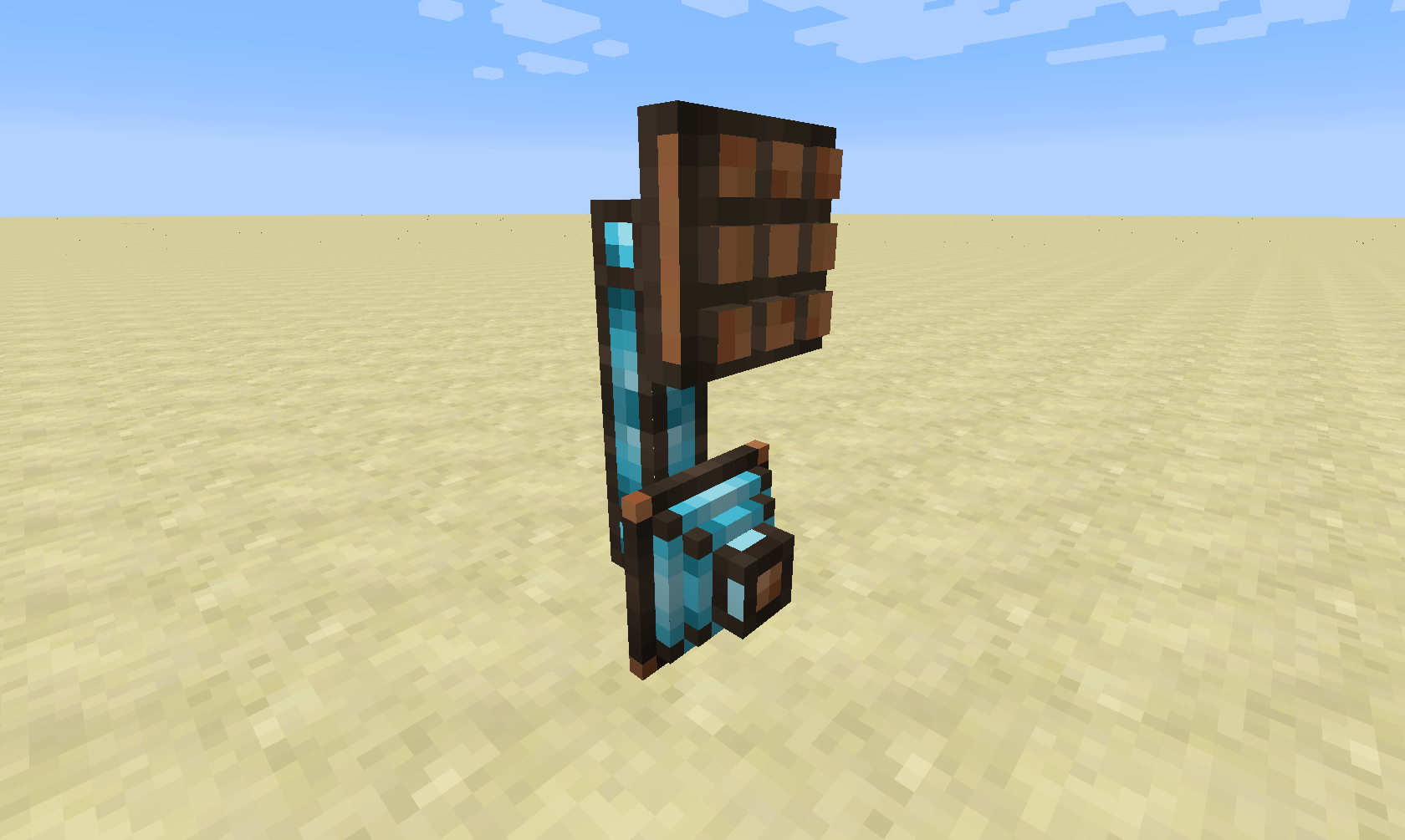
このMODは2つの新しいパーツタイプを追加します:Crafting InterfaceとCrafting Writerです。
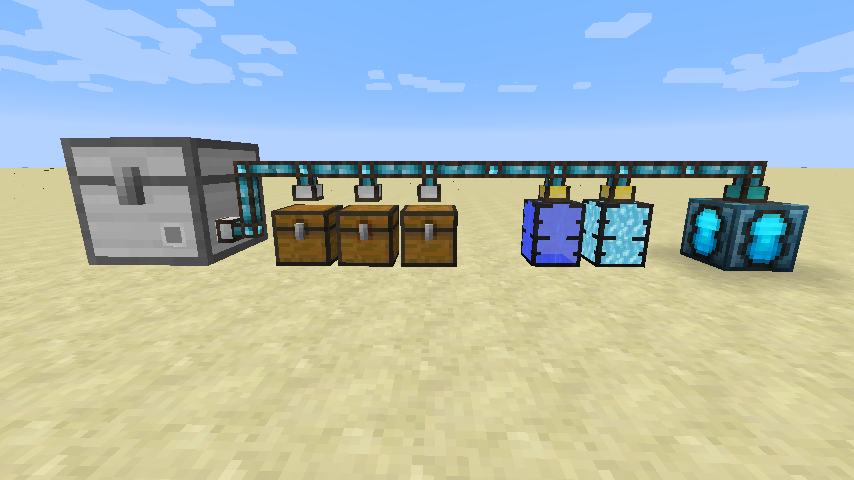
自動クラフト中のレシピの入力と出力を扱うには、ストレージネットワークが必要です。これはIntegrated Tunnels Interfacesを使って実現できます。
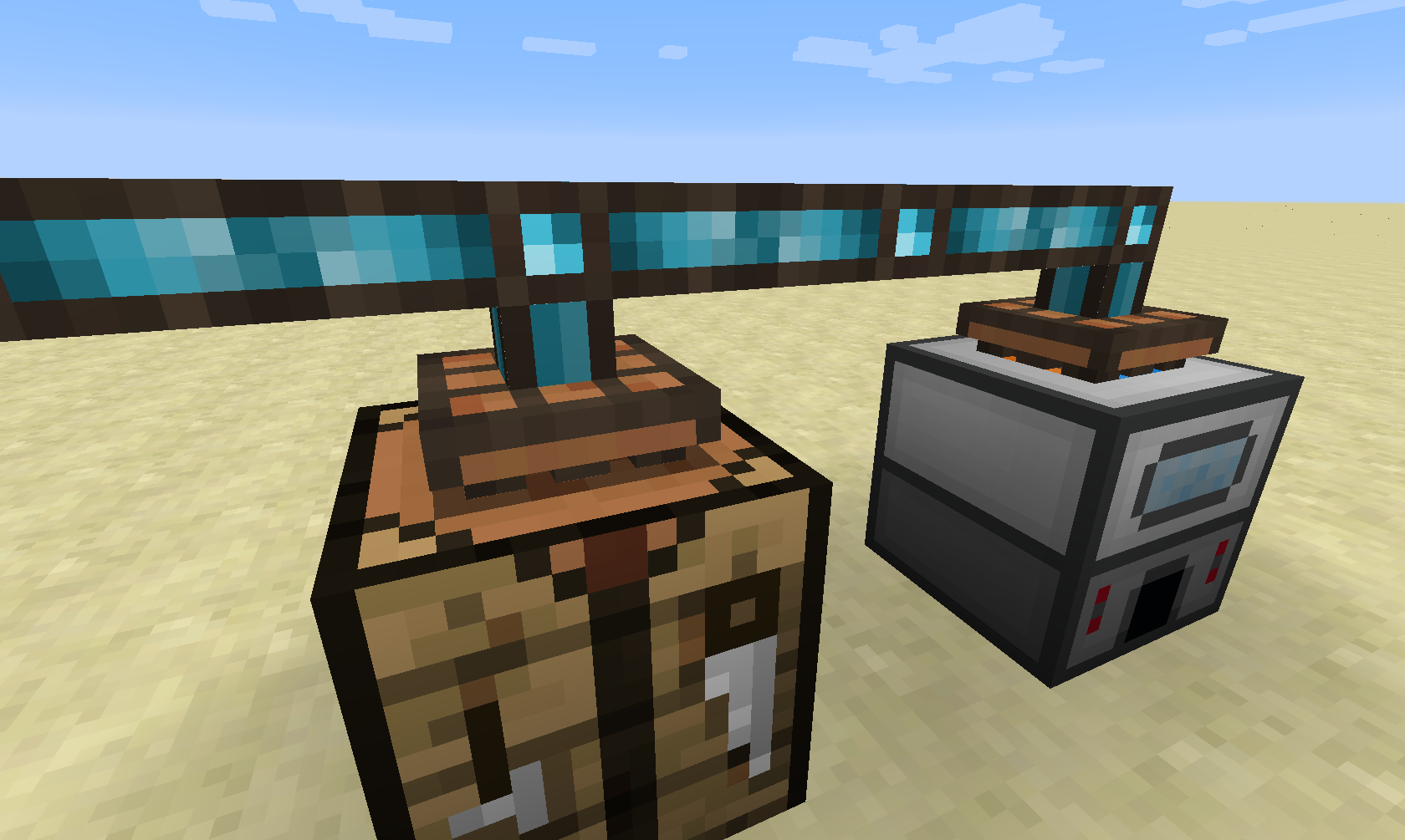
次のステップは、マシンにCrafting Interfaceを取り付けてネットワークにバインドすることです。
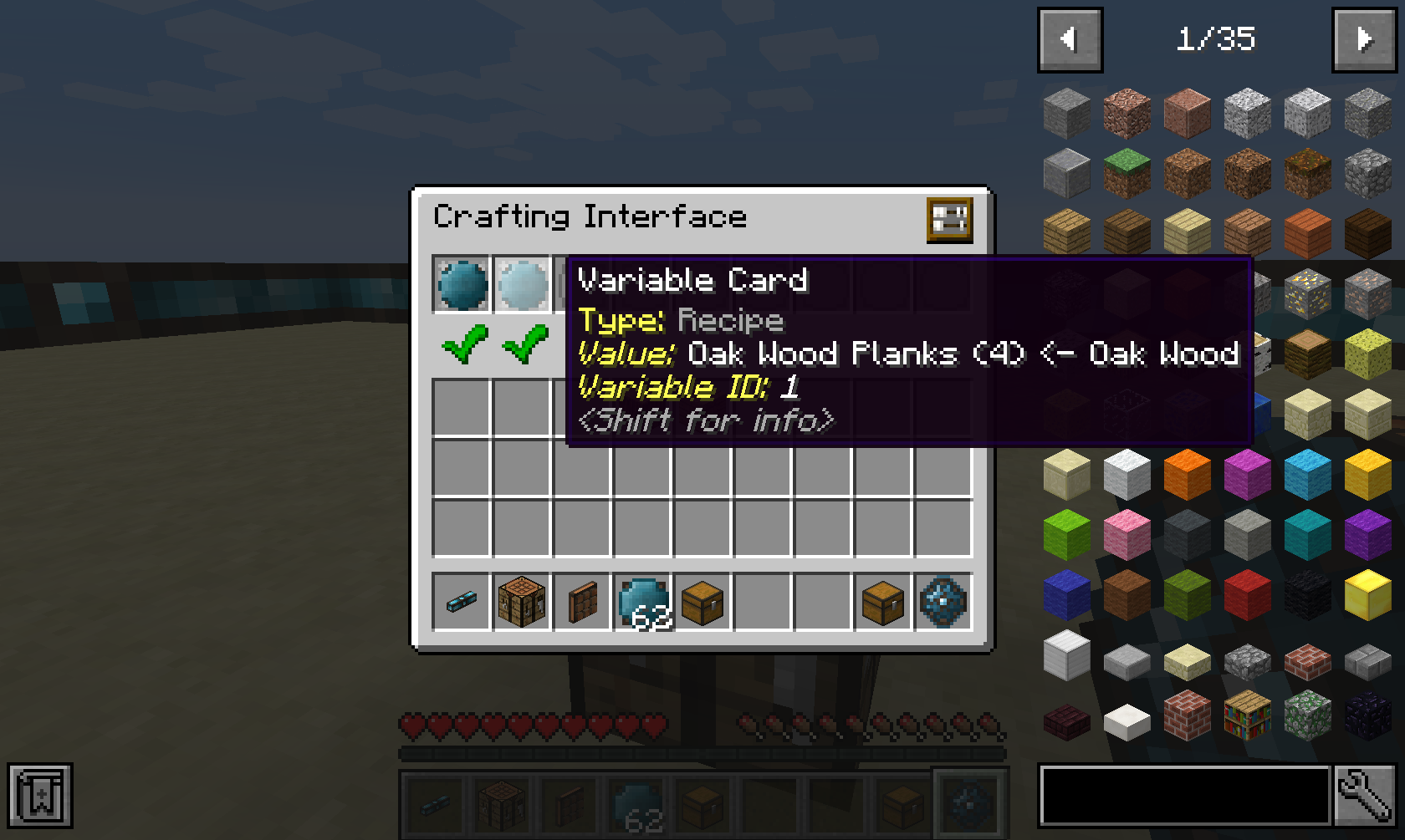
Crafting Interfaceに何をクラフトできるかを伝えるには、レシピを挿入する必要があります。レシピはIntegrated DynamicsのVariable Cardsに保存されます。
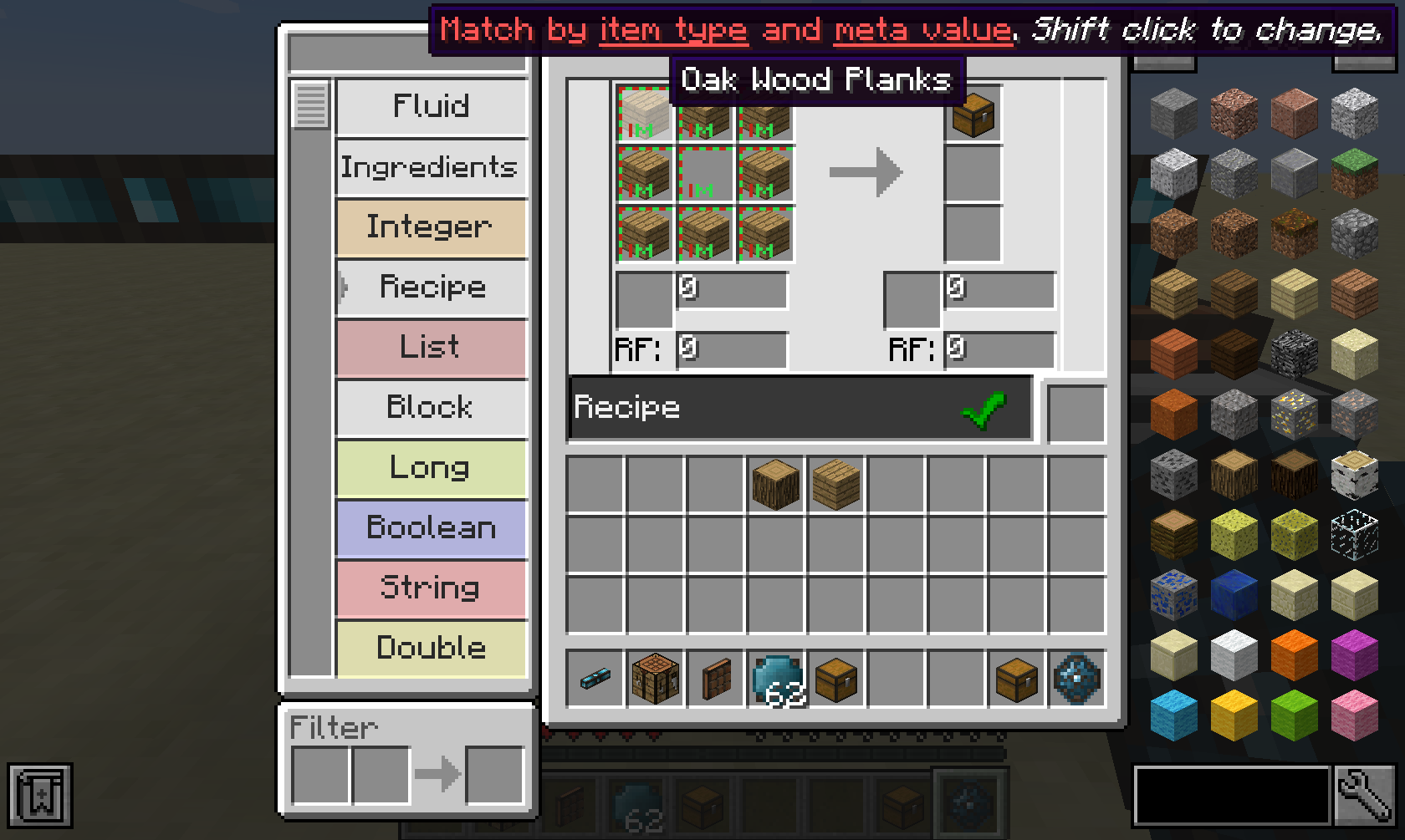
そのようなレシピはIntegrated DynamicsのLogic Programmerで作成できます。レシピにはアイテムだけでなく、液体やエネルギーも挿入できます。さらにJEIにも完全対応しています!

レシピの設定ができたら、実際にクラフトジョブを開始する手段が必要です。これは例えばCrafting Writerを使って実現できます。
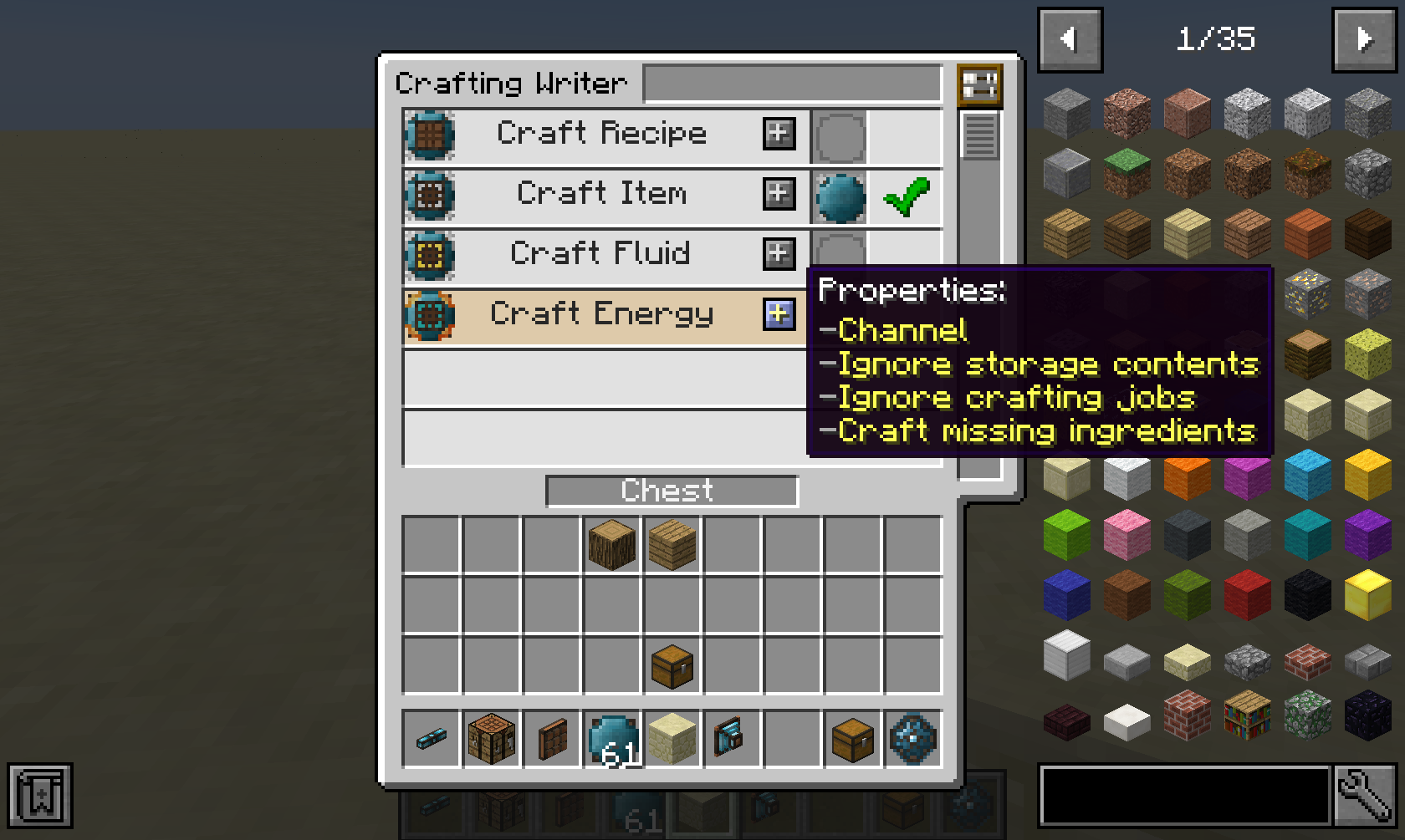
Crafting Writerにはいくつかのアスペクトがあり、それを使ってアイテム、液体、エネルギー、または指定したレシピをクラフトできます。(空の値は何もクラフトしないことを意味します)
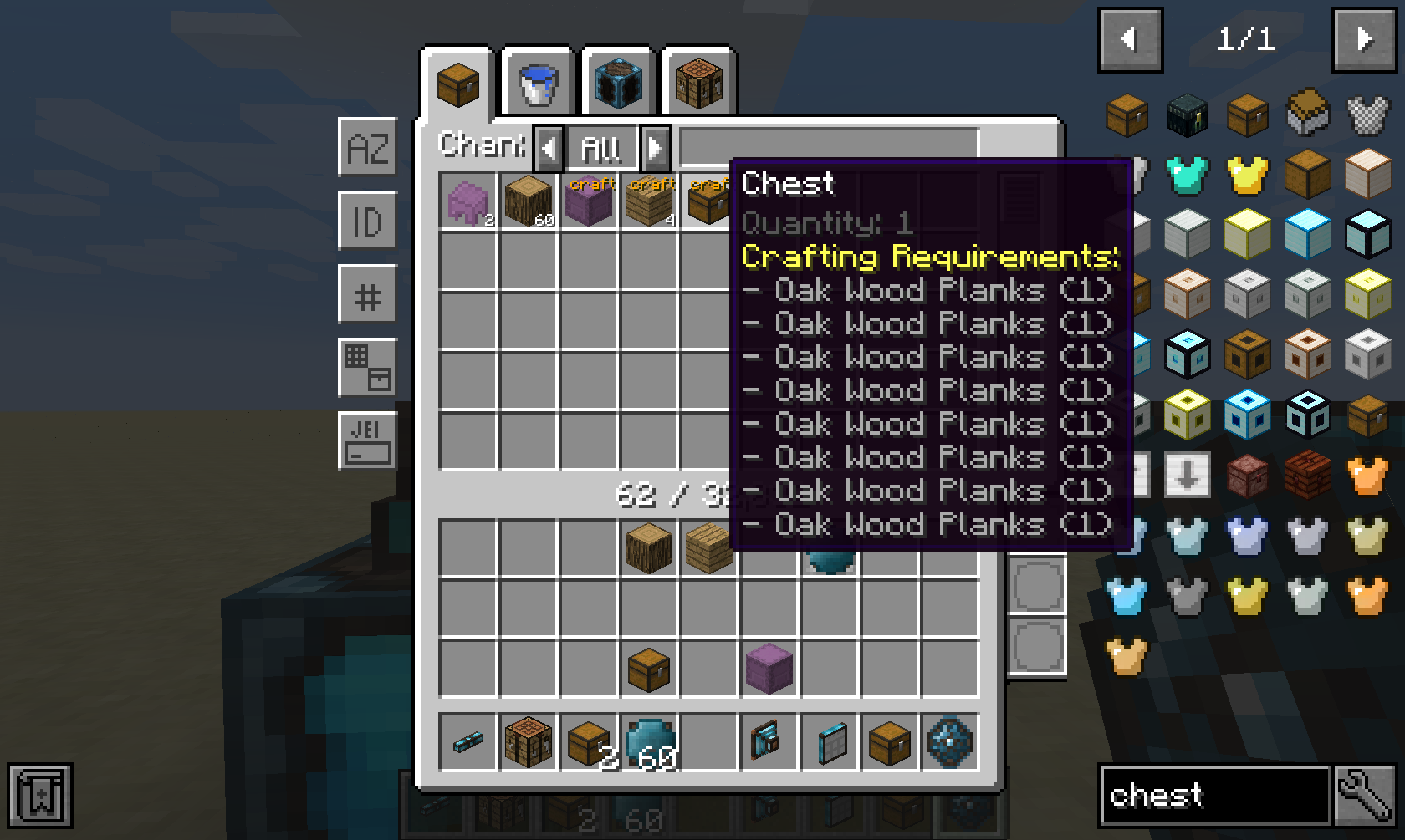
Integrated Terminals MODがインストールされていて、自動ではなく手動でジョブを開始したい場合は、Storage Terminalから直接ジョブを開始できます。
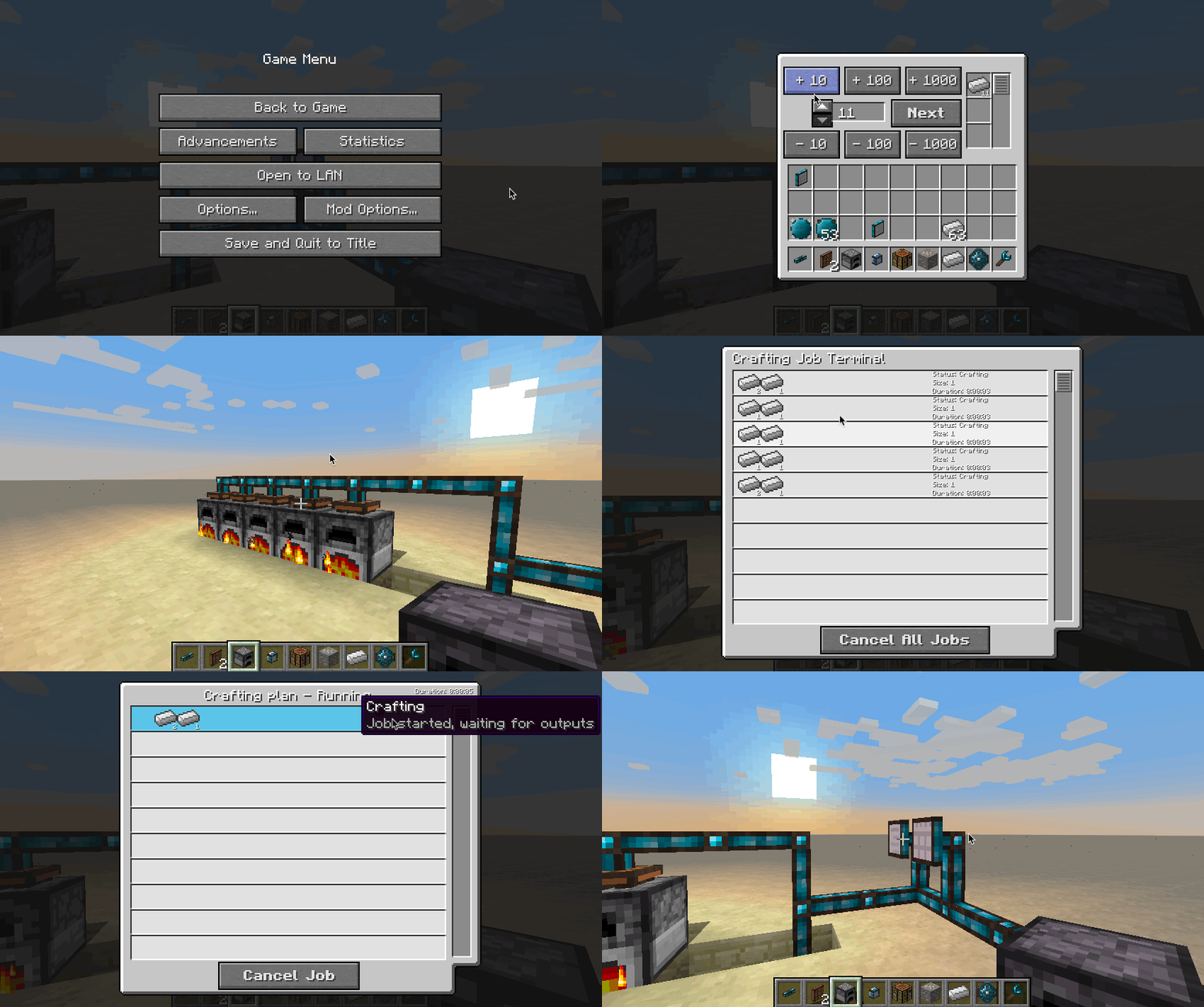
プログラミング志向ではない方は、Integrated Terminalsをチェックしてみてください。自動クラフトの管理がとても簡単になります。
Attuned Crafting Interfaceは、対象とするマシンから利用可能なすべてのレシピを自動的に公開します。これにはマシンがCommonCapabilitiesのIRecipeHandlerをサポートしている必要があります。
このMODは匿名化された起動データを収集します。これはコンフィグファイルで無効にでき、Minecraftのスヌーパー設定に従います。

Bisect Hostingでサーバーをレンタルする際に紹介コードcyclopsを使うと、初月が25%オフになります!
このMODが気に入ったら、Patreonでの支援を検討してみてください!
Integrated Craftingのインストール方法
With Millida Launcher
Install Millida Launcher
The launcher is free: download it at millida.net/launcher and sign in with any nickname.
Click “Install” on this page
The launcher opens and installs the mod for Minecraft 1.12.2–26.3 on Forge or NeoForge automatically.
Launch the game
A profile with it appears in the launcher: click “Play”.
Manually
Install Forge or NeoForge
The loader must match the game version of the mod file, for example Minecraft 26.3. After installing it, a separate profile appears in your launcher.
Download the file for your version
In the version list above, pick the file integratedcrafting-26.3-neoforge-1.4.7-812.jar (519 KB) for your game version and loader.
Put it in the mods folder
The folder is inside .minecraft (Windows: %appdata%\.minecraft\mods). If it does not exist, create it.
Launch the loader profile
Open “Mods” in the main menu: Integrated Crafting should be in the list.
バージョン
依存関係あり
| Minecraft | ローダー | ファイル | 日付 | 操作 |
|---|---|---|---|---|
| 26.3 | NeoForge | integratedcrafting-26.3-neoforge-1.4.7-812.jar519 KB 1 | ||
| 26.1.2 | NeoForge | integratedcrafting-26.1.2-neoforge-1.7.1.jar519 KB | ||
| 1.20.1 | Forge, NeoForge | IntegratedCrafting-1.20.1-1.4.8.jar311 KB | ||
| 1.12.2 | — | IntegratedCrafting-1.12.2-1.0.7.jar305 KB |
FAQ
Which Minecraft versions does Integrated Crafting work on?
There are files for 26.3, 26.1.2, 1.20.1, 1.12.2. The newest is 26.3.
Is Integrated Crafting for Forge or Fabric?
There are files for Forge: 1.20.1 and for NeoForge: 1.20.1–26.3. There are no files for Fabric: a mod for another loader will not start.
Does Integrated Crafting need other mods?
The author lists no required dependencies: the Forge or NeoForge loader is enough.
Where can I download Integrated Crafting safely?
On this page: the file integratedcrafting-26.3-neoforge-1.4.7-812.jar (519 KB) is stored on Millida’s server, with no link shorteners. SHA-1 checksum: 1d25cd03b1f5a74b248fb1e1beee52ef02c1a8d4.
レビュー
Integrated Craftingの最初の評価を書きませんか


