
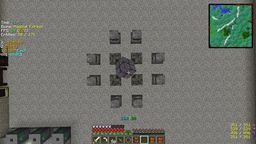
概要
このMODでは、非常にカスタマイズ可能な「F3画面」を表示できます。デフォルトの設定(XML形式)が付属しており、独自の設定に置き換えたり変更したりできます。XML、JSON、テキスト形式(bspkrsの形式を少し変更したもの)に対応しています。
コミュニティ設定ファイル(「new」)
コミュニティから投稿された設定ファイルの一覧はこちらで確認できます。
自分の設定ファイルを提供したい場合は、プルリクエスト(PR)を送るか、設定ファイルを私に送っていただければ追加します。
スポットライト
必要条件
- Minecraft Forge
- LunatriusCore(1.7.2以降のみ)
インストール
- ファイルをmodsフォルダに入れるだけです。以上です。
使い方(カスタマイズ)
- /igi - 利用可能なすべてのサブコマンドを表示(すべてのコマンドはキーを押すと自動補完できます)
- /igi save <TAB> - 現在読み込まれている設定を保存
- /igi taglist - 利用可能なすべてのタグの一覧を表示
クラッシュレポート、翻訳、提案
- クラッシュレポート
- 翻訳
- 提案
MODパック:MODパックが無料(公開・非公開を問わず)であれば、どのMODでも自由にMODパックに含めることができます。作者として私の名前を記載していただけると嬉しいですが、必須ではありません。Youtube/配信:このMODを使って制作した動画で収益化しても構いません。
InGame Info XMLのインストール方法
With Millida Launcher
Install Millida Launcher
The launcher is free: download it at millida.net/launcher and sign in with any nickname.
Click “Install” on this page
The launcher opens and installs the mod for Minecraft 1.12.2 automatically.
Launch the game
A profile with it appears in the launcher: click “Play”.
Manually
Download the file for your version
In the version list above, pick the file InGameInfoXML-1.12.2-2.8.2.94-universal.jar (308 KB) for your game version.
Put it in the mods folder
The folder is inside .minecraft (Windows: %appdata%\.minecraft\mods). If it does not exist, create it.
Launch the loader profile
Open “Mods” in the main menu: InGame Info XML should be in the list.
Minecraft 1.12.2 runs on Java 8: with a different Java version the game may close right after launch.
バージョン
依存関係あり
| Minecraft | ローダー | ファイル | 日付 | 操作 |
|---|---|---|---|---|
| 1.12.2 | — | InGameInfoXML-1.12.2-2.8.2.94-universal.jar308 KB |
FAQ
Which Minecraft versions does InGame Info XML work on?
Only Minecraft 1.12.2: there are no files for other versions.
Which Java does InGame Info XML need?
Minecraft 1.12.2 runs on Java 8. If the game closes right after launch, the usual cause is the wrong Java version in the profile settings.
Where can I download InGame Info XML safely?
On this page: the file InGameInfoXML-1.12.2-2.8.2.94-universal.jar (308 KB) is stored on Millida’s server, with no link shorteners. SHA-1 checksum: 25740e4cffa45a47d13881656ec7ec7e5d02db8a.
レビュー
InGame Info XMLの最初の評価を書きませんか


