
Minecraft 1.7.10用Immersive Integration MOD
IEを他のMODと統合し、IE自体にいくつかの便利な追加を行います
Immersive Integration MODについて
このMODはImmersive Engineeringのアドオンです。目的は、IEのスタイルに合いながらもIE自体に含めるのは理にかなわないブロックやアイテムを追加することです。これには他のMODと連携するアイテムや、IEおよびバニラの追加要素が含まれます。
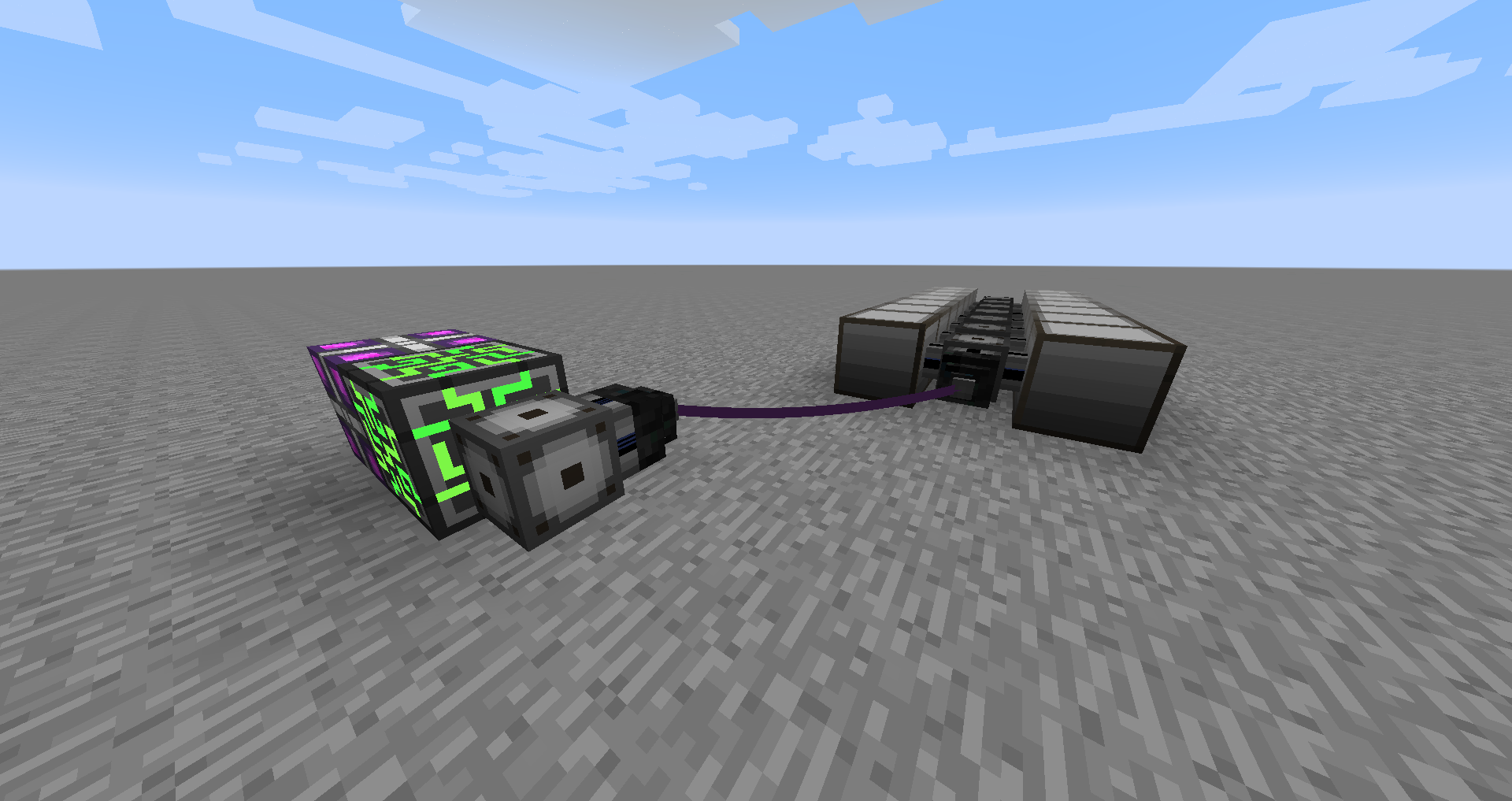
新着: Immersive Integration v0.6.2
Extended postはextendable postに置き換えられ、かなり大きくなることがあります...
以前のアップデート:
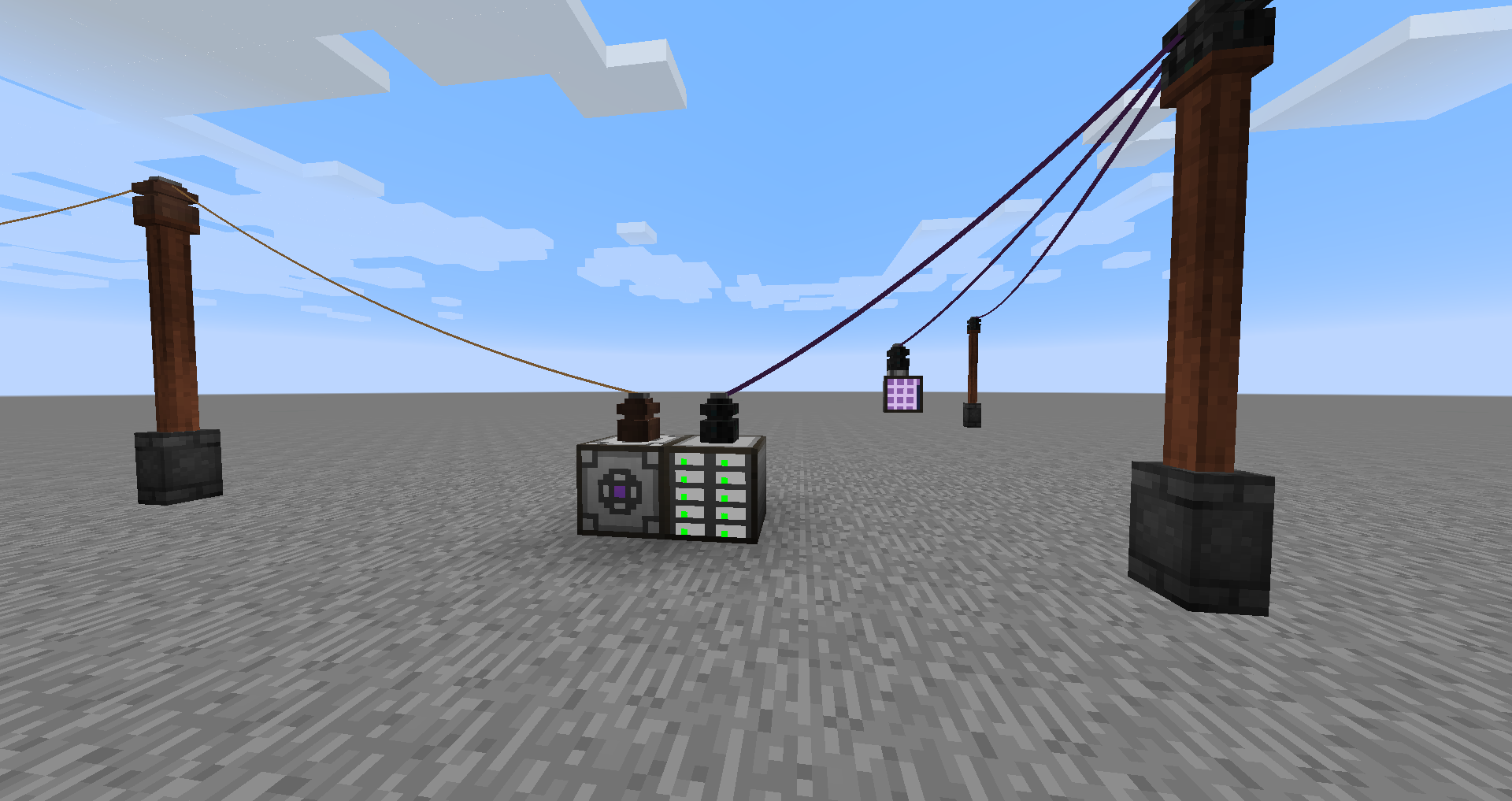
新着: Immersive Integration v0.6.1
Induction Chargerを追加しました。LV、MV、HVのバリエーションがあります。右クリックするかアイテムを投げ入れると充電できます。
Capacitor in a Boxを追加しました。LV、MV、HV、Creativeのバリエーションがあります。Induction Chargerで充電できます。Tinkers' toolsにも追加できます。
新着: Immersive Integration v0.5.0
ヘルプ
IEのゲーム内マニュアルにImmersive Integrationカテゴリが追加され、すべてのブロックとアイテムの詳細が含まれています。
ブロックとアイテム:
Applied Energistics 2:
- ME Wire Connector - 2つのMEトランスフォーマー間のケーブルの長さを延長するために使用します。
- ME Dense Wire Connector - 非dense版と同じですが、denseライン用です。
- Fluix Wire Coil - ME Wire Connector同士を接続するために使用するワイヤーです。
- Dense Wire Coil - fluix wire coilと同じですが、dense wire connector用です。
- ME Transformer - AEシステムに接続し、fluixワイヤーで転送するために信号を変換します。AEシステムからエネルギーを使用します。
- ME Dense Transformer - 非dense版と同じですが、32チャンネルを伝送します。
Immersive Engineering
- Wooden Post Extension - 木製ポストの上に設置して、ワイヤーコネクタを置ける場所を増やします。木製ポストと同様にハンマーを使ってアームを追加します。
- Steel trapdoor - 単なる鋼製トラップドアですが、レッドストーンでのみ作動します。主に将来の追加要素で使用するためのものです。
- Industrial Coke Oven - 4つの石炭コークスを同時に、より高い速度と収量で製造できる巨大なマルチブロックです。
- Induction Charger (LV, MV, HV) - tinkers' tools、AE tools、thermal expansion tools、コンデンサなどのアイテムを充電します。
- Capacitor in a Box (LV, MV, HV, Creative) - 携帯可能な電力で、手持ちのアイテムを充電したり、Tinker's toolsに追加したりできます。
Minecraft
- Redstone Wire Connector - レッドストーンワイヤーを介してレッドストーン信号を転送します。コネクタは入力または出力として設定でき、16チャンネルのうちの1つとして設定できます。16チャンネルすべてがワイヤーを介して伝送されます。ハンマーで右クリックして入力/出力を設定し、Shift右クリックでチャンネルを変更します。
- Redstone Wire Coil - redstone wire connector同士を接続するために使用します。
Tinker's Construct
- ツールにCapacitor in a Boxを追加し、Induction Chargerで充電できます。
スクリーンショット:
インストール
Immersive Engineering v0.6.1以上が必要です
MOD固有の機能は、MODがインストールされ、コンフィグが有効になっている場合にのみ有効になります (デフォルトで有効)
ソース
ソースコードはGithubで入手できます
Modpacks
どのModpackでも使用できます。
Immersive Integrationのインストール方法
With Millida Launcher
Install Millida Launcher
The launcher is free: download it at millida.net/launcher and sign in with any nickname.
Click “Install” on this page
The launcher opens and installs the mod for Minecraft 1.7.10 automatically.
Launch the game
A profile with it appears in the launcher: click “Play”.
Manually
Download the file for your version
In the version list above, pick the file immersiveintegration-0.6.8.jar (295 KB) for your game version.
Put it in the mods folder
The folder is inside .minecraft (Windows: %appdata%\.minecraft\mods). If it does not exist, create it.
Launch the loader profile
Open “Mods” in the main menu: Immersive Integration should be in the list.
Minecraft 1.7.10 runs on Java 8: with a different Java version the game may close right after launch.
バージョン
依存関係あり
| Minecraft | ローダー | ファイル | 日付 | 操作 |
|---|---|---|---|---|
| 1.7.10 | — | Immersive Integration v0.6.8295 KB | ||
| 1.7.10 | — | Immersive Integration v0.6.2294 KB |
レビュー
Immersive Integrationの最初の評価を書きませんか


