
Minecraft 1.21.1用ImageTitles MOD
Minecraftのタイトルをカスタム画像に置き換えます。画像を含むリソースパックを作成すれば、サーバー上の全プレイヤーに表示できます。
 NeoForge
 Forge
 Fabric
 Quilt
ImageTitles
Replace Minecraft titles with custom images. Create a resource pack with the images and you'll be able to display them to all players on your server. Go to ImageTitles Example for instructions on how to create a resource pack.
Vanilla:
ImageTitles:
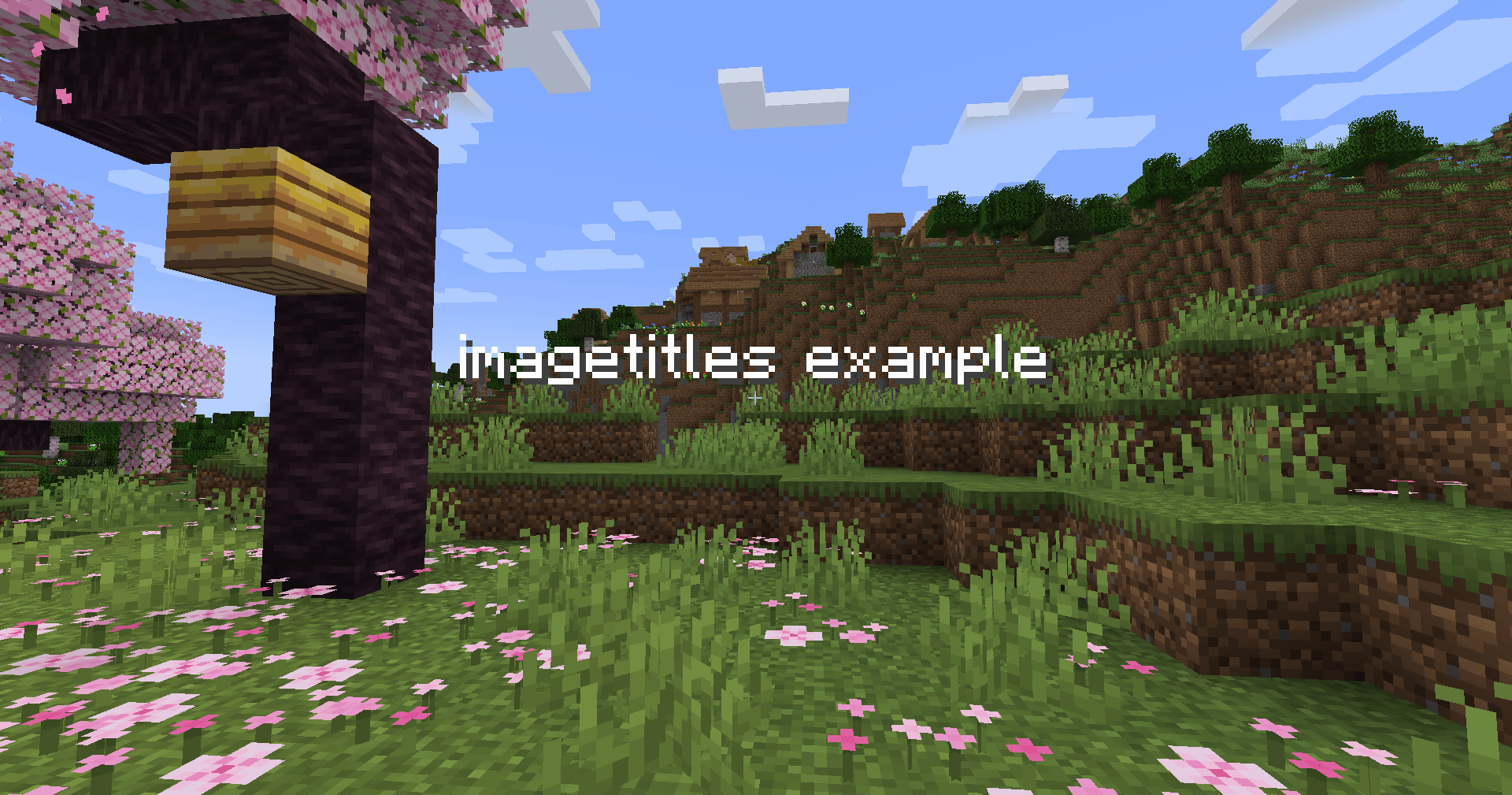
This example was created with the ImageTitles Example resource pack. Using the command /title @s title {"text":"imagetitles example"}.
ImageTitlesのインストール方法
With Millida Launcher
Install Millida Launcher
The launcher is free: download it at millida.net/launcher and sign in with any nickname.
Click “Install” on this page
The launcher opens and installs the mod for Minecraft 1.21.1 on Fabric, Forge, NeoForge or Quilt automatically.
Launch the game
A profile with it appears in the launcher: click “Play”.
Manually
Install Fabric, Forge, NeoForge or Quilt
The loader must match the game version of the mod file, for example Minecraft 1.21.1. After installing it, a separate profile appears in your launcher.
Download the file for your version
In the version list above, pick the file imagetitles-neoforge-1.21.1-1.2.0.jar (170 KB) for your game version and loader.
Put it in the mods folder
The folder is inside .minecraft (Windows: %appdata%\.minecraft\mods). If it does not exist, create it.
Launch the loader profile
Open “Mods” in the main menu: ImageTitles should be in the list.
Minecraft 1.21.1 runs on Java 21: with a different Java version the game may close right after launch.
バージョン
依存関係あり
| Minecraft | ローダー | ファイル | 日付 | 操作 |
|---|---|---|---|---|
| 1.21.1 | NeoForge | ImageTitles-1.21.1-1.2.0-neoforge170 KB | ||
| 1.21.1 | Forge | ImageTitles-1.21.1-1.2.0-forge169 KB | ||
| 1.21.1 | Fabric, Quilt | ImageTitles-1.21.1-1.2.0-fabric169 KB |
レビュー
ImageTitlesの最初の評価を書きませんか


