

Minecraft 1.21.1, 26.3用Hunter's Return MOD
邪悪なHunterのモブを追加!動物を狩りながら、生意気な笑い声をあげます...
- ダウンロード
- 2 ダウンロード
- 閲覧
- 31 閲覧
- 更新日
- 更新日 03.10.2026
- 1.21.1 — 26.3
 NeoForge
- クライアントとサーバー
Hunter's Return (formerly hunterillager mod)
Add the evil Hunter mob! They hunt wild animals while making a cheeky laugh...
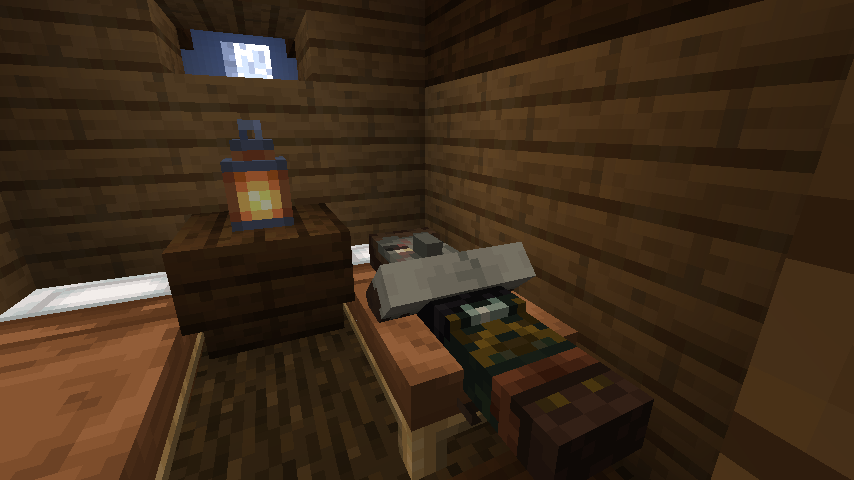
This mod adds a new mob, the Hunter Illager! They spawn in a new structure so keep an eye out for it! This mod doesn't only add the hunter though... (Forge version needs Bagus Lib for 10.0.1 or above!)
- Features

Hunter Illager
These little menacing dudes live in a wooden hut that spawns in forested biomes. If he spots a player or animal, he will attack them with a bow n' arrow! When he successfully corners his enemy, he will creepily laugh...
After being sufficiently damaged, Hunters will eat food to replenish their health.
The boomerang is the Hunter's secondary weapon, which can also be crafted by the player. It can be enchanted with Bounce to become more bouncy when striking walls.
Also Hunter Love to use Mini Crossbow... Having mini crossbows on both sides will make it easier to load arrows and unleash a barrage of arrows on enemies at once.
The mini crossbow has low firepower, but it's an easy-to-use weapon for people who move around a lot.
Warning: backport and fabric port not planned also do not ask a port

Credits:
Bagu_Chan: (Coder and Model designer)
MCVinnyq: (Original Texture-artist)
Fuffles: (Overhauled the textures)
Evo (Documentation)
Akogiri (Sound design and new model!)
andrejulio90: (Overhauled the textures)
mcfella: (Overhauled the textures)
ilyymira:(new mobs texture!)
Hunter's Returnのインストール方法
With Millida Launcher
Install Millida Launcher
The launcher is free: download it at millida.net/launcher and sign in with any nickname.
Click “Install” on this page
The launcher opens and installs the mod for Minecraft 1.21.1–26.3 on NeoForge automatically, together with its dependencies: Bagus Lib.
Launch the game
A profile with it appears in the launcher: click “Play”.
Manually
Install NeoForge
The loader must match the game version of the mod file, for example Minecraft 26.3. After installing it, a separate profile appears in your launcher.
Download the file for your version
In the version list above, pick the file hunters_return-26.3-33.3.0.jar (614 KB) for your game version.
Put it in the mods folder
The folder is inside .minecraft (Windows: %appdata%\.minecraft\mods). If it does not exist, create it. Required dependencies go there too: Bagus Lib.
Launch the loader profile
Open “Mods” in the main menu: Hunter's Return should be in the list.
On a server
A server on NeoForge
The mod only works on a server with the same loader and game version, for example 26.3.
File goes into the server’s mods folder
Stop the server, put the mod file into the mods folder and start the server again.
Use the “To server” button
On Millida Hosting, the button at the top of the page uploads the file to your server and restarts it for you.
バージョン
依存関係あり
| Minecraft | ローダー | ファイル | 日付 | 操作 |
|---|---|---|---|---|
| 26.3 | NeoForge | 26.3614 KB 1 | ||
| 26.3 | NeoForge | 26.3614 KB | ||
| 26.3 | NeoForge | 26.3614 KB | ||
| 26.3 | NeoForge | 26.3614 KB | ||
| 26.2 | NeoForge | 26.2613 KB | ||
| 26.1.2 | NeoForge | 26.1.2613 KB | ||
| 1.21.1 | NeoForge | 1.21.1558 KB 1 | ||
| 26.2 | NeoForge | 26.2614 KB |
動作に必要なもの
レビュー
Hunter's Returnの最初の評価を書きませんか


