
概要
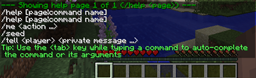
一部のModコマンドは、特定のコードを誤って実装しています。このコードは、/help コマンドでコマンド一覧をアルファベット順に並べ替えるために使われています。この誤ったコードが原因で、/help コマンドがあいまいで分かりにくいエラーで壊れてしまいます。
HelpFixer は /help コマンドを変更し、問題のあるコードを回避して、確実に動作する方法でコマンドを並べ替えます。また HelpFixer は問題のあるコマンドをサーバーログに記録するので、何が原因で問題が起きているのかを特定できます。
HelpFixer はサーバー側専用の Mod です。つまり、HelpFixer は「サーバー」がある場所にインストールする必要があります。SSP ではクライアントに、SMP では実際のサーバーにインストールします。
HelpFixerのインストール方法
With Millida Launcher
Install Millida Launcher
The launcher is free: download it at millida.net/launcher and sign in with any nickname.
Click “Install” on this page
The launcher opens and installs the mod for Minecraft 1.12.1–1.12.2 automatically.
Launch the game
A profile with it appears in the launcher: click “Play”.
Manually
Download the file for your version
In the version list above, pick the file HelpFixer-1.12.1-1.5.18.jar (7 KB) for your game version.
Put it in the mods folder
The folder is inside .minecraft (Windows: %appdata%\.minecraft\mods). If it does not exist, create it.
Launch the loader profile
Open “Mods” in the main menu: HelpFixer should be in the list.
Minecraft 1.12.2 runs on Java 8: with a different Java version the game may close right after launch.
バージョン
依存関係あり
| Minecraft | ローダー | ファイル | 日付 | 操作 |
|---|---|---|---|---|
| 1.12.1 | — | HelpFixer - 1.12.1-1.5.186.6 KB |
FAQ
Which Minecraft versions does HelpFixer work on?
There are files for 1.12.2, 1.12.1. The newest is 1.12.2.
Which Java does HelpFixer need?
Minecraft 1.12.2 runs on Java 8. If the game closes right after launch, the usual cause is the wrong Java version in the profile settings.
Where can I download HelpFixer safely?
On this page: the file HelpFixer-1.12.1-1.5.18.jar (7 KB) is stored on Millida’s server, with no link shorteners. SHA-1 checksum: db399136a8f16fc1b42f130d245e3f524835d5f0.
レビュー
HelpFixerの最初の評価を書きませんか


