

Guide-API MODについて
MOD作者がゲーム内ドキュメントを簡単に作成できるようにします。
Modpack開発者向け: JSONファイルを通じて本を構築するサポートは準備中です。
本はGuide-APIによって管理されます (登録され、独自のクリエイティブタブに配置されるなど)。
作者が行うのは情報を送るだけで、残りはこちらで処理します。
両方の例は近日公開予定です。
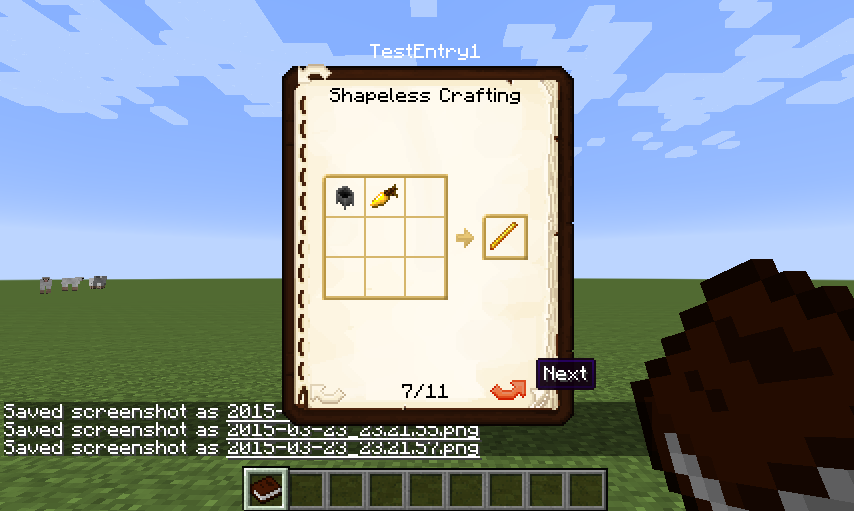
例については画像タブをご覧ください。ソースコードのドキュメントはこちらにあります。
これをあなたのプロジェクトで使用したい場合は、こちらをお読みください。
Modpackの許可
どうぞご自由に。

旧情報
Minecraftバージョン1.11.2向けのビルド2.1.0-51 (2017年3月22日リリース)以降、ライセンスはMMPLv2からMITに変更されました。それ以前のビルドは依然としてMMPLv2を使用しており、こちらで確認できます。
Guide-APIのインストール方法
With Millida Launcher
Install Millida Launcher
The launcher is free: download it at millida.net/launcher and sign in with any nickname.
Click “Install” on this page
The launcher opens and installs the mod for Minecraft 1.12–1.12.2 automatically.
Launch the game
A profile with it appears in the launcher: click “Play”.
Manually
Download the file for your version
In the version list above, pick the file Guide-API-1.12-2.1.8-63.jar (166 KB) for your game version.
Put it in the mods folder
The folder is inside .minecraft (Windows: %appdata%\.minecraft\mods). If it does not exist, create it.
Launch the loader profile
Open “Mods” in the main menu: Guide-API should be in the list.
Minecraft 1.12.2 runs on Java 8: with a different Java version the game may close right after launch.
バージョン
依存関係あり
| Minecraft | ローダー | ファイル | 日付 | 操作 |
|---|---|---|---|---|
| 1.12.1 | — | Guide-API-1.12-2.1.8-63.jar166 KB 1 | ||
| 1.12.1 | — | Guide-API-1.12-2.1.4-57.jar161 KB | ||
| 1.12 | — | Guide-API-1.12-2.1.2-53.jar160 KB |
FAQ
Which Minecraft versions does Guide-API work on?
There are files for 1.12.2, 1.12.1, 1.12. The newest is 1.12.2.
Which Java does Guide-API need?
Minecraft 1.12.2 runs on Java 8. If the game closes right after launch, the usual cause is the wrong Java version in the profile settings.
Where can I download Guide-API safely?
On this page: the file Guide-API-1.12-2.1.8-63.jar (166 KB) is stored on Millida’s server, with no link shorteners. SHA-1 checksum: 095b3b85d05118602c7678beb1e56d26930fd0e7.
レビュー
Guide-APIの最初の評価を書きませんか


