
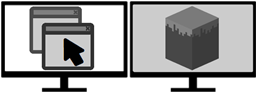
Minecraft 1.12.2用Fullscreen Windowed (Borderless) for Minecraft MOD
Minecraftをフルスクリーンウィンドウモードで実行できるようにします
Fullscreen Windowed (Borderless) for Minecraft MODについて
このMODは非常にシンプルな追加機能で、Minecraftのデフォルトの全画面表示ではなく、ボーダーレスウィンドウモードでゲームを実行できるようにします。
ボーダーレスウィンドウとデフォルトの全画面表示の比較における利点
- Escキーを押すだけでゲームを最小化せずに他のモニターを使えます
- ゲームからAlt+Tabでよりスムーズに切り替えられます
- Minecraftクライアントが非アクティブなときに他のウィンドウをその上に表示できます
素晴らしい!このMODはどうやって使うのですか?
- 全画面表示に使いたいモニターにMinecraftのウィンドウを移動します。
- あとはF11(または全画面表示に割り当てたキー)を押すだけです。
- それだけです!ボーダーレスウィンドウのクライアントになります!
これは<Mod X>と互換性がありますか?
このMODはForgeを使用しており、使用しているすべてのMODと互換性があるはずです!MODパックやmodsフォルダに追加するだけで使えます。
バグを見つけました!助けて!
MODにバグを見つけた場合は、修正されるようにissue trackerまでお越しください。
Fullscreen Windowed (Borderless)を自分のMODパックで使えますか?
私の明示的な許可なく、このMODをどのMODパックにも自由に含めていただけます。ただ好奇心から、使ったことを教えていただけると嬉しいです。
Fullscreen Windowed (Borderless) for Minecraftのインストール方法
With Millida Launcher
Install Millida Launcher
The launcher is free: download it at millida.net/launcher and sign in with any nickname.
Click “Install” on this page
The launcher opens and installs the mod for Minecraft 1.12–1.12.2 automatically.
Launch the game
A profile with it appears in the launcher: click “Play”.
Manually
Download the file for your version
In the version list above, pick the file FullscreenWindowed-1.12-1.6.0.jar (18 KB) for your game version.
Put it in the mods folder
The folder is inside .minecraft (Windows: %appdata%\.minecraft\mods). If it does not exist, create it.
Launch the loader profile
Open “Mods” in the main menu: Fullscreen Windowed (Borderless) for Minecraft should be in the list.
Minecraft 1.12.2 runs on Java 8: with a different Java version the game may close right after launch.
バージョン
依存関係あり
| Minecraft | ローダー | ファイル | 日付 | 操作 |
|---|---|---|---|---|
| 1.12.1 | — | Fullscreen Windowed 1.6.0, MC 1.12 and up18 KB 1 |
レビュー
Fullscreen Windowed (Borderless) for Minecraftの最初の評価を書きませんか


