
Minecraft 1.20.1, 1.21.1用FPS Overlay MOD
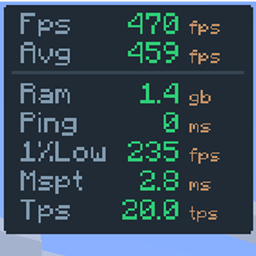
完全にカスタマイズ可能で無駄のないオーバーレイ。レイアウトを調整して、PvPやパフォーマンステストに必要な情報だけを表示できます:FPS、1% low、ping、サーバーTPS、MSPT。
から Hichamdev · CurseForge
 Fabric
 NeoForge
 Forge
FPS Overlay
Simple & Lightweight Performance Monitor
As seen in AsianHalfSquat's Videos! v3.6 OLD
Featured in the "Voxy vs Distant Horizons" showcase. Get that same professional aesthetic with the built-in preset!

Features
- Real-Time Stats: Track FPS, Avg FPS, Ping, and RAM usage instantly.
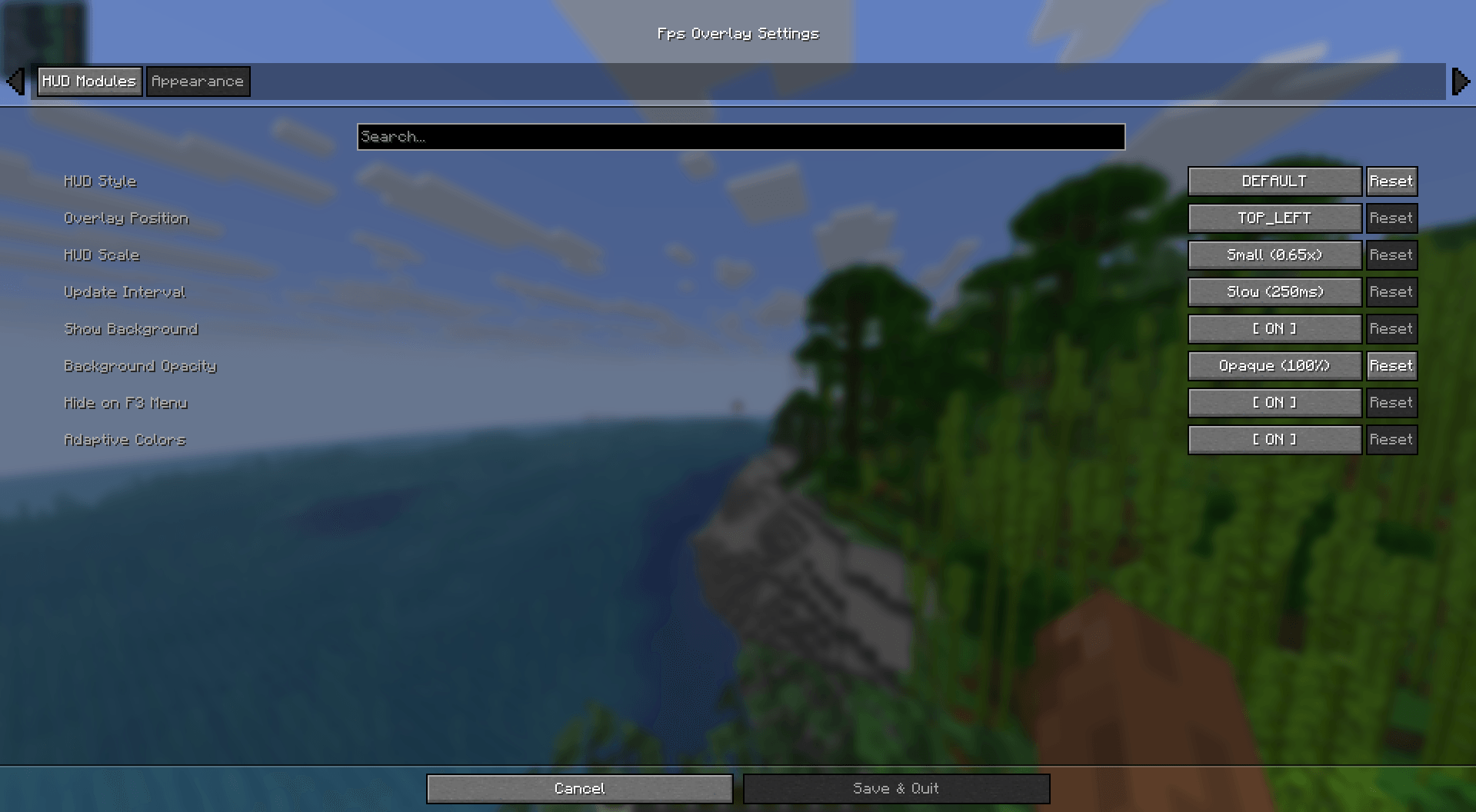
- Fully Customizable: Easily change the size, position, and colors via the config menu.
- Quick Toggle: Hide or show the overlay with a single keypress. (Default: o)
- Ultra Lightweight: Written for performance. It won't impact your frames.
- Cross-Platform: Full support for Fabric, NeoForge, and Forge.
Installation & Setup
How to Install
- Download and install your preferred loader (Fabric or NeoForge).
- Download the FPS Overlay jar for your Minecraft version.
- Drop it into your .minecraft/mods folder.
- Launch and enjoy!
How to Change Modes
- Open the configuration menu (use Mod Menu on Fabric).
- Look for the Layout Type setting.
- Switch between Default, Navbar, or AsianHalfSquat styles.
FPS Overlayのインストール方法
Install Millida Launcher
The launcher is free: download it at millida.net/launcher and sign in with any nickname.
Click “Install” on this page
The launcher opens and installs the mod for Minecraft 1.20.1–26.2 on Fabric, Forge or NeoForge automatically.
Launch the game
A profile with it appears in the launcher: click “Play”.
バージョン
依存関係あり
| Minecraft | ローダー | ファイル | 日付 | 操作 |
|---|---|---|---|---|
| 26.1.2 | NeoForge | FpsOverlay-neoforge-5.6.jar103 KB | ||
| 26.2 | Fabric | FpsOverlay-fabric-5.6.jar105 KB 24 | ||
| 1.21.1 | NeoForge | FpsOverlay-neoforge-1.21.1-5.5.jar101 KB 7 | ||
| 1.20.1 | Forge | FpsOverlay-forge-5.2.jar92.6 KB 6 | ||
| 26.1 | Fabric | FpsOverlay-fabric-5.0.jar46.2 KB |
レビュー
FPS Overlayの最初の評価を書きませんか
コメント 0
コメントするにはサインインしてくださいログイン


