
Minecraft 1.21.1, 1.12.2用Flat Colored Blocks - For Forge MOD
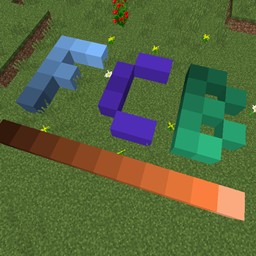
大量の色付きブロック、それだけです。
 NeoForge
 Forge
ForgeFlat Colored Blocks
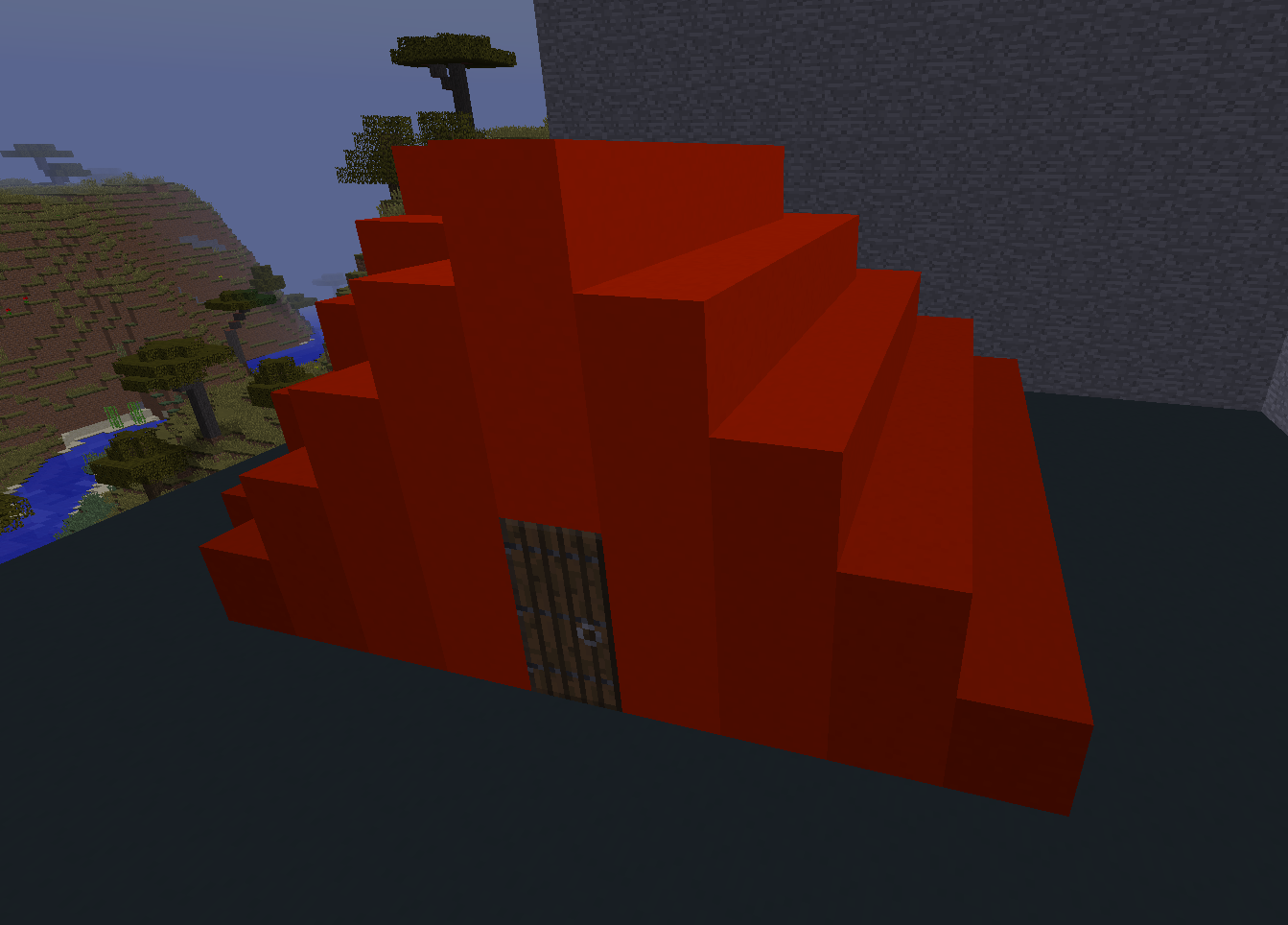
A mod that generates a selection of simple colored blocks, transparent blocks, and glowing blocks ( all configurable ) for use in building and creative projects. Highly configurable with settings to adjust number of hues, values, and saturation, as well as min/max ranges.
Makes a great companion to one of my other mods Chisels & Bits:
http://minecraft.curseforge.com/projects/chisels-bits ( requires 1.5.1 or better ) which allows you to use the colored blocks as bits.
MCF Discussion Thread.
Requries: Forge
Frequently Asked Questions
- Can I use this in my mod pack?
- Yes.
- The texture on the blocks isn't completely flat, can that be changed?
- I choose to make use a slightly textured option as the default since I think it fits better with MC. However, there a several options you can use the mod configuration screen, such as flawless ( no defects ), stone, or hardened clay. If the options available do not suit your tastes you can also change the textures using a resource pack.
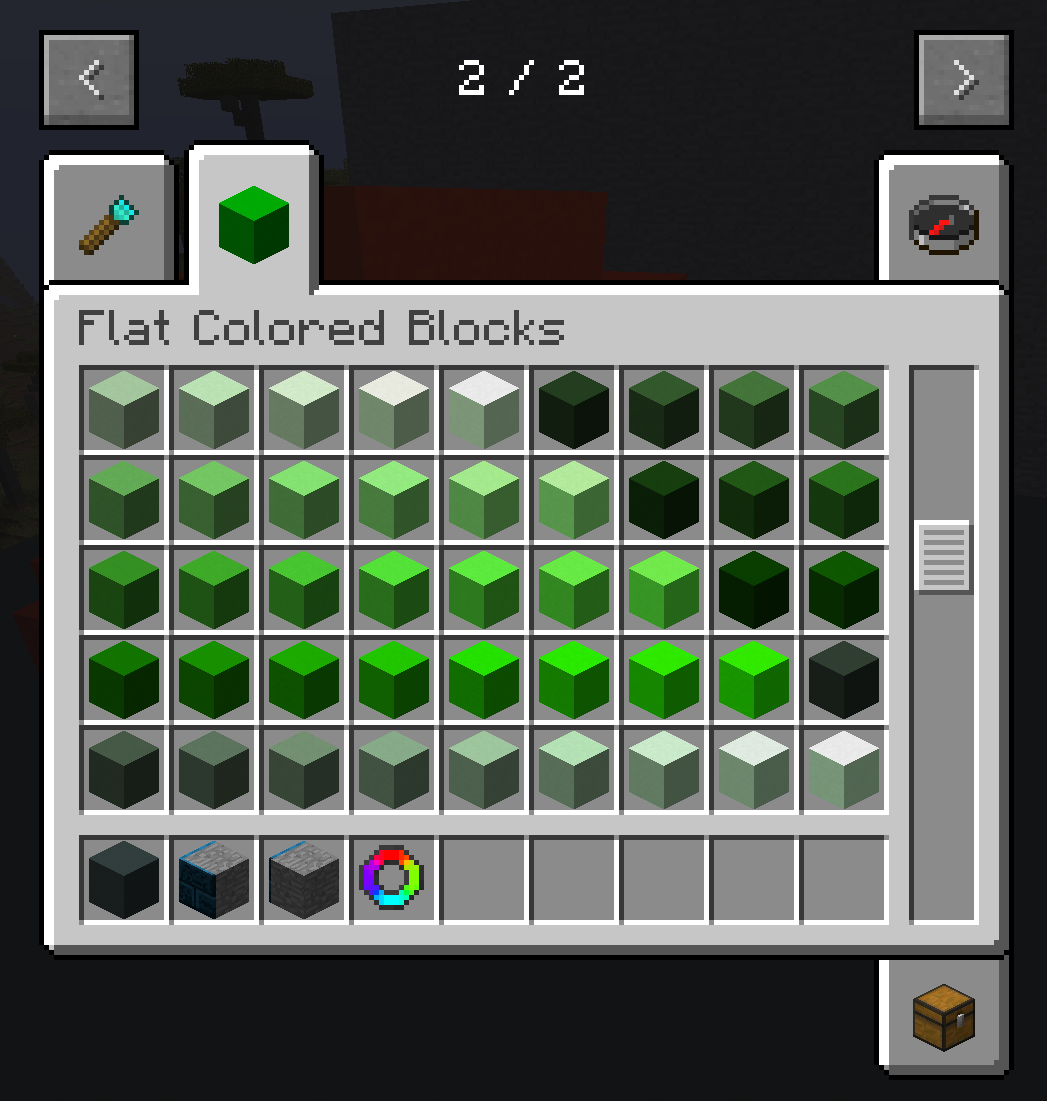
- Why can't I see any blocks in the crafting tool?
- Make sure you have dyes and cobblestone/glass/glowstone in your inventory, if you are missing either then nothing will be craft-able. Any dyes registered with the ore dictionary should be usable. ( if you can't find anything, check your configs, its possible to change the crafting ingredient. )
- Can I change which blocks are used to craft them? or how many blocks I get per craft?
- Absolutely, check the mod config gui, in the crafting tab you can change how many per craft, and which block is used to craft the item.
- Why does this mod use so many block ids?
- This mod uses block states to generate mod compatible blocks, this means that other mods can detect and use these blocks for advanced features, such as chisels & bits, micro-blocks, or other features. They are also much more lightweight than a tile entity based implementation. Effort was made to ensure that the minimum required block ids were used for the generated shades.
- Can I increase or decreases the shades, or what if I only want brighter variations?
- You can use the configuration screen to change the minimum, and maximum range for Hue, Value, and Saturation ( HSV Color space. ), as well as the number of variations for each color dimension. It is recommended to test your settings in a creative test world before accepting your choice.
- Important Note: You should not change your settings in a world that is already using the mod, doing so will change the colors of the blocks already in the world.
Crafting Tool Recipe:
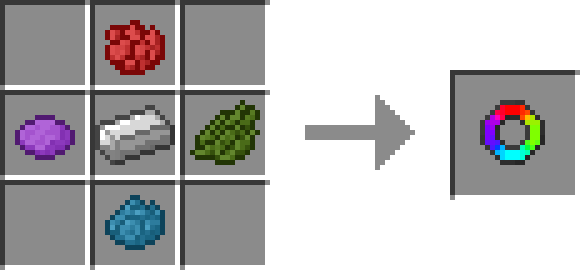
Using the item crafted you just need to have dyes and cobblestone/glass/glowstone in your inventory to craft items after opening the items gui. Some blocks require a few dyes to craft so try different dyes to see all the options.
Crafting Table Helper Recipe(s) - Version 4.3+
Recpie is Shapeless, Flat Colored Block You want to make more of + Colored Block Crafter, and any required ingredients, only the ingredients are consumed by crafting.
Technical Notes:
This mod can use a large number of block ids if configured wrongly or if you want to have a large range of shades, just be aware.
No tile entities are used and all rendering is done using a single model + texture, this is done to ensure mod compatibility.
Flat Colored Blocks - For Forgeのインストール方法
With Millida Launcher
Install Millida Launcher
The launcher is free: download it at millida.net/launcher and sign in with any nickname.
Click “Install” on this page
The launcher opens and installs the mod for Minecraft 1.12–1.21.1 on Forge or NeoForge automatically.
Launch the game
A profile with it appears in the launcher: click “Play”.
Manually
Install Forge or NeoForge
The loader must match the game version of the mod file, for example Minecraft 1.21.1. After installing it, a separate profile appears in your launcher.
Download the file for your version
In the version list above, pick the file flatcoloredblocks-neoforge-21.1.16.jar (528 KB) for your game version and loader.
Put it in the mods folder
The folder is inside .minecraft (Windows: %appdata%\.minecraft\mods). If it does not exist, create it.
Launch the loader profile
Open “Mods” in the main menu: Flat Colored Blocks - For Forge should be in the list.
Minecraft 1.21.1 runs on Java 21: with a different Java version the game may close right after launch.
バージョン
依存関係あり
| Minecraft | ローダー | ファイル | 日付 | 操作 |
|---|---|---|---|---|
| 1.21.1 | NeoForge | flatcoloredblocks - 21.1.16 - release528 KB 1 | ||
| 1.19.2 | Forge | flat-colored-blocks-forge-1.0.11.jar640 KB | ||
| 1.12.1 | — | flatcoloredblocks-mc1.12-6.8.jar136 KB |
レビュー
Flat Colored Blocks - For Forgeの最初の評価を書きませんか


