
Fat Cat MODについて
Fat CatはDarkostoによるSevTech Ages Modパックのために作られたMob Modです。
このModはゲームに1体のMobと1つのアイテムを追加します。
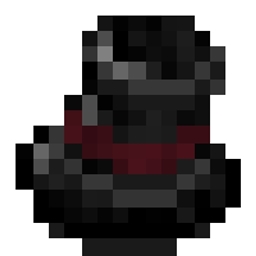
Fat Cat Industrialistsは、シルクハットを愛用する、きちんとした身なりのヴィクトリア朝の紳士です。
Industrialistのスポーン率やいくつかの攻撃設定を構成するためのコンフィグオプションがあります。
各Industrialistは、Title、Forename、Surnameの3つの部分からなる名前でスポーンします。いくつかの気の利いた名前がプリコンフィグされており、独自の名前を追加したい場合はプレイヤーが設定することもできます。
Fat Cat Industrialistは、5分の1の確率でPlayer Wearable Top Hat(ランダムな属性とSteam Poweredな外見を持つ)をドロップします。
Fat Catのインストール方法
With Millida Launcher
Install Millida Launcher
The launcher is free: download it at millida.net/launcher and sign in with any nickname.
Click “Install” on this page
The launcher opens and installs the mod for Minecraft 1.12.2 automatically.
Launch the game
A profile with it appears in the launcher: click “Play”.
Manually
Download the file for your version
In the version list above, pick the file FatCat-0.0.5.jar (40 KB) for your game version.
Put it in the mods folder
The folder is inside .minecraft (Windows: %appdata%\.minecraft\mods). If it does not exist, create it.
Launch the loader profile
Open “Mods” in the main menu: Fat Cat should be in the list.
Minecraft 1.12.2 runs on Java 8: with a different Java version the game may close right after launch.
バージョン
依存関係あり
| Minecraft | ローダー | ファイル | 日付 | 操作 |
|---|---|---|---|---|
| 1.12.2 | — | FatCat-0.0.5.jar40.2 KB 2 |
FAQ
Which Minecraft versions does Fat Cat work on?
Only Minecraft 1.12.2: there are no files for other versions.
Which Java does Fat Cat need?
Minecraft 1.12.2 runs on Java 8. If the game closes right after launch, the usual cause is the wrong Java version in the profile settings.
Where can I download Fat Cat safely?
On this page: the file FatCat-0.0.5.jar (40 KB) is stored on Millida’s server, with no link shorteners. SHA-1 checksum: f21649bb39d2744c8cc282a49d3a8ef1b65b25a5.
レビュー
Fat Catの最初の評価を書きませんか


