

Minecraft 1.12.2用FastQuit-Forge MOD
このMODは、「保存してタイトルへ戻る」をクリックした後、即座にタイトル画面へ戻れるようにします。
- ダウンロード
- 1 ダウンロード
- 閲覧
- 60 閲覧
- 更新日
- 更新日 05.09.2026
- 1.12 — 1.12.2
 Forge
Forge- クライアント
FastQuit-Forge
This mod is the Forge port of FastQuit. Please do not report any crash logs related to this mod on the original mod's page. Instead, you can submit issues on our issue page.
Introduction
This mod allows you to instantly return to the title screen after clicking "Save and Quit to Title." The world will be saved in the background, and it will still appear in the world list. You can edit, delete, or recreate the world while it is still saving. Additionally, the mod offers many configurable options.
License
This mod is open source under the MIT license, just like the original mod.
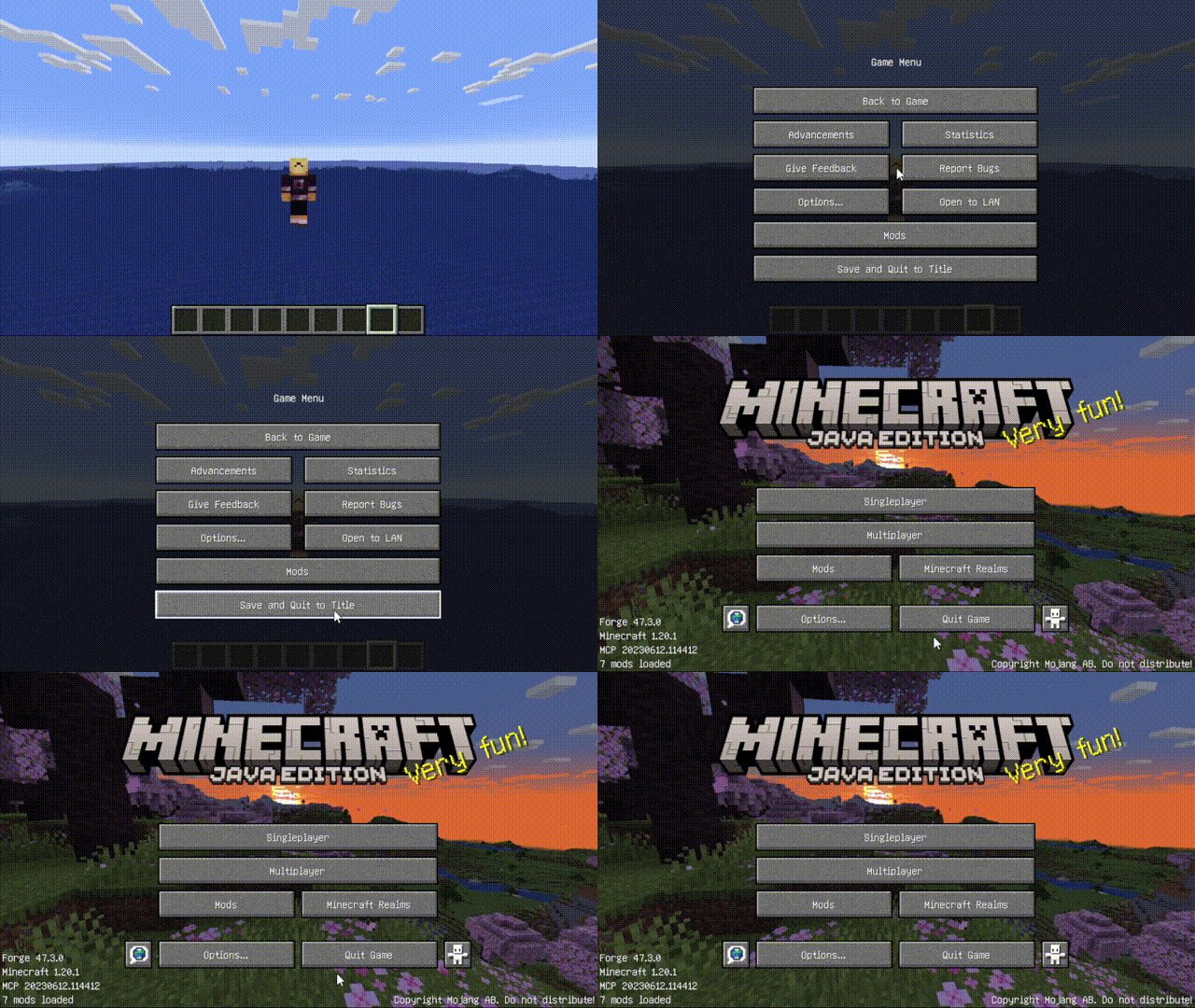
FastQuit-Forgeのインストール方法
With Millida Launcher
Install Millida Launcher
The launcher is free: download it at millida.net/launcher and sign in with any nickname.
Click “Install” on this page
The launcher opens and installs the mod for Minecraft 1.12–1.12.2 on Forge automatically, together with its dependencies: MixinBooter.
Launch the game
A profile with it appears in the launcher: click “Play”.
Manually
Install Forge
The loader must match the game version of the mod file, for example Minecraft 1.12.2. After installing it, a separate profile appears in your launcher.
Download the file for your version
In the version list above, pick the file fastquit-3.0.1+1.12.2forge.jar (133 KB) for your game version.
Put it in the mods folder
The folder is inside .minecraft (Windows: %appdata%\.minecraft\mods). If it does not exist, create it. Required dependencies go there too: MixinBooter.
Launch the loader profile
Open “Mods” in the main menu: FastQuit-Forge should be in the list.
FastQuit-Forge works on the player’s side only: there is no need to install it on a server.
Minecraft 1.12.2 runs on Java 8: with a different Java version the game may close right after launch.
バージョン
依存関係あり
| Minecraft | ローダー | ファイル | 操作 |
|---|---|---|---|
| 1.12.2 | Forge | 1.12.2133 KB 1 |
動作に必要なもの
レビュー
FastQuit-Forgeの最初の評価を書きませんか


