
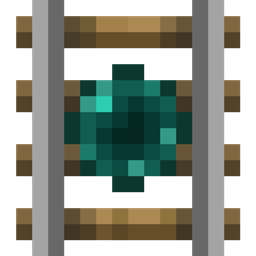
Extra Rails MODについて
Extra Railsは5種類の追加レールを追加します。
更新されたドキュメント
ロッキングレール
ロッキングレールは、レッドストーン信号を受け取るまでトロッコをその場に固定し、信号を受け取ると向いている方向へトロッコを推進します。
ダイレクションレール
ダイレクションレールはゴールデンレールのように機能しますが、向いている方向にのみトロッコを推進します。
テレポーティングレール
テレポーティングレールは、その上にあるトロッコを、接続されたもう一方のテレポーティングレールへテレポートさせます。
テレポーティングレールをリンクするには、右クリックでGUIを開き、3つの色セレクターを使ってレールの周波数を選びます。もう一方のテレポーティングレールにも同じ設定を行うと、トロッコが行き来してテレポートできるようになります。
注意: 同じ周波数のテレポーティングレールが3つ以上ある場合、目的地はランダムになることがあります。
その他のレールは新しいwikiに掲載されています。
Extra Railsのインストール方法
With Millida Launcher
Install Millida Launcher
The launcher is free: download it at millida.net/launcher and sign in with any nickname.
Click “Install” on this page
The launcher opens and installs the mod for Minecraft 1.12–1.12.2 automatically.
Launch the game
A profile with it appears in the launcher: click “Play”.
Manually
Download the file for your version
In the version list above, pick the file ExtraRails-1.12-1.3.0.jar (52 KB) for your game version.
Put it in the mods folder
The folder is inside .minecraft (Windows: %appdata%\.minecraft\mods). If it does not exist, create it.
Launch the loader profile
Open “Mods” in the main menu: Extra Rails should be in the list.
Minecraft 1.12.2 runs on Java 8: with a different Java version the game may close right after launch.
バージョン
依存関係あり
| Minecraft | ローダー | ファイル | 日付 | 操作 |
|---|---|---|---|---|
| 1.12 | — | ExtraRails-1.12-1.3.0.jar52.3 KB |
FAQ
Which Minecraft versions does Extra Rails work on?
There are files for 1.12.2, 1.12. The newest is 1.12.2.
Which Java does Extra Rails need?
Minecraft 1.12.2 runs on Java 8. If the game closes right after launch, the usual cause is the wrong Java version in the profile settings.
Where can I download Extra Rails safely?
On this page: the file ExtraRails-1.12-1.3.0.jar (52 KB) is stored on Millida’s server, with no link shorteners. SHA-1 checksum: 3138107d09de62c06e7cf15c06fe53bede03002b.
レビュー
Extra Railsの最初の評価を書きませんか


