

Minecraft 1.20.1, 1.21.1用Essential Mod
1つのシンプルなMODでMinecraftを強化。ワールドを無料でホストし、友達とチャットし、その他もろもろ!
 Fabric
 NeoForge
 Forge
ForgeEssential Mod MODについて



1つのシンプルなMODでMinecraftを強化しましょう。高速で使いやすく、誰にでもおすすめです!
[ ](https://essential.gg/downloads)

Minecraftのワールドを無料でホストして、友達を招待し、わずか数クリックで一緒に遊べます!

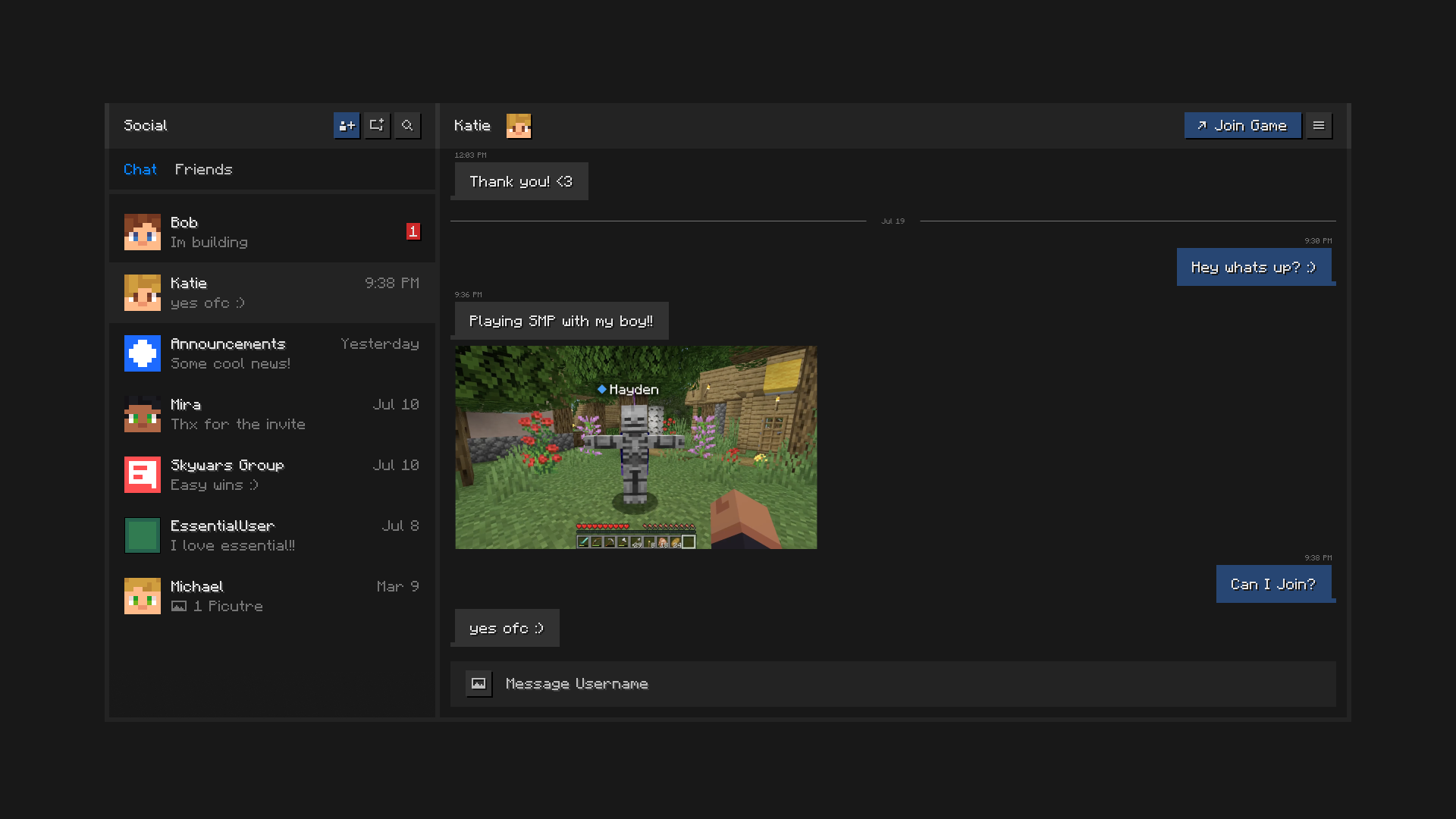
Minecraftの中で友達とつながり続けましょう。チャット、グループ作成、画像の共有、ワールドやサーバーへの招待送信ができます。

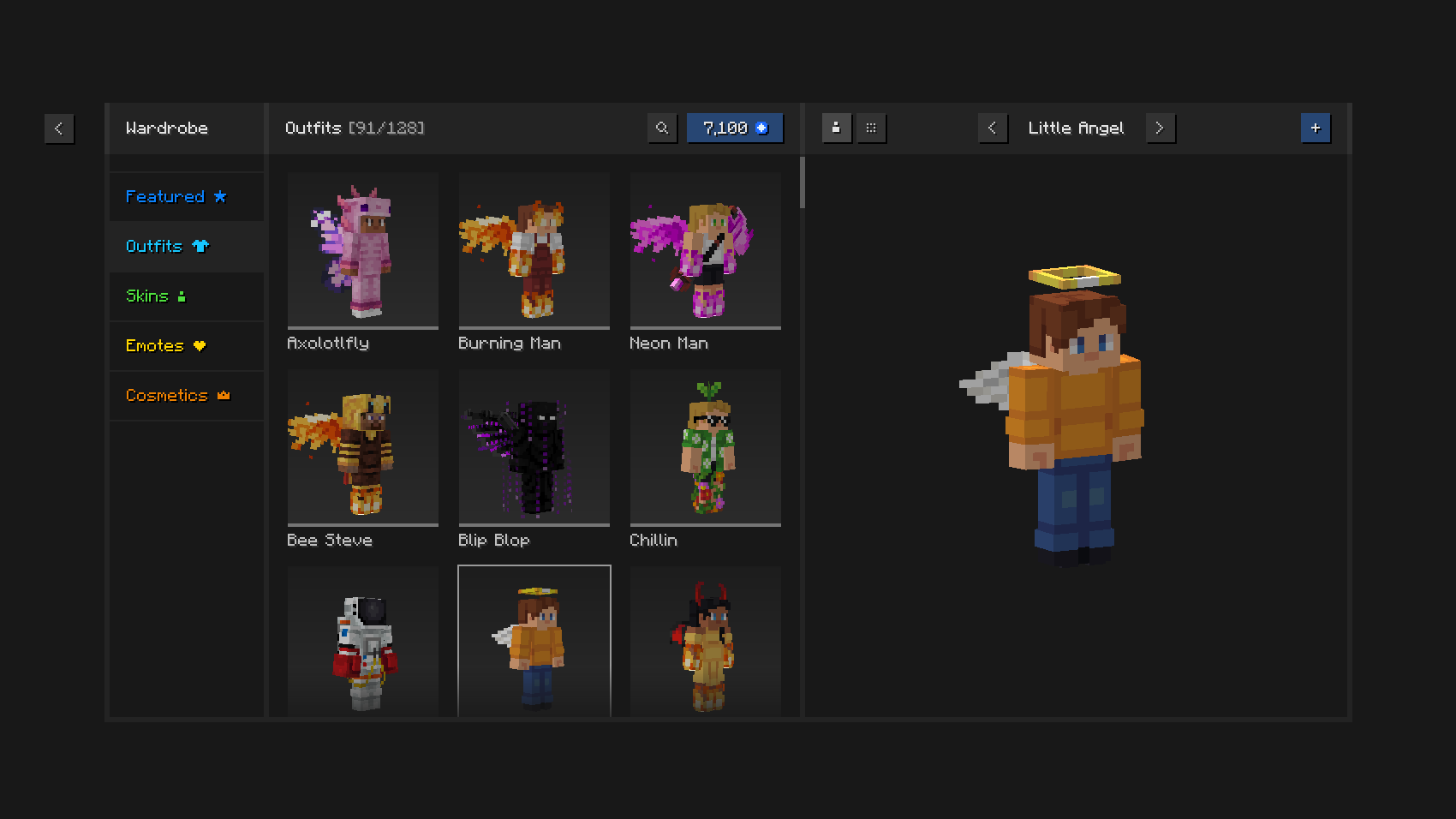
ユニークな衣装やコスメティック、ゲーム内スキンマネージャー、表現豊かなエモートでおしゃれに遊びましょう。

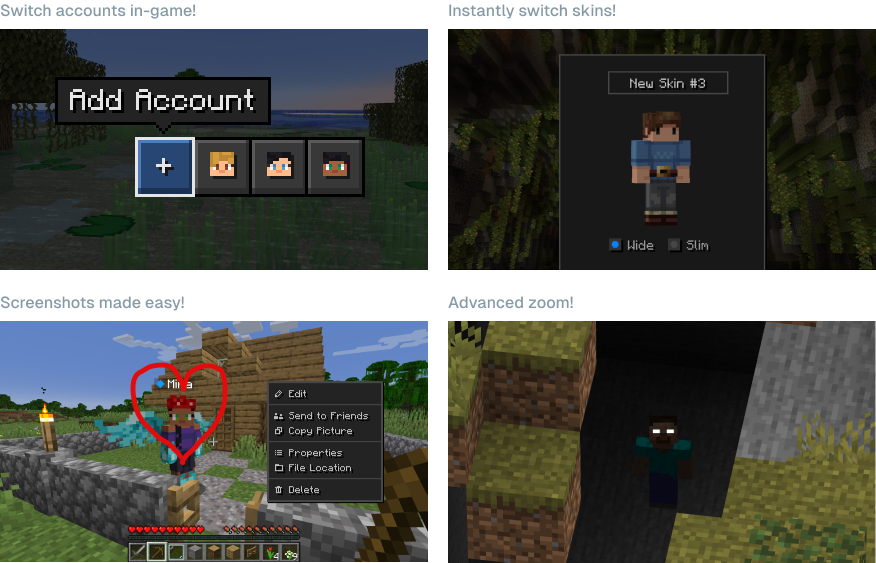
Essentialの強力な機能を使って、時間と手間を節約しましょう。

Essentialは他のMODやMODパックと一緒に使えますか?はい、Essentialは他のMODと幅広く互換性があり、お気に入りのMODパックに最適な追加要素となります。同じMODがインストールされていれば、自分と友達のためにMOD入りワールドを無料で簡単にホストできます。
EssentialはどのMinecraftバージョンをサポートしていますか?Essential MODはMinecraft Java Editionの最も人気のあるバージョン(1.8、1.12、1.16から26.3)と、FabricおよびForgeの両方のMODローダーをサポートしています。

Essentialのワールドホスティングはどのように動作しますか?Essentialは業界をリードするピアツーピア技術とお使いのPCのハードウェア性能を活用し、Minecraftワールドを簡単かつ無料でホストして友達を招待できるようにします。
[ ](https://essential.gg/wiki)
© ModCore Inc, Spark Universe GmbH 2026

Essential Modのインストール方法
With Millida Launcher
Install Millida Launcher
The launcher is free: download it at millida.net/launcher and sign in with any nickname.
Click “Install” on this page
The launcher opens and installs the mod for Minecraft 1.8–26.2 on Fabric, Forge or NeoForge automatically.
Launch the game
A profile with it appears in the launcher: click “Play”.
Manually
Install Fabric, Forge or NeoForge
The loader must match the game version of the mod file, for example Minecraft 26.2. After installing it, a separate profile appears in your launcher.
Download the file for your version
In the version list above, pick the file Essential_1-4-1-1_fabric_26-2.jar (51 MB) for your game version and loader.
Put it in the mods folder
The folder is inside .minecraft (Windows: %appdata%\.minecraft\mods). If it does not exist, create it.
Launch the loader profile
Open “Mods” in the main menu: Essential Mod should be in the list.
Essential Mod works on the player’s side only: there is no need to install it on a server.
バージョン
依存関係あり
| Minecraft | ローダー | ファイル | 日付 | 操作 |
|---|---|---|---|---|
| 1.21.1 | NeoForge | 1.21.149.1 MB 42 | ||
| 1.21.4 | NeoForge | 1.21.449.1 MB 1 | ||
| 1.21.8 | NeoForge | 1.21.849.1 MB | ||
| 1.8.9 | Forge | 1.8.953.2 MB | ||
| 1.16.5 | Forge | 1.16.549.1 MB 2 | ||
| 1.12.2 | Forge | 1.12.253.2 MB 2 | ||
| 1.18.2 | Forge | 1.18.249.1 MB 1 | ||
| 1.19.2 | Forge | 1.19.249.1 MB 3 |
これを必要とするコンテンツ
FAQ
Which Minecraft versions does Essential Mod work on?
There are files for 1.8–26.2, 25 versions in total. The newest is 26.2.
Is Essential Mod for Forge or Fabric?
There are files for Fabric: 1.21–26.2, for Forge: 1.8–1.20.1 and for NeoForge: 1.20–1.21.8.
Does Essential Mod need other mods?
The author lists no required dependencies: the Fabric, Forge or NeoForge loader is enough.
Do I need to install Essential Mod on a server?
No. Essential Mod works on the player’s side only: there is no need to install it on a server.
Where can I download Essential Mod safely?
On this page: the file Essential_1-4-1-1_fabric_26-2.jar (51 MB) is stored on Millida’s server, with no link shorteners. SHA-1 checksum: 5a26631c7eca58b2e5a852002bfa8d1b01b1f10c.
レビュー
Essential Modの最初の評価を書きませんか


