
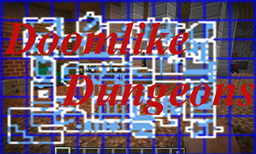
Minecraft 1.20.1, 1.21.1用Doomlike Dungeons MOD
Doomのレベルに似た手続き生成ダンジョンをワールドに配置します
 NeoForge
 Forge
ForgeDoomlike Dungeons MODについて
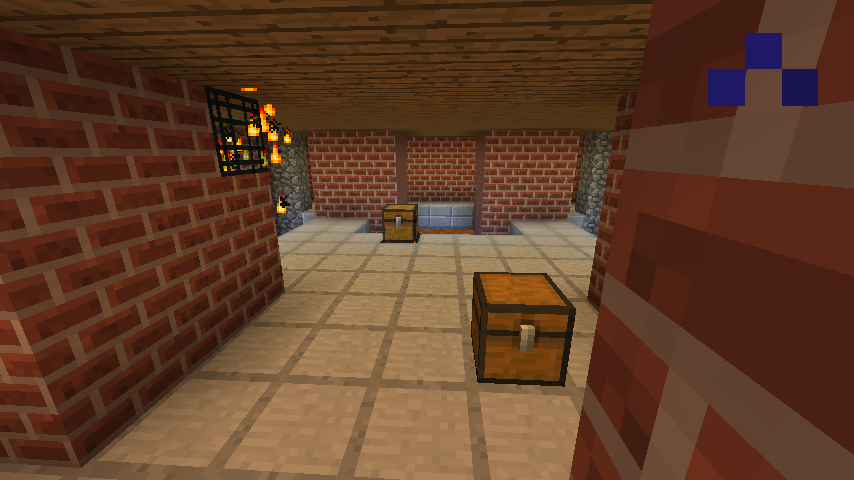
このMODは、レトロな「2 1/2D」ファーストパーソンシューターのレベルを思わせるダンジョンを追加します。初期のダンジョンMODや、Doom用のランダムレベルジェネレーターであるOblige(特にバージョン3.57)に触発されて作られました。目標は、探索が楽しく、制覇するのがやりがいのある、興味深く戦術的に挑戦的で非常に多様なマルチルームダンジョンを作り出すことです。
Doomlike Dungeonsが他のほとんどのダンジョンや構造物MODと異なるのは、既製の部屋や構造物を一切使わず、すべての部屋の形状を含むダンジョン全体を実行時に生成する点です。興味深い部屋を見つけたなら、それがあなたのワールドだけのもので、他の誰も見たことがない可能性が高いです。ああ、それとダンジョンは巨大です -- 最大13チャンクに及ぶこともあり、デフォルトの描画距離よりも長いのです!
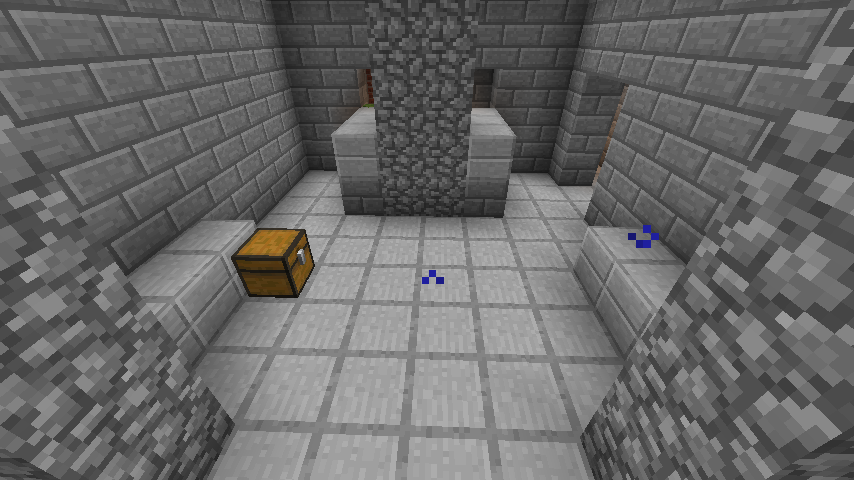
このMODは高度に設定可能です -- テーマファイルとそのAPI(1.x.x)を使うか、データパック(2.x.x)を使うことで、ダンジョンのテーマの変更、スポーンするモブの変更(他のMODのモブを含む)、NBTを使ったユニークな戦利品の作成などがすべてデータパックを通じて可能です。
1.12.2に留まり、何年もの間「死んだ」MODと考えられていたDoomlike Dungeonsが、新しいMinecraftバージョン向けに帰ってきて、これまでと変わらずスリリングです!
このMODはDungeon Mobs(1.12.2)と相性抜群です。オリジナルのロールプレイングゲームのモンスターを追加するために試してみてください。
このMODはLycanite's Mobs(1.12.2)と相性抜群です。Doomlikeのモブ(など)を追加するために試してみてください。
デフォルト/デモの特殊戦利品アイテムに特別なグラフィックを与えるリソースパックがあります。
何年もの間「死んだ」と思われていた後、Doomlike Dungeonsは生きています!1.19.4で最新のForgeバージョンを使用していることを確認してください。そうでないと動作しないかもしれません。
これが実際にどのように機能するかに興味がある人(すべてのコードを解読しようとせずに)は、ここで深掘り記事を見つけられます:How Doomlike Dungeons Works (procedural level generation)
Doomlike Dungeonsのインストール方法
With Millida Launcher
Install Millida Launcher
The launcher is free: download it at millida.net/launcher and sign in with any nickname.
Click “Install” on this page
The launcher opens and installs the mod for Minecraft 1.9–1.21.1 on Forge or NeoForge automatically.
Launch the game
A profile with it appears in the launcher: click “Play”.
Manually
Install Forge or NeoForge
The loader must match the game version of the mod file, for example Minecraft 1.21.1. After installing it, a separate profile appears in your launcher.
Download the file for your version
In the version list above, pick the file dldungeonsjbg-2.2.1-MC1.21.1.jar (274 KB) for your game version and loader.
Put it in the mods folder
The folder is inside .minecraft (Windows: %appdata%\.minecraft\mods). If it does not exist, create it.
Launch the loader profile
Open “Mods” in the main menu: Doomlike Dungeons should be in the list.
Minecraft 1.21.1 runs on Java 21: with a different Java version the game may close right after launch.
バージョン
依存関係あり
| Minecraft | ローダー | ファイル | 日付 | 操作 |
|---|---|---|---|---|
| 1.20.1 | Forge | dldungeonsjbg-2.2.1-MC1.20.1.jar280 KB 2 | ||
| 1.21.1 | NeoForge | dldungeonsjbg-2.2.1-MC1.21.1.jar274 KB | ||
| 1.20.1 | Forge | dldungeonsjbg-2.0.3-MC1.20.1.jar238 KB | ||
| 1.12.2 | — | DoomlikeDungeons-1.14.12-MC1.12.2.jar708 KB | ||
| 1.12.2 | — | DoomlikeDungeons-1.14.4-MC1.12.2.jar707 KB | ||
| 1.9 | — | DoomlikeDungeons-1.8.10-MC1.9-sources.jar561 KB |
FAQ
Which Minecraft versions does Doomlike Dungeons work on?
There are files for 1.21.1, 1.20.1, 1.12.2, 1.9. The newest is 1.21.1.
Is Doomlike Dungeons for Forge or Fabric?
There are files for Forge: 1.20.1 and for NeoForge: 1.21.1. There are no files for Fabric: a mod for another loader will not start.
Does Doomlike Dungeons need other mods?
The author lists no required dependencies: the Forge or NeoForge loader is enough.
Which Java does Doomlike Dungeons need?
Minecraft 1.21.1 runs on Java 21. If the game closes right after launch, the usual cause is the wrong Java version in the profile settings.
How do I download Doomlike Dungeons?
With Millida Launcher: it installs Doomlike Dungeons into a modpack by itself, for the right game version and loader. The launcher is free.
レビュー
Doomlike Dungeonsの最初の評価を書きませんか


