
Minecraft 1.20.1, 1.21.1用DiscordLoom MOD
DiscordLoomConnectでMinecraftとDiscordサーバー間に直接リンクを作成し、ホワイトリスト登録されたプレイヤーのみがアクセスできるようにします。
 Fabric
 Quilt
QuiltDiscordLoom MODについて
DiscordLoom is a mod designed to merge the diverse functionalities of Discord with the Minecraft server whitelist, enhancing the efficiency of administrative actions.
The main focus of DiscordLoom is to facilitate efficient integration of the gaming and communication platforms, ensuring that only authorized, whitelisted players can access the server, hence providing a secure and cooperative gameplay environment.

Key Features
Discord Role Synchronization: This mod allows for the automatic syncing of roles between Discord and LuckPerms. For instance, if a player is promoted to a new role on Discord, they will also receive this new role in LuckPerms.
Mandatory Voice Channel: DiscordLoom also features a mandatory voice channel requirement, ensuring that all whitelisted players are also part of the voice chat in Discord which further promotes cooperation and communication.
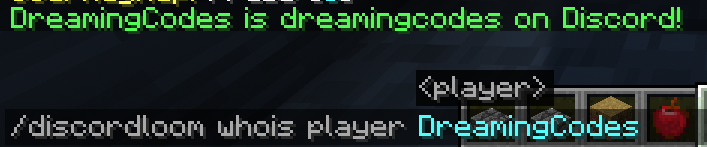
In-Game Link Process: All necessary linking processes are integrated in-game, making it easy for players to connect their Discord accounts with their respective Minecraft server accounts.
Ban sync: Minecraft banned players get banned also on discord. BanHammer is also supported
In the future, it will also link the Discord chat to offer a more immersing experience.
Required Mods
- [SERVER] LuckPerms: for the enhanced functionality of permissions management.
Experience a whole new gaming environment with DiscordLoomConnect, where communication and gameplay overlap for a better gaming experience.
DiscordLoomのインストール方法
With Millida Launcher
Install Millida Launcher
The launcher is free: download it at millida.net/launcher and sign in with any nickname.
Click “Install” on this page
The launcher opens and installs the mod for Minecraft 1.19.2–1.21.1 on Fabric or Quilt automatically.
Launch the game
A profile with it appears in the launcher: click “Play”.
Manually
Install Fabric or Quilt
The loader must match the game version of the mod file, for example Minecraft 1.21.1. After installing it, a separate profile appears in your launcher.
Download the file for your version
In the version list above, pick the file discordloom-2.0.1.jar (23 MB) for your game version and loader.
Put it in the mods folder
The folder is inside .minecraft (Windows: %appdata%\.minecraft\mods). If it does not exist, create it.
Launch the loader profile
Open “Mods” in the main menu: DiscordLoom should be in the list.
Minecraft 1.21.1 runs on Java 21: with a different Java version the game may close right after launch.
バージョン
依存関係あり
| Minecraft | ローダー | ファイル | 日付 | 操作 |
|---|---|---|---|---|
| 1.19.3 | Fabric, Quilt | discordloom-2.0.1.jar23.2 MB |
FAQ
Which Minecraft versions does DiscordLoom work on?
There are files for 1.19.2–1.21.1, 12 versions in total. The newest is 1.21.1.
Is DiscordLoom for Forge or Fabric?
There are files for Fabric: 1.19.2–1.21.1 and for Quilt: 1.19.2–1.21.1. There are no files for Forge or NeoForge: a mod for another loader will not start.
Does DiscordLoom need other mods?
The author lists no required dependencies: the Fabric or Quilt loader is enough.
Which Java does DiscordLoom need?
Minecraft 1.21.1 runs on Java 21. If the game closes right after launch, the usual cause is the wrong Java version in the profile settings.
Where can I download DiscordLoom safely?
On this page: the file discordloom-2.0.1.jar (23 MB) is stored on Millida’s server, with no link shorteners. SHA-1 checksum: 865ca4c5580524b50d1158303de2a62627030a45.
レビュー
DiscordLoomの最初の評価を書きませんか


