
 NeoForge
 Forge
ForgeCuisine Delight MODについて
依存関係: Farmer's Delight
互換性:
- Nether's Delight
- Ocean's Delight
- End's Delight
- Miner's Delight
- Twilight Forest
- Twilight's Flavors & Delight
- Alex's Mobs
- Alex's Delight
- Croptopia
Discord: https://discord.gg/BCHNhsDMXz
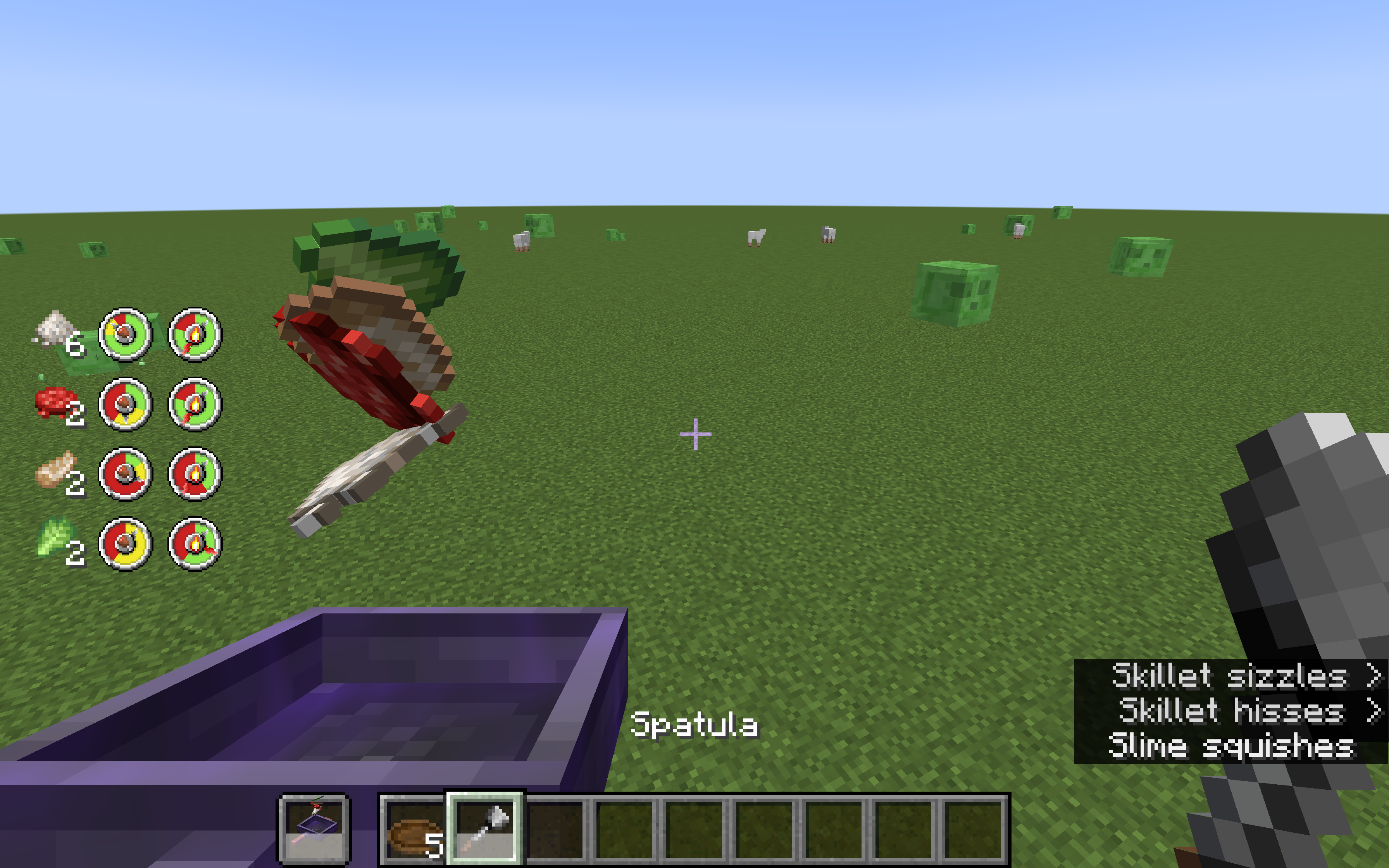
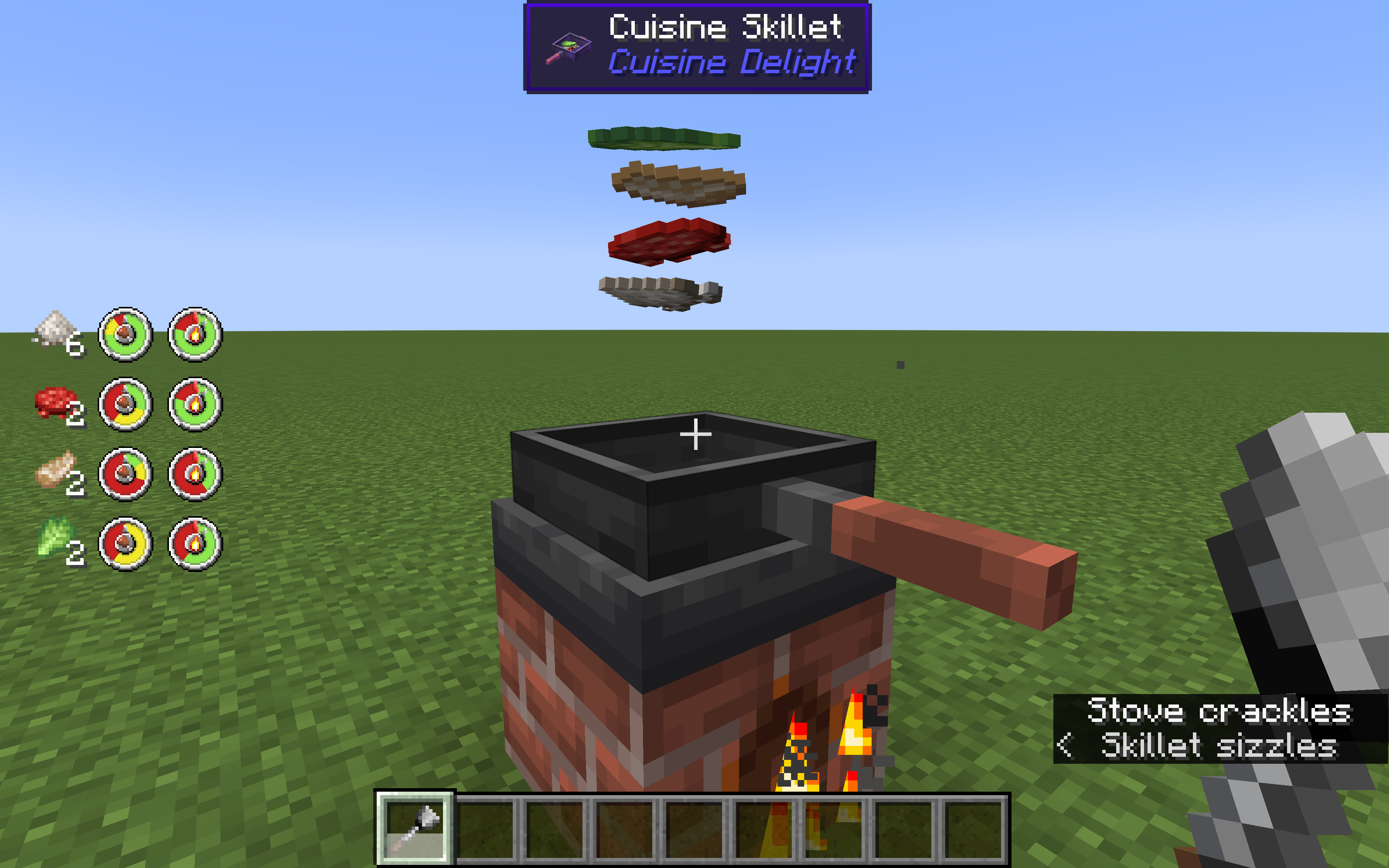
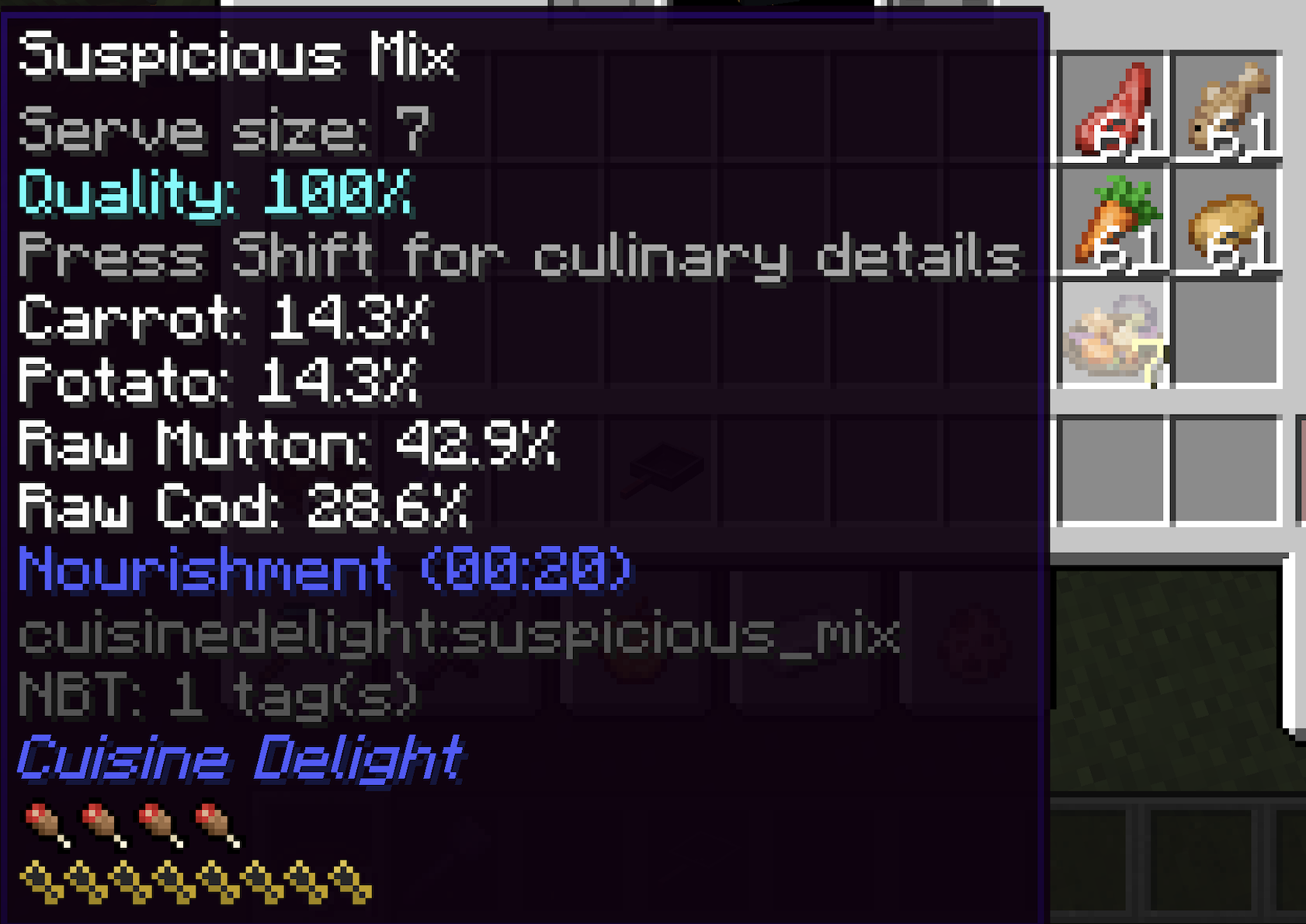
このMODでは、どんな食材でも使って料理ができます。コンロで調理することも、Cuisine SkilletにFire Aspectをエンチャントしてオフハンドで調理することもできます。食べ物を持って右クリックすると食材を追加でき、Spatulaを持って右クリックするとかき混ぜて片面が焦げすぎるのを防げます。Plateを持って右クリックすると料理を取り出せます。
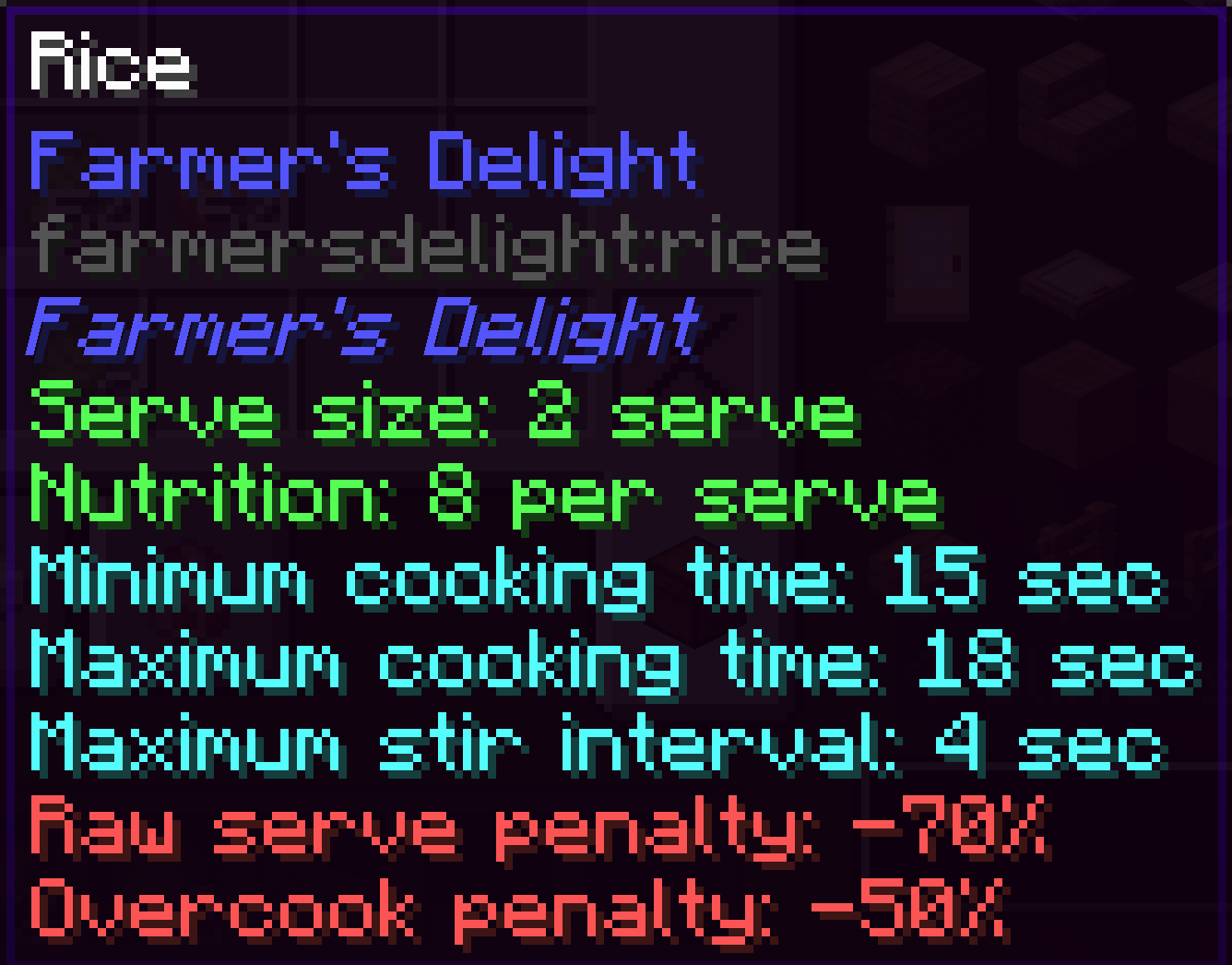
追加した食材ごとに、個別に計算される2つのゲージがあります。どれだけ上手く調理されているかと、片面がどれだけ焦げているかです。調理に時間がかかる食材から先に入れて、焦げすぎを防ぐために頻繁にかき混ぜる必要があります。上手にやれば、満腹度ボーナスが付いた美味しい一皿ができます。
左のゲージは、緑が生焼け、黄色がちょうど良い焼き加減、赤が焼きすぎを意味します。
右のゲージは、緑が焦げていない、赤が焦げているを意味します。
SkilletはFarmer's DelightのSkilletからクラフトでき、Fire Aspectをエンチャントすればコンロなしで調理でき、Efficiencyをエンチャントすれば一度にSkilletへ追加できる食材の上限を増やせます。Efficiency Vなら一度に6個追加できるので、料理の中の材料のバランスをより細かく調整できます。
異なる種類の食材(炭水化物、肉、野菜、魚介類)を使うと、追加した種類ごとにボーナスを得られます。バランスの良い食事を作ってみましょう!
他のMODもチェックしてみてください:
Twilight's Flavors & Delight: Twilight Forestの食材を使ったFarmer's Delight風の料理。Neapolitan風の食べ物も追加します。
Fruits Delight: 11種類の果物と48種類の食べ物を追加。すべての果物に独自の食べ物効果があります
L2Backpack: バックパック、大量アイテム収納、遠隔輸送
L2Artifacts: 高い能力値上昇と特殊能力を与えるCuriosアイテム
ModularGolems: Tinkerのように高度にカスタマイズできるゴーレムで、戦闘やMobトラップに便利
L2Complements: エンドゲームの素材、装備、エンチャント、ポーション
L2Weaponry: 特殊能力を持つ多種多様な近接武器、投擲武器、盾
L2Archery: 特殊能力を持つ多種多様な弓と矢
L2Hostility: プレイヤーの強さに適応するMob強化MOD。Mobを倒すと難易度が上がり、死ぬと難易度が下がります。
Curse of Pandora: ネックレスやブレスレットに連鎖させて力を組み合わせられる多種多様なチャーム
Cuisine Delightのインストール方法
With Millida Launcher
Install Millida Launcher
The launcher is free: download it at millida.net/launcher and sign in with any nickname.
Click “Install” on this page
The launcher opens and installs the mod for Minecraft 1.20–1.21.1 on Forge or NeoForge automatically.
Launch the game
A profile with it appears in the launcher: click “Play”.
Manually
Install Forge or NeoForge
The loader must match the game version of the mod file, for example Minecraft 1.21.1. After installing it, a separate profile appears in your launcher.
Download the file for your version
In the version list above, pick the file cuisinedelight-1.2.10.jar (901 KB) for your game version and loader.
Put it in the mods folder
The folder is inside .minecraft (Windows: %appdata%\.minecraft\mods). If it does not exist, create it.
Launch the loader profile
Open “Mods” in the main menu: Cuisine Delight should be in the list.
Minecraft 1.21.1 runs on Java 21: with a different Java version the game may close right after launch.
バージョン
依存関係あり
| Minecraft | ローダー | ファイル | 日付 | 操作 |
|---|---|---|---|---|
| 1.21.1 | NeoForge | cuisinedelight-1.2.10.jar901 KB 9 | ||
| 1.20.1 | Forge, NeoForge | cuisinedelight-1.1.20.jar845 KB 6 | ||
| 1.20.1 | NeoForge, Forge | cuisinedelight-1.1.7.jar172 KB | ||
| 1.20.1 | NeoForge, Forge | cuisinedelight-1.1.6.jar757 KB |
FAQ
Which Minecraft versions does Cuisine Delight work on?
There are files for 1.21.1, 1.20.1, 1.20. The newest is 1.21.1.
Is Cuisine Delight for Forge or Fabric?
There are files for Forge: 1.20–1.20.1 and for NeoForge: 1.20–1.21.1. There are no files for Fabric: a mod for another loader will not start.
Does Cuisine Delight need other mods?
The author lists no required dependencies: the Forge or NeoForge loader is enough.
Which Java does Cuisine Delight need?
Minecraft 1.21.1 runs on Java 21. If the game closes right after launch, the usual cause is the wrong Java version in the profile settings.
Where can I download Cuisine Delight safely?
On this page: the file cuisinedelight-1.2.10.jar (901 KB) is stored on Millida’s server, with no link shorteners. SHA-1 checksum: 1ab3047ba436b69cce0dd0b9af57addd49b5c9e9.
レビュー
Cuisine Delightの最初の評価を書きませんか


