

Minecraft 1.19.2用Creatures and Beasts MOD
さまざまな友好的および敵対的な新しい生物をワールドに追加します!
- ダウンロード
- 1 ダウンロード
- 閲覧
- 25 閲覧
- 更新日
- 更新日 18.10.2026
- 1.16.3 — 1.19.2
 Forge
Forge
Creatures and Beasts MODについて
私たちを支援してください

新コンテンツのプレビューと早期アクセスはこちらから!
Creatures and Beastsは、オーバーワールドの平原からエンドの虚空まで、あらゆるバイオームに新しいモブを追加するファンタジー生物modです!

現在のモブ:
-The little grebe: 川や湖に住む可愛い小鳥。魚を食べるのが好きで、赤ちゃんを背中に乗せて運びます!
-The lizards: ジャングルや砂漠に住む小さな友達。悲しんでいる子を見つけたら、大好物のリンゴのスライスで元気にしてあげられます。音楽も好きです!
-The cindershell: ネザーの荒地をさまよい、菌類を食べて暮らすおとなしい火山ガメ。倒すと甲羅の破片をドロップし、それで溶岩を注ぎ込める剣を作れます。また、シンダーかまどを装備させると無限の燃料源になります!
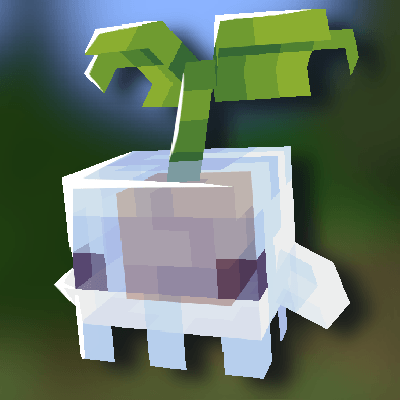
-The sporelings: スポアリングは、ネザーとオーバーワールドの至る所にいる小さなキノコの生物。装備をあまり壊さずに呪いをできる限り取り除いてくれます。骨粉で懐かせられます :D 懐いたら、スポアリングのバックパックを装備してスニークしながら右クリックすると持ち上げられます。
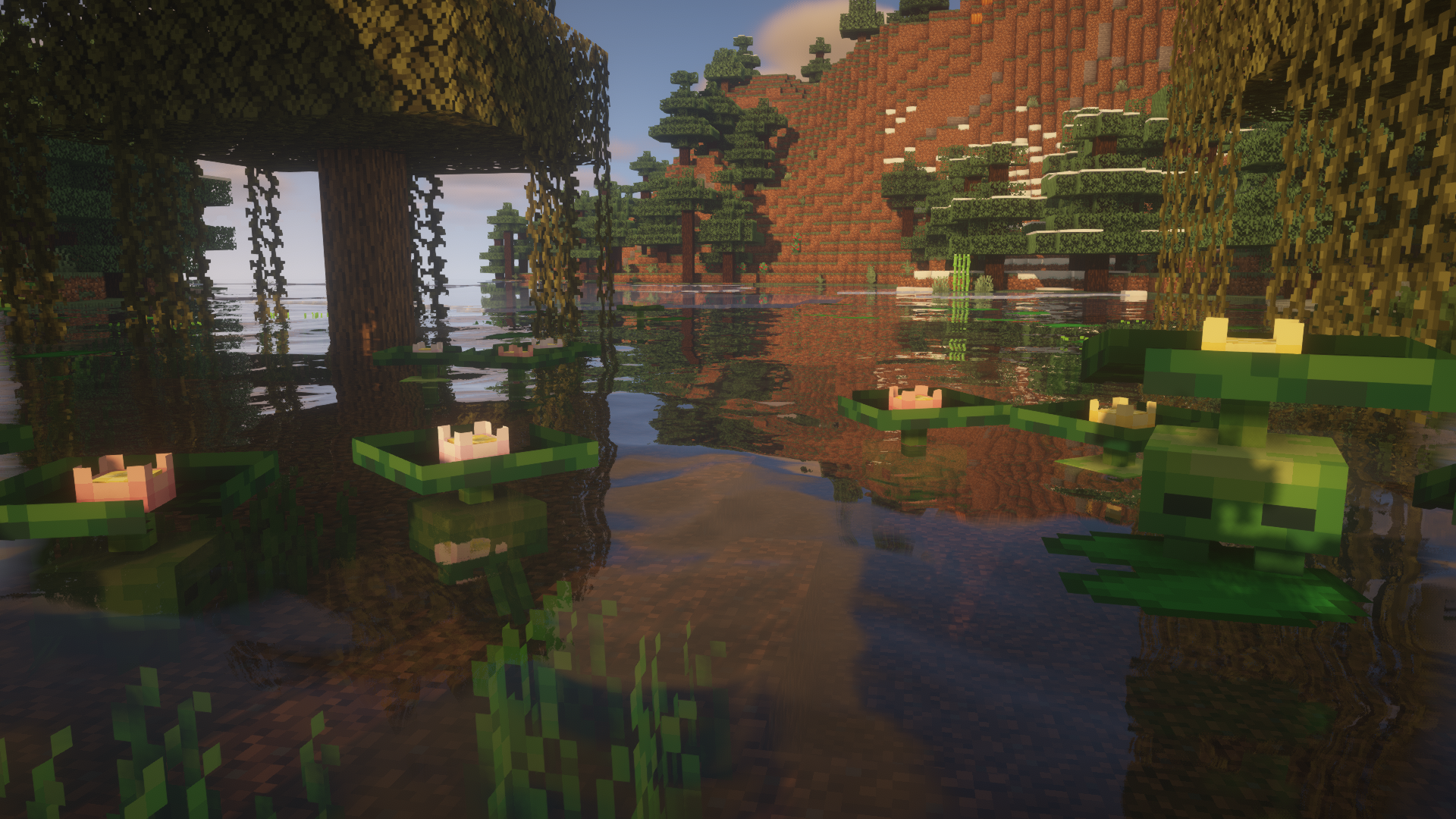
-The lilytad: 浅い水に隠れ、スイレンの葉に擬態する、湿地に住む恥ずかしがり屋の小さな生物。その花はハサミで刈り取れ、15分後に生え戻ります。
-The minipad: リリータッドのウーパールーパーに似た亜種。夜になると光る花で湿地を照らし、その花は花冠のクラフトに使えます!
-The yeti: 雪のツンドラバイオームにスポーンする強力な獣で、プレイヤーが赤ちゃんに近づきすぎるまでは中立です。スイカのスライスで信頼を得たり、ベリーで繁殖させたりできます。赤ちゃんイエティがプレイヤーを信頼した状態で成長すると、懐きます。懐いたイエティはプレイヤーについてきませんが、守ってくれます。
-The cactem: 長老に率いられた部族で暮らす、砂漠のトゲトゲした小さな友達。カクテムの長老は落ちているトーテムを拾い、お返しに価値のあるものか、まったく役に立たないものをくれます。
-The end whale: エンドの虚空をさまよう巨人で、コーラスフルーツとサドルで懐かせて乗れます。ただし懐いたクジラは、食べ物を持っていないとついてきません。
Josh/Joosh - Art HellionGames - Coding Christian9544 and AzureDoom3690 - contributions to the code








Creatures and Beastsのインストール方法
With Millida Launcher
Install Millida Launcher
The launcher is free: download it at millida.net/launcher and sign in with any nickname.
Click “Install” on this page
The launcher opens and installs the mod for Minecraft 1.16.3–1.19.2 on Forge automatically.
Launch the game
A profile with it appears in the launcher: click “Play”.
Manually
Install Forge
The loader must match the game version of the mod file, for example Minecraft 1.19.2. After installing it, a separate profile appears in your launcher.
Download the file for your version
In the version list above, pick the file CNB-1.19-1.5.4.jar (1.3 MB) for your game version.
Put it in the mods folder
The folder is inside .minecraft (Windows: %appdata%\.minecraft\mods). If it does not exist, create it.
Launch the loader profile
Open “Mods” in the main menu: Creatures and Beasts should be in the list.
Minecraft 1.19.2 runs on Java 17: with a different Java version the game may close right after launch.
バージョン
依存関係あり
| Minecraft | ローダー | ファイル | 日付 | 操作 |
|---|---|---|---|---|
| 1.19.2 | Forge | Creatures and Beasts 1.5.4 for Minecraft 1.19.21.3 MB 1 | ||
| 1.16.3 | — | Creatures and beasts 1.2.7.1558 KB |
FAQ
Which Minecraft versions does Creatures and Beasts work on?
There are files for 1.19.2, 1.16.4, 1.16.3. The newest is 1.19.2.
Is Creatures and Beasts for Forge or Fabric?
Only for Forge: 1.19.2. There are no files for Fabric or NeoForge: a mod for another loader will not start.
Does Creatures and Beasts need other mods?
The author lists no required dependencies: the Forge loader is enough.
Which Java does Creatures and Beasts need?
Minecraft 1.19.2 runs on Java 17. If the game closes right after launch, the usual cause is the wrong Java version in the profile settings.
Where can I download Creatures and Beasts safely?
On this page: the file CNB-1.19-1.5.4.jar (1.3 MB) is stored on Millida’s server, with no link shorteners. SHA-1 checksum: 0941e384d4ecd947bc442d9bcbd5a77dfedc4ddb.
レビュー
Creatures and Beastsの最初の評価を書きませんか


