

- 閲覧
- 18 閲覧
- 更新日
- 更新日 18.10.2026
- 1.16.2 — 1.17
 Fabric
Controlling for Fabric MODについて
This project has been merged with https://www.curseforge.com/minecraft/mc-mods/controlling. style="text-decoration: underline;">
All future updates will be on that project page.
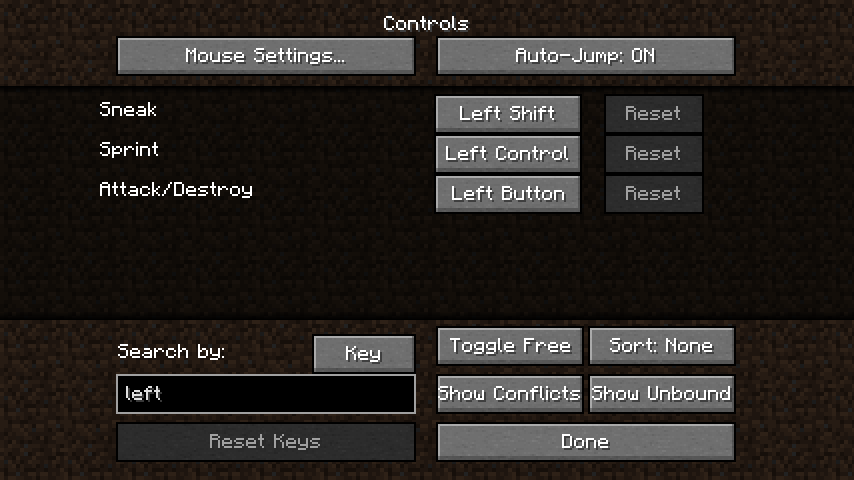
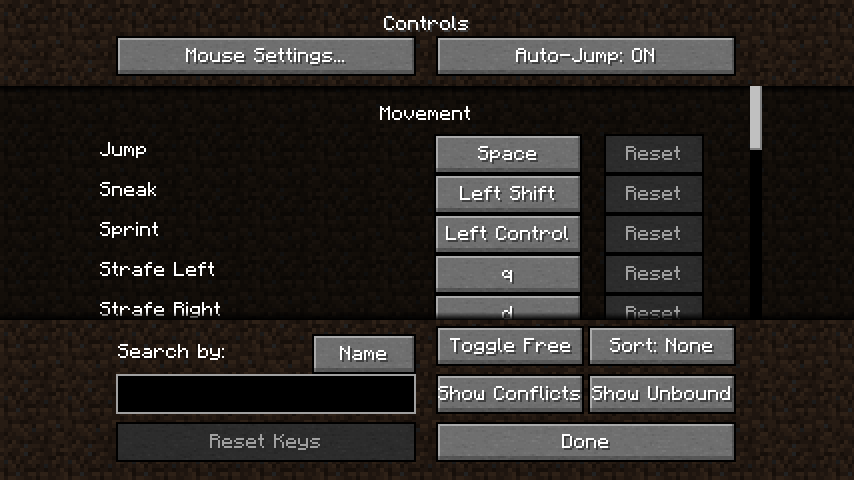
Adds the ability to search for keybinds using their name in the KeyBinding menu, this allows players to easily find a key binding in the menu.
Adds a button that will only show KeyBindings that conflict with each other, which makes it easier to fix them.
By holding CTRL you can see the Keys that have not been bound yet!
Here is an example!
If you would like to support me in my modding endeavors, you can become a patron via Patreon.
It is fine to use this mod in a modpack! Just don't ask me about it!
This project is sponsored by Nodecraft. Use code JARED for 30% off your first month of service!
Controlling for Fabricのインストール方法
With Millida Launcher
Install Millida Launcher
The launcher is free: download it at millida.net/launcher and sign in with any nickname.
Click “Install” on this page
The launcher opens and installs the mod for Minecraft 1.16.2–1.17 on Fabric automatically.
Launch the game
A profile with it appears in the launcher: click “Play”.
Manually
Install Fabric
The loader must match the game version of the mod file, for example Minecraft 1.17. After installing it, a separate profile appears in your launcher.
Download the file for your version
In the version list above, pick the file Controlling-For-Fabric-1.2.0.jar (31 KB) for your game version.
Put it in the mods folder
The folder is inside .minecraft (Windows: %appdata%\.minecraft\mods). If it does not exist, create it.
Launch the loader profile
Open “Mods” in the main menu: Controlling for Fabric should be in the list.
Minecraft 1.17 runs on Java 16: with a different Java version the game may close right after launch.
バージョン
依存関係あり
| Minecraft | ローダー | ファイル | 日付 | 操作 |
|---|---|---|---|---|
| 1.17 | Fabric | Controlling-For-Fabric-1.2.0.jar31.2 KB | ||
| 1.16.3 | Fabric | Controlling-For-Fabric-1.1.3.jar25.4 KB | ||
| — | — | fabriccontrolling-1.1.0.jar25.2 KB |
FAQ
Which Minecraft versions does Controlling for Fabric work on?
There are files for 1.17, 1.16.5, 1.16.4, 1.16.3, 1.16.2. The newest is 1.17.
Is Controlling for Fabric for Forge or Fabric?
Only for Fabric: 1.16.2–1.17. There are no files for Forge or NeoForge: a mod for another loader will not start.
Does Controlling for Fabric need other mods?
The author lists no required dependencies: the Fabric loader is enough.
Which Java does Controlling for Fabric need?
Minecraft 1.17 runs on Java 16. If the game closes right after launch, the usual cause is the wrong Java version in the profile settings.
Where can I download Controlling for Fabric safely?
On this page: the file Controlling-For-Fabric-1.2.0.jar (31 KB) is stored on Millida’s server, with no link shorteners. SHA-1 checksum: 12485b93444a97398780a45df34630988083bafa.
レビュー
Controlling for Fabricの最初の評価を書きませんか


