

Minecraft 1.20.1, 1.21.1用Compact Machines MOD
シンプルなゲームメカニクスを1つ追加:ブロック内部の小さな部屋。基本的に、装置を1つのブロックの内部に建造できるようになる。
 NeoForge
 Forge
ForgeCompact Machines MODについて
Compact Machines
狭い場所で物を作ろう!
バグトラッカー - ドキュメント - よくある質問
Compact Machines
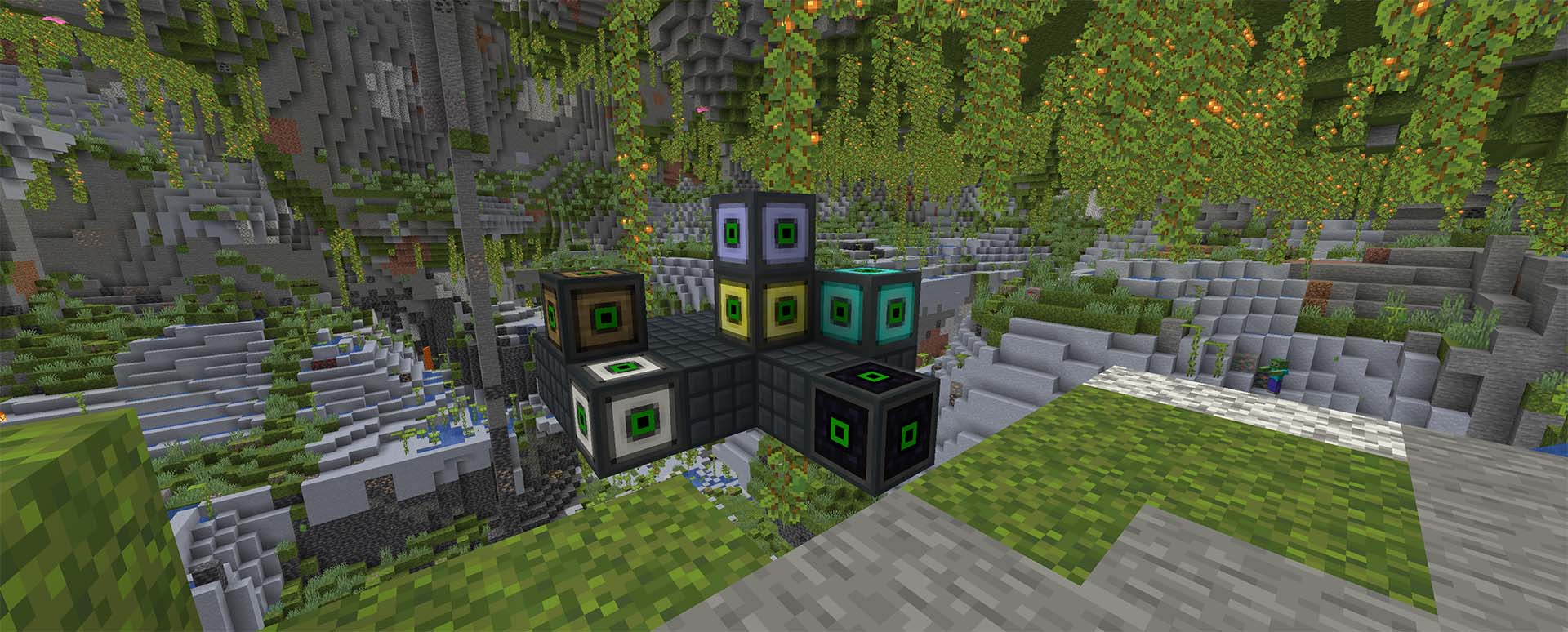
これらはこのMODの主要な構成要素であり、複雑な機械装置を構築して、1つのCompact Machineブロックの中に隠すことができます。
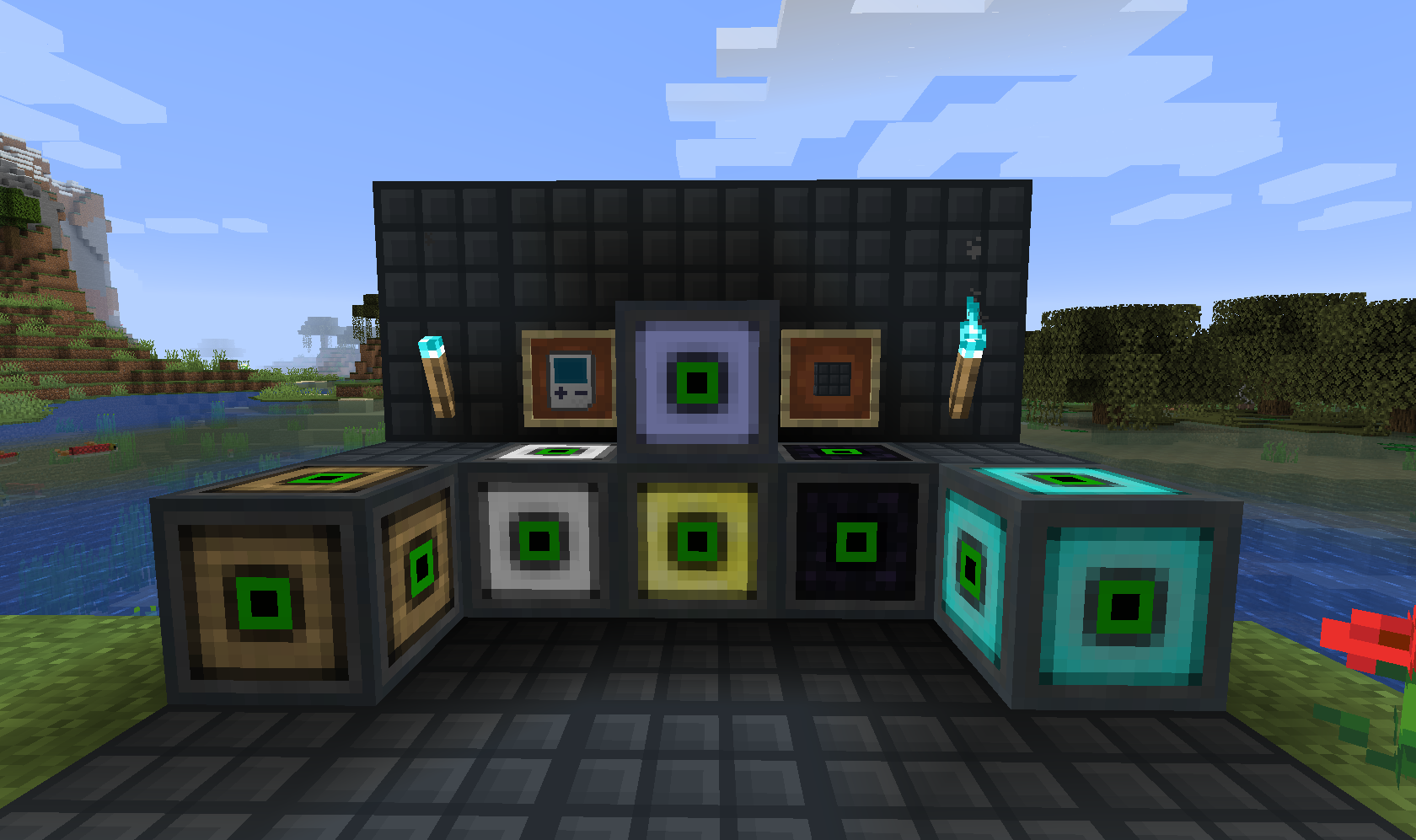
FAQ: クリエイティブ/JEI/REI/EMIにマシンがありません!
Compact Machines 7ではRoom Templatesが導入されました。これは新しいマシン/ルームタイプをデータパックで登録できるようにするシステムで、MODパック制作者がコンテンツをより細かく制御できるようになります。これに合わせて、これまで慣れ親しんだ基本的なルームサイズは、MODに組み込まれたデータパックに移動しました。
MODパックが組み込みパックを有効にしていない、または独自のテンプレートを提供していない場合は、CM7 ‐ Enabling Basic Room Templatesを参照してください。
トンネル(CM7以前)
これらをCompact Machineルーム内で使用すると、Compact Machineブロックの外側の面への接続を作成できます。Tunnel Toolを持ってCompact Machine内の壁ブロックを右クリックすると設置できます。もう一度右クリックすると、接続されている外側の面を順番に切り替えられます - The One Probeは面も表示してくれるので便利です。
同じ面に2回接続することはできないため、マシンルーム内の任意の場所に、特定のタイプのトンネルを合計6つ設置できます。
サポート
バージョン MCバージョン リリース サポート サポート終了
7.xシリーズ 1.21.1 2024年11月 ✅ -
6.xシリーズ 1.20.1 2024年11月 ❌ 2025年1月
5.1 1.19.2 2022年7月 ❌ 2025年1月
- 注 - 簡潔にするため、ここには最新バージョンのみを掲載しています。
標準的なサポートポリシーでは、現在のMinecraftバージョン向けの新バージョンがリリースされると、前のバージョンのサポートは終了します。新しいメジャーMinecraftバージョンがリリースされ、CMが更新された場合、前のメジャーバージョンのサポートは現在45日間です。
MODパックでの使用
Compact Modsはすべて、MODパックでの使用が自由です。Curseforge以外でMODを再ホストする場合は、公開プラットフォームが対応していれば、MODページへのリンクを提供してください。ありがとうございます!
Compact Machinesのインストール方法
With Millida Launcher
Install Millida Launcher
The launcher is free: download it at millida.net/launcher and sign in with any nickname.
Click “Install” on this page
The launcher opens and installs the mod for Minecraft 1.7.10–1.21.8 on Forge or NeoForge automatically.
Launch the game
A profile with it appears in the launcher: click “Play”.
Manually
Install Forge or NeoForge
The loader must match the game version of the mod file, for example Minecraft 1.21.8. After installing it, a separate profile appears in your launcher.
Download the file for your version
In the version list above, pick the file compactmachines-neoforge-8.0.2.jar (538 KB) for your game version and loader.
Put it in the mods folder
The folder is inside .minecraft (Windows: %appdata%\.minecraft\mods). If it does not exist, create it.
Launch the loader profile
Open “Mods” in the main menu: Compact Machines should be in the list.
Minecraft 1.21.8 runs on Java 21: with a different Java version the game may close right after launch.
バージョン
依存関係あり
| Minecraft | ローダー | ファイル | 日付 | 操作 |
|---|---|---|---|---|
| 1.21.1 | NeoForge | compactmachines-neoforge-7.0.81.jar668 KB 13 | ||
| 1.21.8 | NeoForge | compactmachines-neoforge-8.0.2.jar538 KB | ||
| 1.21.1 | NeoForge | compactmachines-neoforge-7.0.36.jar682 KB | ||
| 1.20.1 | Forge | compactmachines-forge-6.0.3.jar663 KB 16 | ||
| 1.20.1 | Forge | compactmachines-forge-6.0.2.jar662 KB | ||
| 1.20.1 | Forge | compactmachines-forge-6.0.0.0-nightly.jar577 KB | ||
| 1.12.1 | — | compactmachines3-1.12.2-3.0.18-b278.jar713 KB 1 | ||
| 1.10.2 | — | cm2-1.10.2-2.0.1-b141.jar291 KB |
レビュー
Compact Machinesの最初の評価を書きませんか


