
 NeoForge
 Fabric
 Forge
ForgeChimes MODについて
Chimesの音をあなたのMinecraftの世界に取り入れましょう!
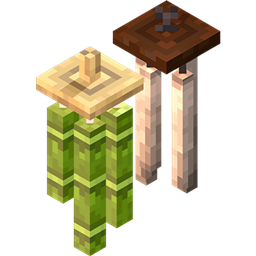
Chimesは、ゲームにWind Chime(風鈴)を追加するMinecraft modです!Wind Chimeは、支えるブロックから吊るすと環境音としてチリンチリンと鳴り、インタラクトすることもできます。さらに、Wind Chimeは風に揺れてアニメーションし、鳴っているWind Chimeの近くにいるプレイヤーにPhantomが近づくのを追い払います!詳しい情報は以下をご覧ください。
注意:
- 建築や冒険のお供にChimesをお使いください!
- Wind Chimeの音量はAmbient/Environment Soundカテゴリで調整できます
- ChimesはForge、Fabric、NeoForgeのmodローダーに対応しています
- Chimesをあなたのmodパックで自由に使っていただいて構いませんが、クレジットを残すようにしてください。
🎐 Wind Chimeブロックとクラフト:
Chimesはバージョン2.0の時点で6種類のWind Chimeを追加しており、今後さらに追加される予定です!
それぞれのWind Chimeは、素材に応じて異なる環境音を鳴らします。
-Bamboo Wind Chimes
吊るすと竹がカチカチと鳴る環境音を出します
木のハーフブロック1個、糸1個、竹1個でクラフトして入手できます!
舞い落ちるBamboo Leaf Particlesを発生させます
半径25ブロック以内のPhantomを追い払います
結んだり/鳴らなくしたりできます
-Iron Wind Chimes
吊るすと金属的な環境音を出します
木のハーフブロック1個、鎖1個、鉄インゴット1個でクラフトして入手できます
半径25ブロック以内のPhantomを追い払います
結んだり/鳴らなくしたりできます
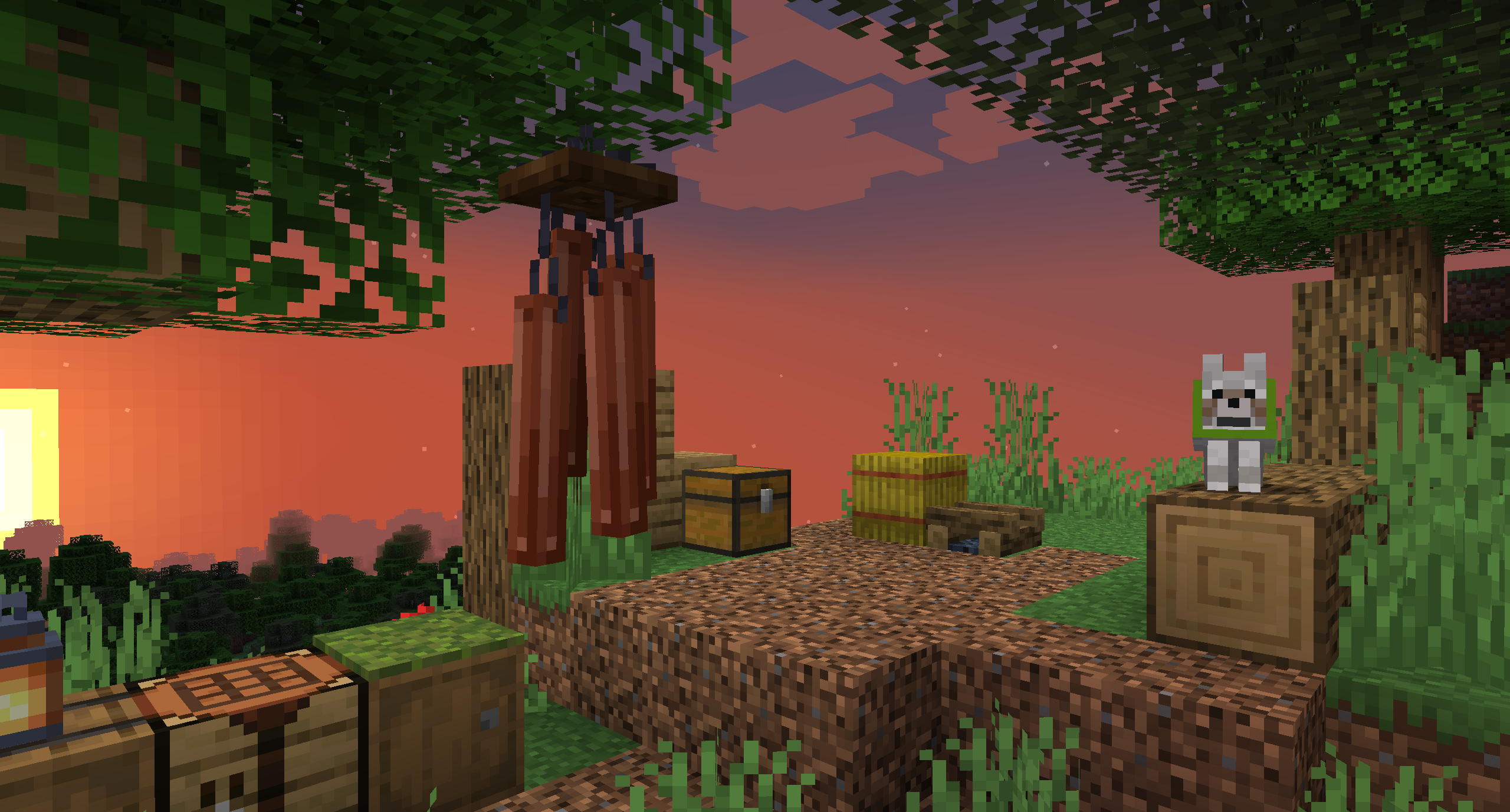
-Copper Wind Chimes
大きな見た目に加えて、このWind Chimeは吊るすと深みのある金属的な音を鳴らします。
木のハーフブロック1個、糸1個、銅インゴット1個でクラフトして入手できます
Phantomも追い払います!
結んだり/鳴らなくしたりできます
-Carved Bamboo Wind Chimes
Bamboo Wind Chimeの彫刻された変種で、彫刻されたモデルに加えて、元のものと比べてより低い音のカチカチという音を出します
Bamboo Wind Chimeを斧で右クリックすると入手できます!
このWind Chimeは舞い落ちる竹の葉のパーティクルを発生させません
Phantomも追い払います!
結んだり/鳴らなくしたりできます
-Amethyst Crystal Wind Chimes
吊るすとキラキラと輝く環境音を出します!
鉄インゴット1個、糸1個、アメジストの欠片1個でクラフトして入手できます
Phantomも追い払います
光を放ちます!
-Glass Wind Bells [Chimes v2.0以上]
他にはないWind Chime、、、いや、Wind Bellです!
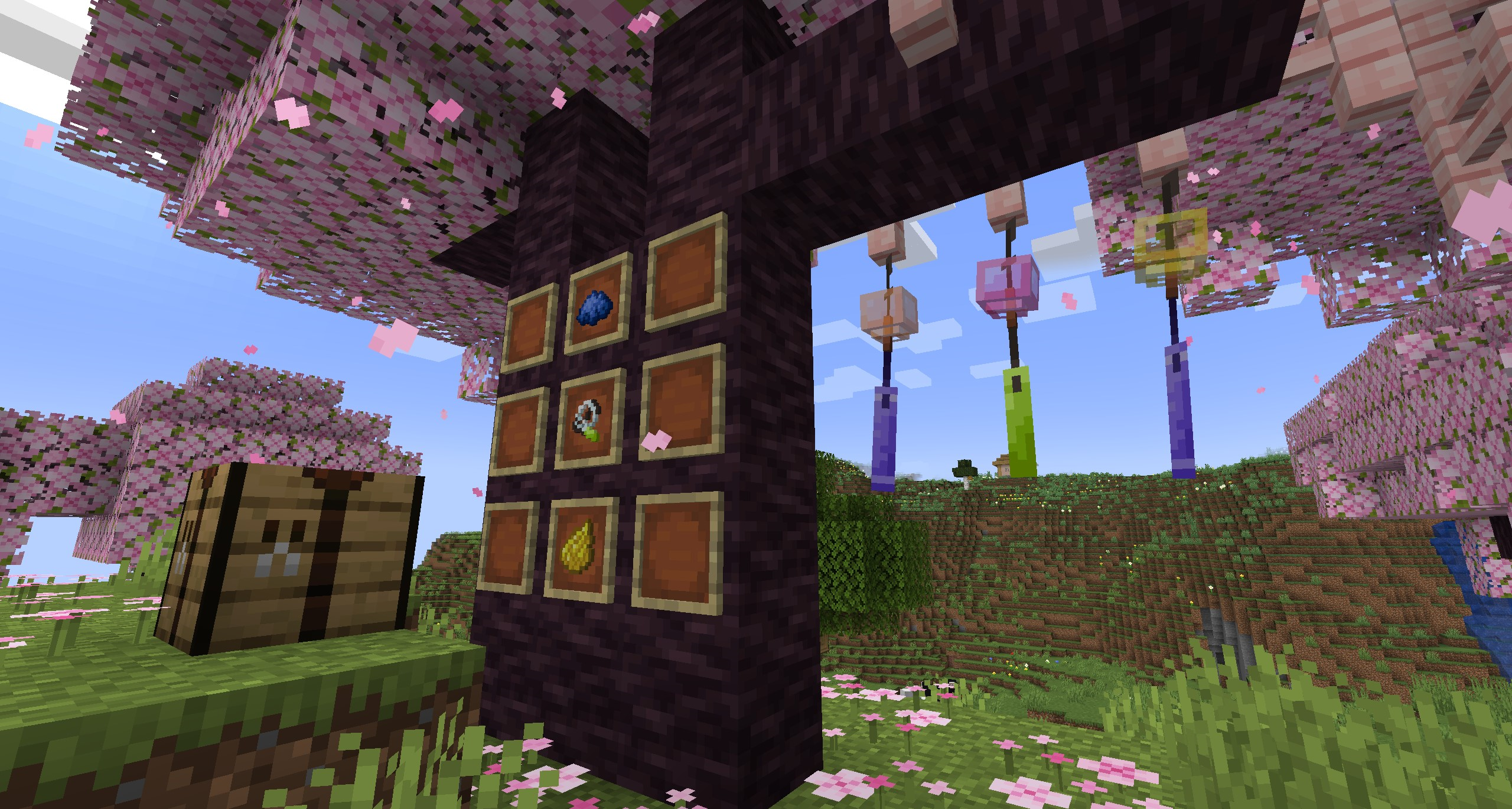
Glass Wind Bellsはガラスからウィンドセイルまで完全にカスタマイズできます。
糸1個、ガラス瓶1個、紙1個でWind Bellをクラフトできます
クラフティングテーブルでGlass Wind Bell Itemのスロットの上または下に染料を置いて適用することで、Wind Bellをカスタマイズできます
カスタマイズしたWind Bell Itemを手に持って水源ブロックを右クリックすると、デザインを洗い流せます。
Phantomを遠ざける / Wind Chimeを結ぶ:
Wind ChimeはPhantomを追い払います。つまり、Wind Chimeから一定の半径内にいるプレイヤーをPhantomは攻撃しません。
一部のWind Chimeは、この効果を切り替えるために結んだり/結びを解いたりできます!
何も持たずにしゃがみながらWind Chimeブロックを右クリックすると、Wind Chimeを結んだり/結びを解いたりできます
バージョン2.0では、この半径はForgeのサーバーコンフィグで調整できます [現時点ではForgeのみ]。
Wind Chimeのアニメーション:
すべてのChimesはデフォルトで環境アニメーションとインタラクティブアニメーションが有効になっていますが、Forgeのクライアントコンフィグでオフに切り替えることもできます [現時点ではバージョン2.0およびForgeのみ]。
ゲーム内の設定メニューは、今後のアップデートで再導入される予定です
Chimesを紹介するレビュー動画もぜひチェックしてみてください!
~ このmodへのサポートと愛情に感謝します。皆さんのフィードバックはとてもありがたいです!
Chimesのインストール方法
With Millida Launcher
Install Millida Launcher
The launcher is free: download it at millida.net/launcher and sign in with any nickname.
Click “Install” on this page
The launcher opens and installs the mod for Minecraft 1.16.3–26.2 on Fabric, Forge or NeoForge automatically.
Launch the game
A profile with it appears in the launcher: click “Play”.
Manually
Install Fabric, Forge or NeoForge
The loader must match the game version of the mod file, for example Minecraft 26.2. After installing it, a separate profile appears in your launcher.
Download the file for your version
In the version list above, pick the file Chimes-v2.1.2-26.2-NeoForge.jar (12 MB) for your game version and loader.
Put it in the mods folder
The folder is inside .minecraft (Windows: %appdata%\.minecraft\mods). If it does not exist, create it.
Launch the loader profile
Open “Mods” in the main menu: Chimes should be in the list.
バージョン
依存関係あり
| Minecraft | ローダー | ファイル | 日付 | 操作 |
|---|---|---|---|---|
| 26.2 | NeoForge | Chimes-v2.1.2-26.2-NeoForge11.9 MB | ||
| 26.2 | Fabric | Chimes-v2.1.2-26.2-Fabric11.9 MB 7 | ||
| 26.2 | Forge | Chimes-v2.1.2-26.2-Forge11.9 MB 5 | ||
| 1.19.3 | Forge | Chimes-v2.0.1-1.19.3-Forge11.9 MB | ||
| 1.19.3 | Fabric | Chimes-v2.0.1-1.19.3-Fabric11.3 MB | ||
| 1.16.3 | — | Chimes-1.16.3-0.9.6.jar4.2 MB | ||
| 1.16.4 | Forge | Chimes-1.16.4-0.9.1.jar4 MB |
FAQ
Which Minecraft versions does Chimes work on?
There are files for 26.2, 1.19.3, 1.16.4, 1.16.3. The newest is 26.2.
Is Chimes for Forge or Fabric?
There are files for Fabric: 1.19.3–26.2, for Forge: 1.16.4–26.2 and for NeoForge: 26.2.
Does Chimes need other mods?
The author lists no required dependencies: the Fabric, Forge or NeoForge loader is enough.
Where can I download Chimes safely?
On this page: the file Chimes-v2.1.2-26.2-NeoForge.jar (12 MB) is stored on Millida’s server, with no link shorteners. SHA-1 checksum: a5381c5f9f3ae738a89b88e22e3a772f9235fcc7.
レビュー
Chimesの最初の評価を書きませんか


