
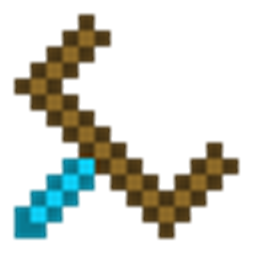
Chest Transporter MODについて
このMODはゲームに新しいアイテムを追加します: Chest Transporter。このアイテムを使うと、チェストを中身ごと持ち上げて別の場所に設置できます。ストレージ付きトロッコからチェストを持ち上げて、通常のトロッコに設置することもできます。ただし、インベントリにチェストがある間は、採掘と歩行が遅くなり、空腹度が増え、1ブロックを飛び越えられなくなります。モブスポナーも持ち上げられます(無効化可能)。
レシピ
対応MOD:
- Multi Page Chest
- Iron Chests
- CompactStorage
- Storage Drawers
- Storage Drawers Extra
- Quark
- Fluidity
- Actually Additions
- Refined Relocation
- Charset
- Forestry
- Tinkers Construct
- Binnie Core
- Dungeon Tactics
- YABBA
Modpack:
このMODを任意のModpackに含めることが許可されています。
Chest Transporterのインストール方法
With Millida Launcher
Install Millida Launcher
The launcher is free: download it at millida.net/launcher and sign in with any nickname.
Click “Install” on this page
The launcher opens and installs the mod for Minecraft 1.12–1.12.2 automatically.
Launch the game
A profile with it appears in the launcher: click “Play”.
Manually
Download the file for your version
In the version list above, pick the file ChestTransporter-1.12.2-2.8.8.jar (307 KB) for your game version.
Put it in the mods folder
The folder is inside .minecraft (Windows: %appdata%\.minecraft\mods). If it does not exist, create it.
Launch the loader profile
Open “Mods” in the main menu: Chest Transporter should be in the list.
Minecraft 1.12.2 runs on Java 8: with a different Java version the game may close right after launch.
バージョン
依存関係あり
| Minecraft | ローダー | ファイル | 日付 | 操作 |
|---|---|---|---|---|
| 1.12.1 | — | ChestTransporter-1.12.2-2.8.8.jar307 KB 1 |
FAQ
Which Minecraft versions does Chest Transporter work on?
There are files for 1.12.2, 1.12.1, 1.12. The newest is 1.12.2.
Which Java does Chest Transporter need?
Minecraft 1.12.2 runs on Java 8. If the game closes right after launch, the usual cause is the wrong Java version in the profile settings.
Where can I download Chest Transporter safely?
On this page: the file ChestTransporter-1.12.2-2.8.8.jar (307 KB) is stored on Millida’s server, with no link shorteners. SHA-1 checksum: 50c48502302193af990ed3c33b6e23e1f240cb1d.
レビュー
Chest Transporterの最初の評価を書きませんか


