
 NeoForge
 Fabric
 Forge
ForgeCatalogue MODについて





📖 About:
Catalogue is a universal mod list menu that is designed to work on all modloaders. Catalogue creates a rich experience for players by:
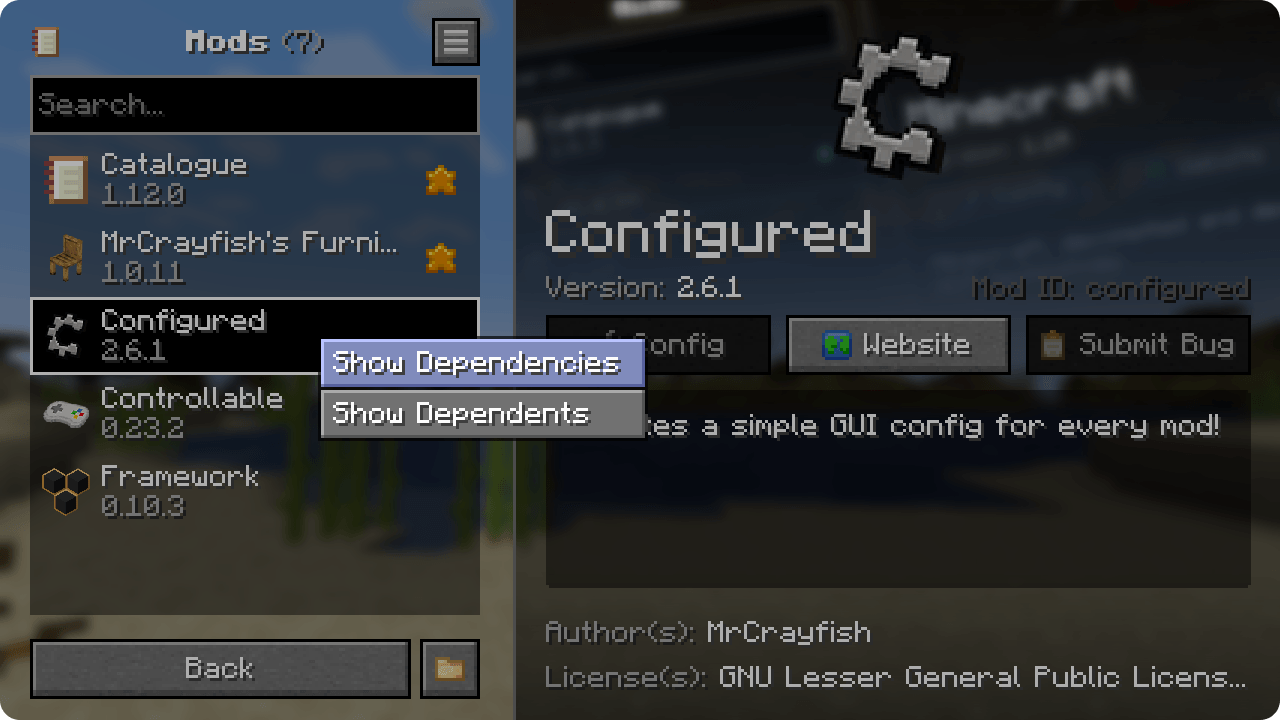
- Having a modern and intuitive UI design
- Giving you the option to search the mod list.
- Filtering mods based on if they have an update, a config, and more.
- Allowing you to Favourite a mod, which allows for quicker access when sorted by Favourite First.
- Showing the dependencies of a mod by Right Click > Show Dependencies on a mod in the list.
- Hiding libaries added by modloaders and mods.
- Providing shortcuts to access a mod's configs, wesbite homepage, and submit issues to their tracker.
Catalogue automatically supports logo images of Forge/NeoForge mods, and Icons from Fabric mods. It will also utilise items from a mod if the icon is not present. If you're using Fabric, you can allow Mod Menu's config entrypoint to work with Catalogue using

Menulogue
📦 Developers:

By default, Catalogue will attempt to use an existing assets like Fabric's logo and NeoForge/Forge's logoFile. However Catalogue has additional branding options that give you full control over the look and feel of your mod. To learn more about this feature, see the Branding Guide.
📷 Screenshots:
🙋‍♀️ Need Support? Join the Official Discord Server:
The comment section isn't great for support, join the official discord server. You can get help installing and configuring mods, resolving crashes and more! Plus you'll also get access to news about mod updates and development (before anywhere else).

Catalogueのインストール方法
With Millida Launcher
Install Millida Launcher
The launcher is free: download it at millida.net/launcher and sign in with any nickname.
Click “Install” on this page
The launcher opens and installs the mod for Minecraft 1.21.11–26.2 on Fabric, Forge or NeoForge automatically.
Launch the game
A profile with it appears in the launcher: click “Play”.
Manually
Install Fabric, Forge or NeoForge
The loader must match the game version of the mod file, for example Minecraft 26.2. After installing it, a separate profile appears in your launcher.
Download the file for your version
In the version list above, pick the file catalogue-neoforge-26.2-1.12.3.jar (302 KB) for your game version and loader.
Put it in the mods folder
The folder is inside .minecraft (Windows: %appdata%\.minecraft\mods). If it does not exist, create it.
Launch the loader profile
Open “Mods” in the main menu: Catalogue should be in the list.
バージョン
依存関係あり
| Minecraft | ローダー | ファイル | 日付 | 操作 |
|---|---|---|---|---|
| 26.2 | NeoForge | Catalogue 1.12.3302 KB 2 | ||
| 26.2 | Fabric | Catalogue 1.12.3309 KB 21 | ||
| 1.21.11 | Forge | Catalogue 1.12.3301 KB 22 |
FAQ
Which Minecraft versions does Catalogue work on?
There are files for 26.2, 1.21.11. The newest is 26.2.
Is Catalogue for Forge or Fabric?
There are files for Fabric: 26.2, for Forge: 1.21.11 and for NeoForge: 26.2.
Does Catalogue need other mods?
The author lists no required dependencies: the Fabric, Forge or NeoForge loader is enough.
Where can I download Catalogue safely?
On this page: the file catalogue-neoforge-26.2-1.12.3.jar (302 KB) is stored on Millida’s server, with no link shorteners. SHA-1 checksum: de28c4c89be87f5e2815da82a5e877231eaddca0.
レビュー
Catalogueの最初の評価を書きませんか


