
 NeoForge
 Forge
Butchery MODについて
🔪 Butcheryとは?
Butcheryは、Mobや動物の狩猟をはるかに没入感のある楽しいものにするModです。このModを導入していてもMobを普通に倒すことは可能ですが、新しく追加されるButcher's KnifeでMobを倒すという選択肢も加わります。Butcher's KnifeでMobを倒すと、本来のドロップ品の代わりにMobの死体がドロップします(羊は例外で、羊毛に加えて死体もドロップします)。死体を入手したら、いよいよ解体作業を始められます。
🥩 特徴
- Modを自分の好みに合わせてカスタマイズできるコンフィグファイル
- 新しいCleaverでMobを倒して死体を入手
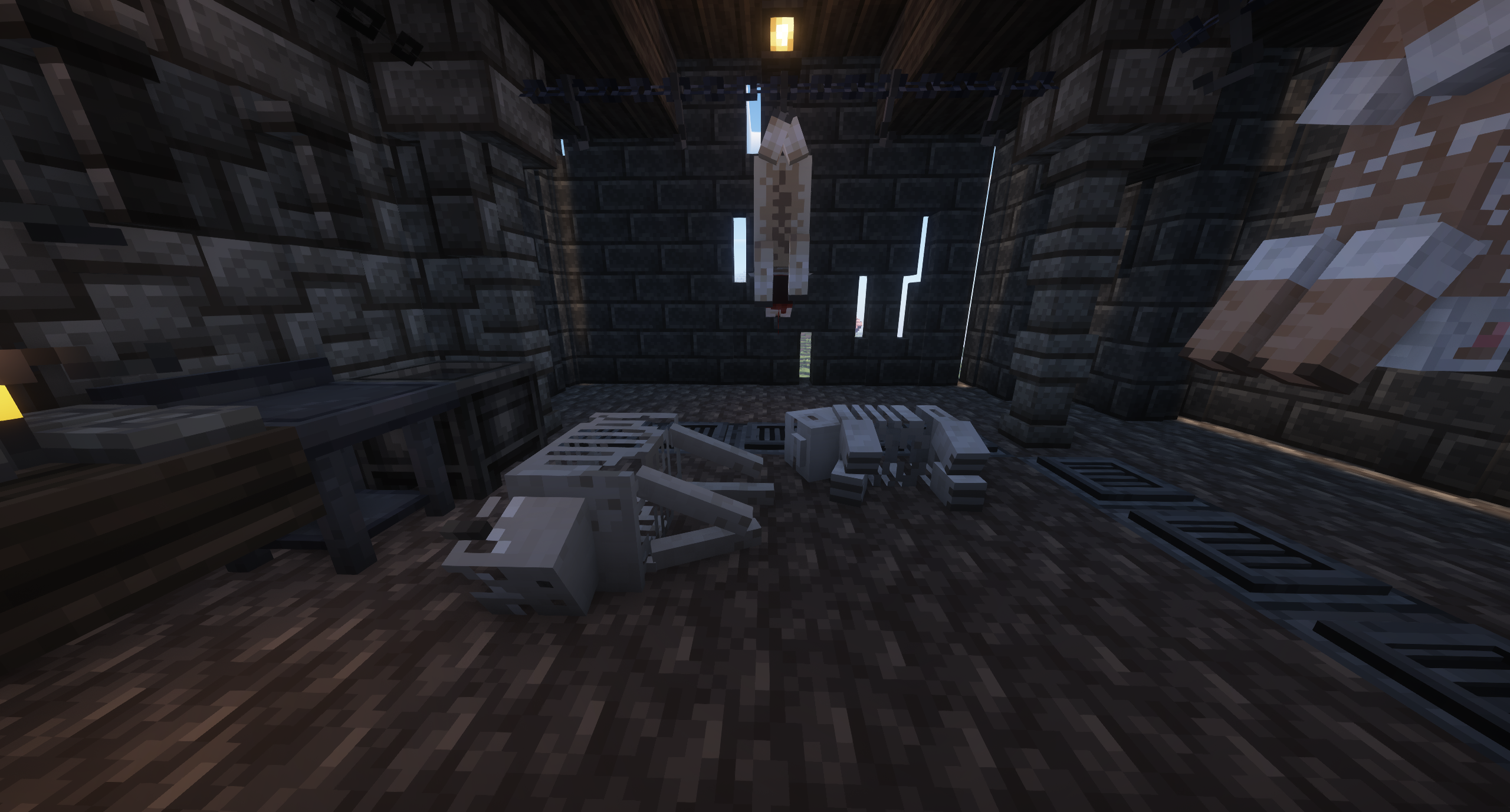
- 死体をフックに吊るして血を抜き、解体作業を開始
- 死体を皮剥ぎして皮を入手し、革に変換
- 吊るした死体やButcher's Table上で死体を切り分け、さまざまな肉を入手(コンフィグでFarmers Delightの食べ物を代替として有効化可能)
- 豚の死体をRotisserieに乗せ、下にCampfireを置いて肉を調理
- Mincerに牛肉またはラム肉を入れてひき肉を入手、またはSausage FillerアタッチメントとIntestinesを使ってソーセージを入手
- Hammerを使ってカメの甲羅を割る
- タラ/サケの入った樽、瓶、瓶詰めの脳、頭部マウント、レジスターなど、さまざまな装飾ブロック
- さまざまな防具とコスチューム
🐖 対応Mobとボス
バニラ
- Axolotl
- Bat
- Bee
- Camel
- Cat
- Cave Spider
- Chicken
- Cod
- Cow
- Creeper
- Dolphin
- Donkey
- Drowned
- Elder Guardian
- Ender Dragon
- Enderman
- Endermite
- Evoker
- Fox
- Frog
- Glow Squid
- Goat
- Guardian
- Hoglin
- Horse
- Husk
- Iron Golem
- Llama
- Magma Cube
- Mule
- Mooshroom
- Ocelot
- Panda
- Phantom
- Pig
- Piglin
- Piglin Brute
- Pillager
- Polarbear
- Pufferfish
- Rabbit
- Salmon
- Sheep
- Shulker
- Silverfish
- Skeleton
- Skeleton Horse
- Slime
- Sniffer
- Spider
🤝 互換性
- Farmers Delight
- Vampirism
- Blood Magic
- Hexrei
🦬 アドオン
Alex's Mobs - https://www.curseforge.com/minecraft/mc-mods/alexs-mobs
Butchery: Alex's Mobs Addon - https://legacy.curseforge.com/minecraft/mc-mods/butchery-alexs-mobs
(現在も開発中)
📜 よくある質問
Q: 1.20.1より下のバージョンに移植しますか?
A: いいえ、申し訳ありませんが私にはできません。Butcheryは今後も新しいバージョンのForgeにのみ更新されます。
Q: いつバージョンXに更新されますか?
A: できるときにやりますので、気長にお待ちください。更新はこれからも続きます。これはMCreatorのModなので、更新するにはMCreatorが最新バージョンをサポートするのを待つ必要があります。サポートされ次第、Butcheryを更新します。
Q: Fabricは?
A: いいえ、申し訳ありません。
Q: 互換性をリクエストできますか?
A: もちろんです。Discordに参加して、提案のスレッドを作成してください。
Q: 死体をドロップさせるために、Mobをタグファイルに追加するにはどうすればいいですか?
A: Butcheryのデータパックをダウンロードし、説明に従ってください。ここからダウンロードできます:
https://legacy.curseforge.com/minecraft/data-packs/butchery-add-mobs-datapack
📺 動画
Butcheryのインストール方法
With Millida Launcher
Install Millida Launcher
The launcher is free: download it at millida.net/launcher and sign in with any nickname.
Click “Install” on this page
The launcher opens and installs the mod for Minecraft 1.20.1–26.1.2 on Forge or NeoForge automatically.
Launch the game
A profile with it appears in the launcher: click “Play”.
Manually
Install Forge or NeoForge
The loader must match the game version of the mod file, for example Minecraft 26.1.2. After installing it, a separate profile appears in your launcher.
Download the file for your version
In the version list above, pick the file butchery-5.2-neoforge-26.1.2.jar (13 MB) for your game version and loader.
Put it in the mods folder
The folder is inside .minecraft (Windows: %appdata%\.minecraft\mods). If it does not exist, create it.
Launch the loader profile
Open “Mods” in the main menu: Butchery should be in the list.
バージョン
依存関係あり
| Minecraft | ローダー | ファイル | 日付 | 操作 |
|---|---|---|---|---|
| 26.1.2 | NeoForge | butchery-5.2-neoforge-26.1.213.1 MB 10 | ||
| 1.20.1 | Forge | butchery-5.2-forge-1.20.115.8 MB 20 |
FAQ
Which Minecraft versions does Butchery work on?
There are files for 26.1.2, 1.20.1. The newest is 26.1.2.
Is Butchery for Forge or Fabric?
There are files for Forge: 1.20.1 and for NeoForge: 26.1.2. There are no files for Fabric: a mod for another loader will not start.
Does Butchery need other mods?
The author lists no required dependencies: the Forge or NeoForge loader is enough.
Where can I download Butchery safely?
On this page: the file butchery-5.2-neoforge-26.1.2.jar (13 MB) is stored on Millida’s server, with no link shorteners. SHA-1 checksum: c3d332699d49f3d81b3141d85cabe70dff251798.
レビュー
Butcheryの最初の評価を書きませんか


