
- 閲覧
- 16 閲覧
- 更新日
- 更新日 17.10.2026
- 1.8 — 1.19.2
 Forge
Forge
BiomeTweaker MODについて
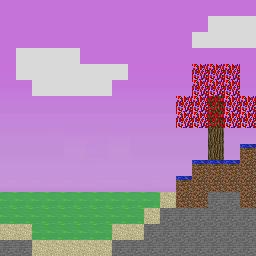
BiomeTweakerはバイオームのほぼすべての側面を変更できます。MineTweakerに触発されており、BiomeTweakerが解釈するスクリプトを書くことで実現します。これらのスクリプトの書き方やBiomeTweakerとの連携方法についてはwikiで確認できます。単に気温を設定するだけのことから、新しい完全にカスタムなバイオームを作成することまで、このmodの長期的な目標は、パック制作者が自身のmodパックにまったく新しいレベルのカスタマイズをもたらせるようにすることです。
BiomeTweakerは生成時にのみワールドを変更するため、サーバー側のみにインストールできます。ただし、色の上書きを適用したい場合は、クライアント側にもインストールする必要があります。一部の機能はデフォルトで無効になっており、有効にするにはBiomeTweakerCoreが必要です。
このmodがmoddedバイオームで動作することは保証しません(動作するはずですが!)、そしてもちろんバグがないことも保証しません。
サポートされているビルドはここに掲載されます。実験的なビルドは私のJenkinsサーバーで見つけることができます。
BiomeTweakerで可能になることのいくつかを簡単に挙げます:
- バイオームの基本的なプロパティの変更(名前、色、気温、ブロックなど)
- 白紙の状態から、または既存のバイオームのコピーとして新しいバイオームを作成する
- 生成から既存のバイオームを削除する
- 既存の装飾やフィーチャー(草、花、木、洞窟、ダンジョンなど)を調整または完全に削除する
- バイオームやワールドに新しい完全にカスタムな装飾を追加する
- バイオームへのモブスポーンを削除および追加する
- 生成時に設置される実質的にあらゆるブロックを、バイオームごと、ワールドごとに置き換える
- 選択したバイオーム内のモブやプレイヤーにポーション効果を適用する
利用可能な機能の完全なリストについてはwikiを確認してください。可能性は無限大です!
BiomeTweakerのインストール方法
With Millida Launcher
Install Millida Launcher
The launcher is free: download it at millida.net/launcher and sign in with any nickname.
Click “Install” on this page
The launcher opens and installs the mod for Minecraft 1.8–1.19.2 on Forge automatically.
Launch the game
A profile with it appears in the launcher: click “Play”.
Manually
Install Forge
The loader must match the game version of the mod file, for example Minecraft 1.19.2. After installing it, a separate profile appears in your launcher.
Download the file for your version
In the version list above, pick the file biometweaker-1.19.2-4.1.8.jar (248 KB) for your game version.
Put it in the mods folder
The folder is inside .minecraft (Windows: %appdata%\.minecraft\mods). If it does not exist, create it.
Launch the loader profile
Open “Mods” in the main menu: BiomeTweaker should be in the list.
Minecraft 1.19.2 runs on Java 17: with a different Java version the game may close right after launch.
バージョン
依存関係あり
| Minecraft | ローダー | ファイル | 日付 | 操作 |
|---|---|---|---|---|
| 1.19.2 | Forge | BiomeTweaker-1.19.2 4.1.8248 KB | ||
| 1.18.2 | Forge | BiomeTweaker-1.18.2 4.0.21235 KB | ||
| 1.12.2 | — | BiomeTweaker-1.12.2 3.2.354557 KB | ||
| 1.12.2 | — | BiomeTweaker-1.12.2 3.1.312531 KB | ||
| 1.8 | — | BiomeTweaker-1.8 2.0.161260 KB |
FAQ
Which Minecraft versions does BiomeTweaker work on?
There are files for 1.19.2, 1.18.2, 1.12.2, 1.8. The newest is 1.19.2.
Is BiomeTweaker for Forge or Fabric?
Only for Forge: 1.18.2–1.19.2. There are no files for Fabric or NeoForge: a mod for another loader will not start.
Does BiomeTweaker need other mods?
The author lists no required dependencies: the Forge loader is enough.
Which Java does BiomeTweaker need?
Minecraft 1.19.2 runs on Java 17. If the game closes right after launch, the usual cause is the wrong Java version in the profile settings.
Where can I download BiomeTweaker safely?
On this page: the file biometweaker-1.19.2-4.1.8.jar (248 KB) is stored on Millida’s server, with no link shorteners. SHA-1 checksum: 3fbb6cce4d2652d68f87c6a599d695c10a0076a8.
レビュー
BiomeTweakerの最初の評価を書きませんか


