

 NeoForge
 Fabric
 Forge
ForgeAggro Indicator MODについて
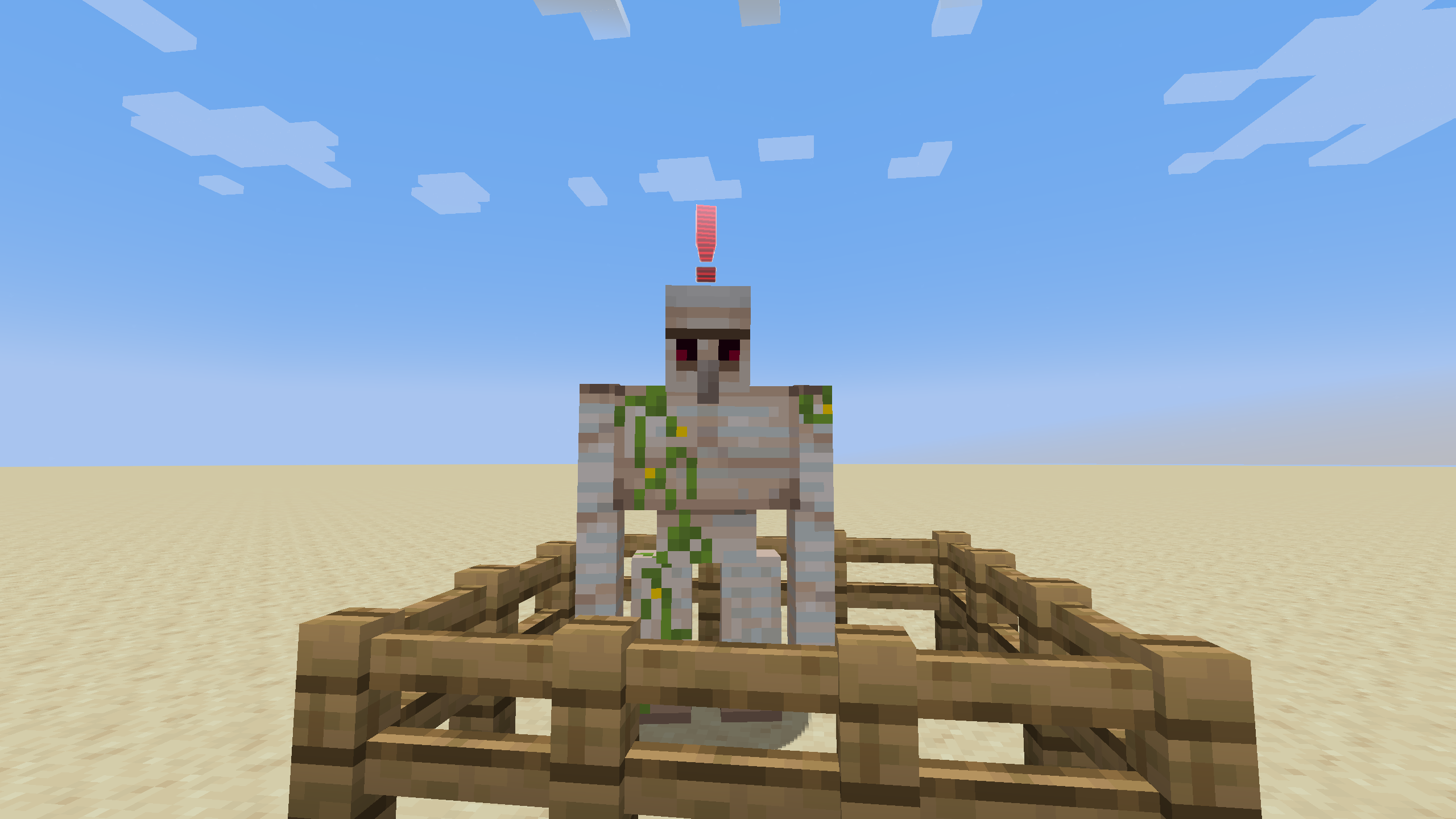
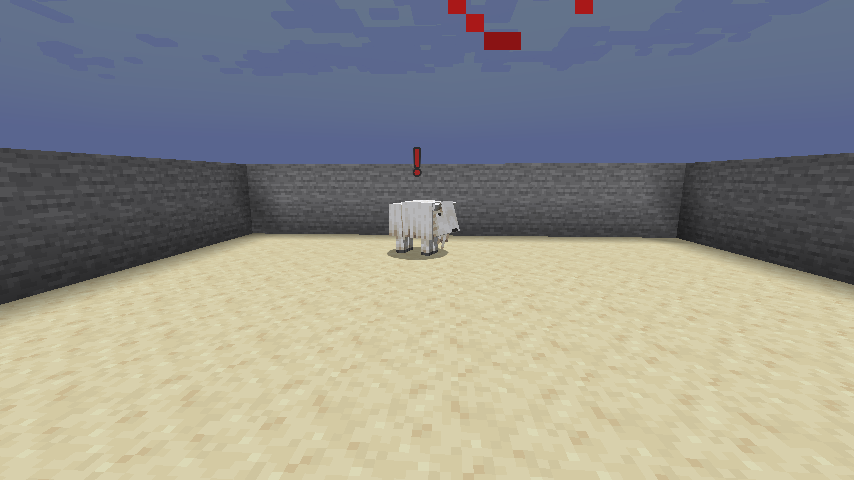
mobが自分の方へ向かってくるのを見て、それが敵対的かどうか気になったことはありませんか?このmodを使えば、自分が近くにいることを問題視している相手が誰なのかが分かり、そいつに教訓を教えるか、あるいはそこから逃げ出すことができます。
Modloader
このmodはクライアントとサーバーの両方にインストールする必要があります。片側だけにインストールしてもクラッシュしたり何かが起きたりはしません。シングルプレイヤーの場合は通常通りインストールするだけで大丈夫です。
Fabric版ではFabric APIが必要です。
Config
modのコンフィグファイルは、Minecraftのルートフォルダ、ほとんどの場合は.minecraft内の"config"フォルダにあるはずです。どこにあるかはランチャーによって異なります。
- クライアントとサーバーの両方のブラックリスト
- 調整可能なxとyのオフセット
- アグロアイコンのスタイルと色の変更
- アイコンを数秒後に消す機能
- Metal Gear Solidのようにmobがプレイヤーをターゲットしたときに再生されるアラートサウンド
Misc
mobが透明化している場合、またはあなたが盲目や暗闇の状態の場合はアグロアイコンは表示されません。それでは簡単すぎますからね。
Compatibility
Mobtargetプロパティを使用するもの、またはそのbrainがATTACKTARGETメモリモジュールを使用するものであれば動作するはずです。ヤギは専用のram行動mixinで特別扱いされているので、それらの行動を再利用するmobも動作するはずです。
Feature Poll
このmodはmobがあなたをターゲットしたときにアラートサウンドを再生すべきですか?結果:はい、追加されました。
Credits
- Metal Gear Solid風のアラートサウンドを提供してくれたdjlprojectsに感謝します。
- Metal Gear Solid Inspired Alert Surprise SFX by djlprojects -- https://freesound.org/s/413641/ -- License: Creative Commons 0
Note
アラートサウンドについて著作権のリスクを負いたくなかったので、freesound.orgからCreative Commons 0でライセンスされた近い再現音を見つけました。別のサウンドを使いたい場合は、リソースパックを使用できます。
リソースパック制作者は、置き換えたいファイルへのパスをここ(1.20.1)またはここ(1.21+)で確認できます。サイドバーを使って、使用したいバージョンに対応するブランチを必ず選択してください。
Aggro Indicatorのインストール方法
With Millida Launcher
Install Millida Launcher
The launcher is free: download it at millida.net/launcher and sign in with any nickname.
Click “Install” on this page
The launcher opens and installs the mod for Minecraft 1.20–26.3 on Fabric, Forge or NeoForge automatically.
Launch the game
A profile with it appears in the launcher: click “Play”.
Manually
Install Fabric, Forge or NeoForge
The loader must match the game version of the mod file, for example Minecraft 26.3. After installing it, a separate profile appears in your launcher.
Download the file for your version
In the version list above, pick the file aggroindicator-neoforge-26.3-3.2.0.jar (70 KB) for your game version and loader.
Put it in the mods folder
The folder is inside .minecraft (Windows: %appdata%\.minecraft\mods). If it does not exist, create it.
Launch the loader profile
Open “Mods” in the main menu: Aggro Indicator should be in the list.
バージョン
依存関係あり
| Minecraft | ローダー | ファイル | 日付 | 操作 |
|---|---|---|---|---|
| 26.3 | NeoForge | aggroindicator-neoforge-26.3-3.2.0.jar70.1 KB 1 | ||
| 26.3 | Fabric | aggroindicator-fabric-26.3-3.2.0.jar70.8 KB 9 | ||
| 1.20.1 | Forge | aggroindicator-1.1.5+forge1.20.1.jar64.2 KB | ||
| 1.20.1 | NeoForge, Forge | aggroindicator-1.1.0-beta2+forge1.20.1.jar46.2 KB | ||
| 1.21 | NeoForge | aggroindicator-1.1.0-beta1+neoforge1.21.jar39.9 KB | ||
| 1.20.4 | Fabric | aggroindicator-1.0.1-beta1+fabric1.20.4.jar25.6 KB |
FAQ
Which Minecraft versions does Aggro Indicator work on?
There are files for 26.3, 1.21, 1.20.4, 1.20.1, 1.20. The newest is 26.3.
Is Aggro Indicator for Forge or Fabric?
There are files for Fabric: 1.20.4–26.3, for Forge: 1.20–1.20.1 and for NeoForge: 1.20–26.3.
Does Aggro Indicator need other mods?
The author lists no required dependencies: the Fabric, Forge or NeoForge loader is enough.
Where can I download Aggro Indicator safely?
On this page: the file aggroindicator-neoforge-26.3-3.2.0.jar (70 KB) is stored on Millida’s server, with no link shorteners. SHA-1 checksum: c1b51882ffb1d3d2e09d0b87d296d67784eea11e.
レビュー
Aggro Indicatorの最初の評価を書きませんか


