

📖概要
The Aether IIは素晴らしいModですが、私にとってはオリジナルのAether Modが、そのシンプルさとバニラのMinecraftへの馴染み方から、いつまでも一番のお気に入りです。オリジナルのAether Modが更新されなくなったとき、私は悲しくなりました。それから数年後、現在のバージョン向けの移植版であるAether Legacy Modを発見したときの驚きを想像してみてください!
しばらくプレイした後、このアドオンを作りたいという気持ちが湧きました。これはAether Legacy Modにほんのいくつかのシンプルな機能を追加するもので、Modの開発チームであるModding Legacyが「Legacy」の雰囲気を保つためにこれ以上機能を追加しないと述べていたためです。いずれ、このModが、オリジナルのAether Modが更新を止めなかったらなっていたであろう姿になることを願っています。
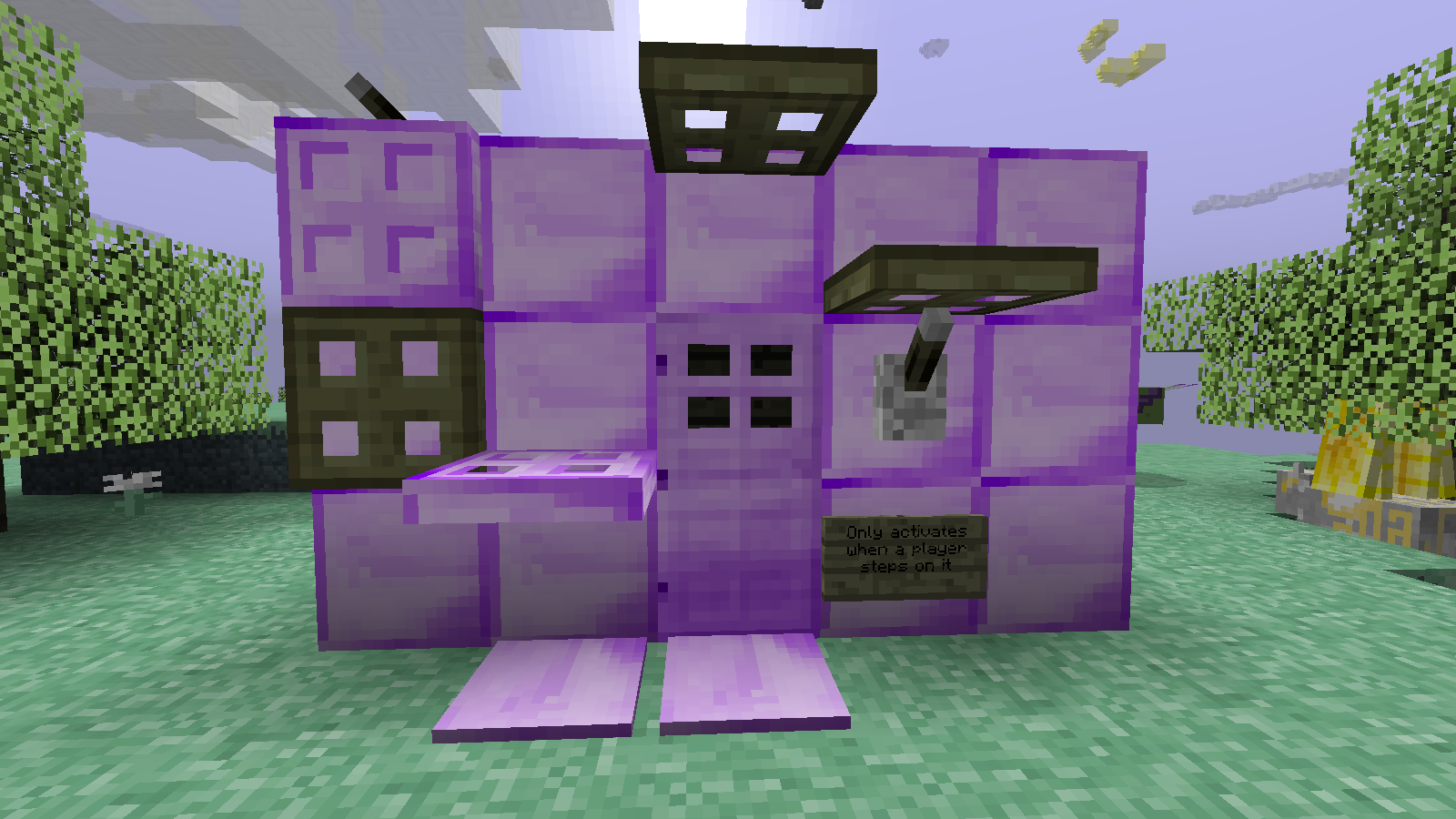
🕹️ 機能
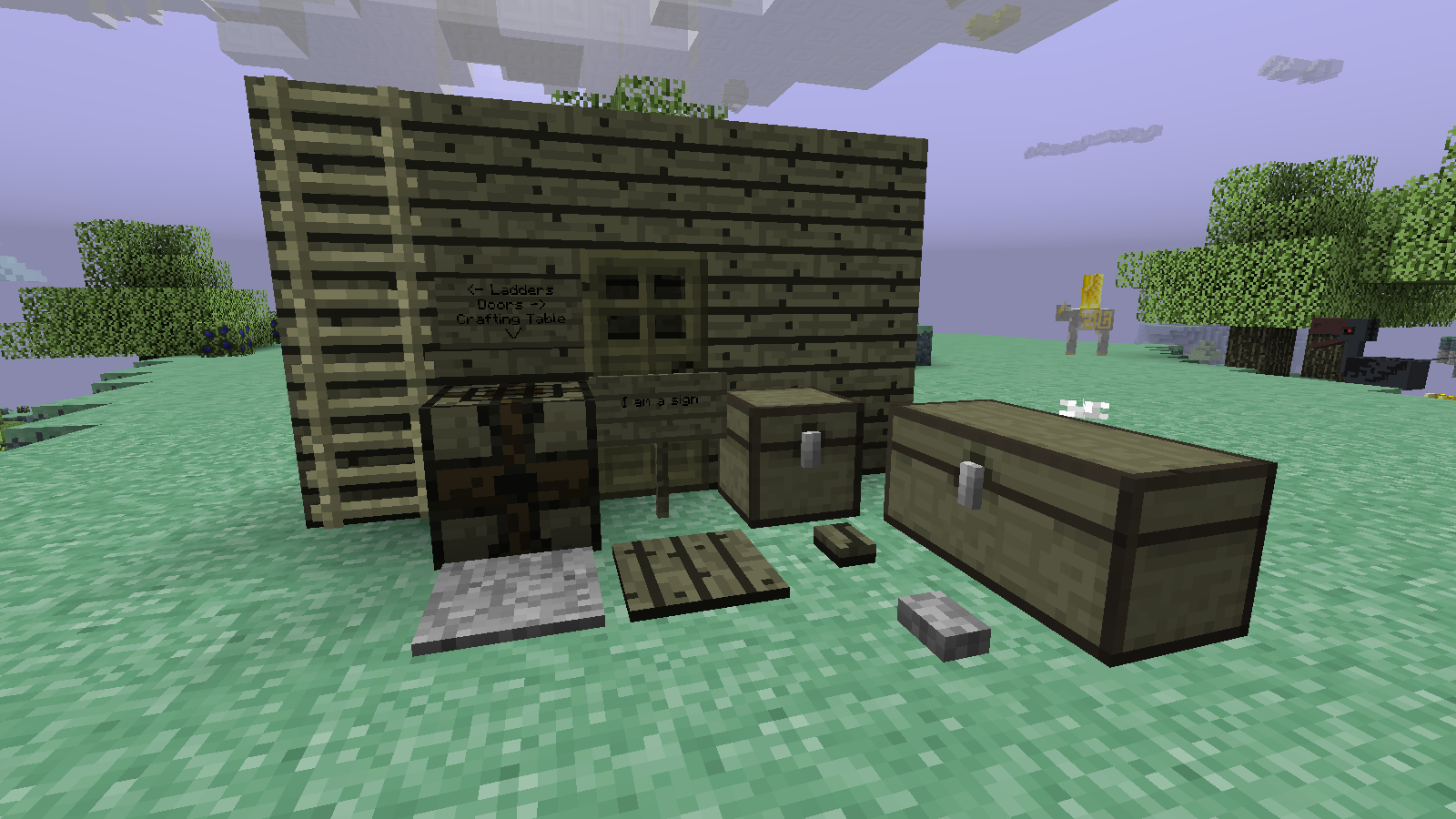
- Skyrootのドア
- Skyrootのチェスト
- Skyrootの看板
- Skyrootのトラップドア
- SkyrootとHolystoneの感圧板
- それぞれ対応するWoodとStoneのものと同じように動作します
- SkyrootとHolystoneのボタン
- それぞれ対応するWoodとStoneのものと同じように動作します
- Holystoneのレバー
- Zaniteのドア
- 鉄のドアと同じように動作します
- Zaniteの感圧板
- プレイヤーによってのみ作動します
- Zaniteのトラップドア
- 鉄のトラップドアと同じように動作します
- Ambrosiumブロック
- 光を放つ装飾用の収納ブロック
- Skyrootのベッド
- Aether内で眠ることができます
- 他のすべてのディメンションでは爆発します
- すべての色があります
- まだ開発中です。スポーン地点を設定したり、時刻を変更したりはまだできません。
できるだけ早く修正しますが、今のところ試したことはすべてうまくいっていません。
- Zaniteの柵
- 装飾用の柵
- Aetherionチェスト
- 開けたプレイヤーごとに固有のインベントリを持ちます(一種のローカライズされたEnder Chestのようなもの)
- 8個のpacked iceがAetherium Coreを囲む形でクラフトします。
- Aetherium Core
- Aetherionチェストのクラフトに使用します
- 今のところ他の特殊効果はありません
- Zanite Gem、Swetty Ball、Golden Amberを組み合わせてクラフトします。
- Cockatriceの食料
- CockatriceはRaw/Burnt Cockatriceをドロップするようになりました。この食料アイテムは食べようとすると毒を与えます。
- エンチャントすると毒効果がなくなり、食料と満腹度のポイントが強化されます。
- 設定可能
- このアドオンのすべては、望むなら無効にできます
📜クレジット
Aether Modへの取り組みについてGilded GamesとModding Legacyに、Aether IIの古いいくつかのテクスチャの使用許可についてGilded Gamesに感謝します
Modパック?どうぞご自由に!
🔗リンク
The Aether - https://www.curseforge.com/minecraft/mc-mods/the-aether
The Aether II - https://www.curseforge.com/minecraft/mc-mods/the-aether-ii
Aether Continuationのインストール方法
With Millida Launcher
Install Millida Launcher
The launcher is free: download it at millida.net/launcher and sign in with any nickname.
Click “Install” on this page
The launcher opens and installs the mod for Minecraft 1.12.2 automatically.
Launch the game
A profile with it appears in the launcher: click “Play”.
Manually
Download the file for your version
In the version list above, pick the file Aether Continuation v1.3.0.jar (174 KB) for your game version.
Put it in the mods folder
The folder is inside .minecraft (Windows: %appdata%\.minecraft\mods). If it does not exist, create it.
Launch the loader profile
Open “Mods” in the main menu: Aether Continuation should be in the list.
Minecraft 1.12.2 runs on Java 8: with a different Java version the game may close right after launch.
バージョン
依存関係あり
| Minecraft | ローダー | ファイル | 日付 | 操作 |
|---|---|---|---|---|
| 1.12.2 | — | Aether Continuation v1.3.0.jar174 KB |
FAQ
Which Minecraft versions does Aether Continuation work on?
Only Minecraft 1.12.2: there are no files for other versions.
Which Java does Aether Continuation need?
Minecraft 1.12.2 runs on Java 8. If the game closes right after launch, the usual cause is the wrong Java version in the profile settings.
Where can I download Aether Continuation safely?
On this page: the file Aether Continuation v1.3.0.jar (174 KB) is stored on Millida’s server, with no link shorteners. SHA-1 checksum: fa7b70244470acfcbe8bfe56de20e080c5dac8b5.
レビュー
Aether Continuationの最初の評価を書きませんか


