

Minecraft 1.18.2, 26.1.2用AE2 Import Export Card MOD
Applied Energistics 2用のインポート・エクスポート・ブロックピッカーカードを追加
 NeoForge
 Forge
ForgeこのMODにはApplied Energistics 2が必要です
このMODをあなたのMODパックに入れたい場合は、自由に使ってください :) このMODはApplied Energistics 2用のインポート&エクスポートカードとブロックピッカーカードを追加します。
インポートカードは、あなたのインベントリの特定のスロットにあるアイテムを取り出し、MEシステムに送り込みます。ワイヤレスターミナルを開き、右側のスロットにインポートまたはエクスポートカードを追加してください。
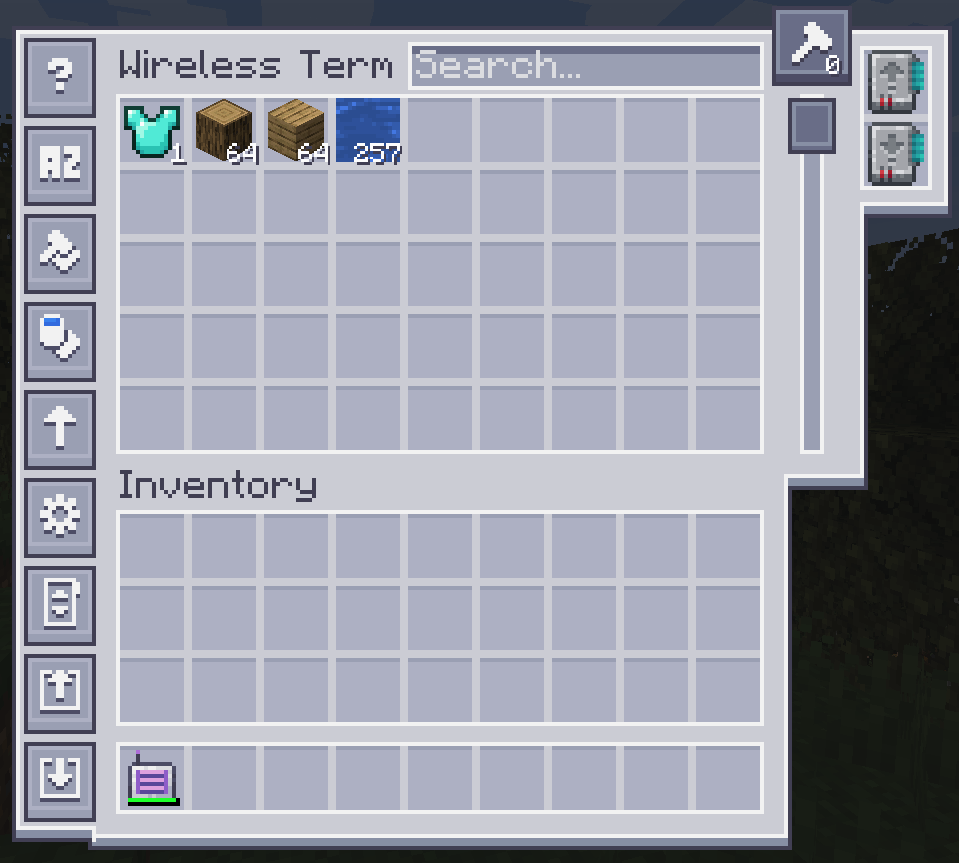
設定するには、左側のボタンのいずれかをクリックします。
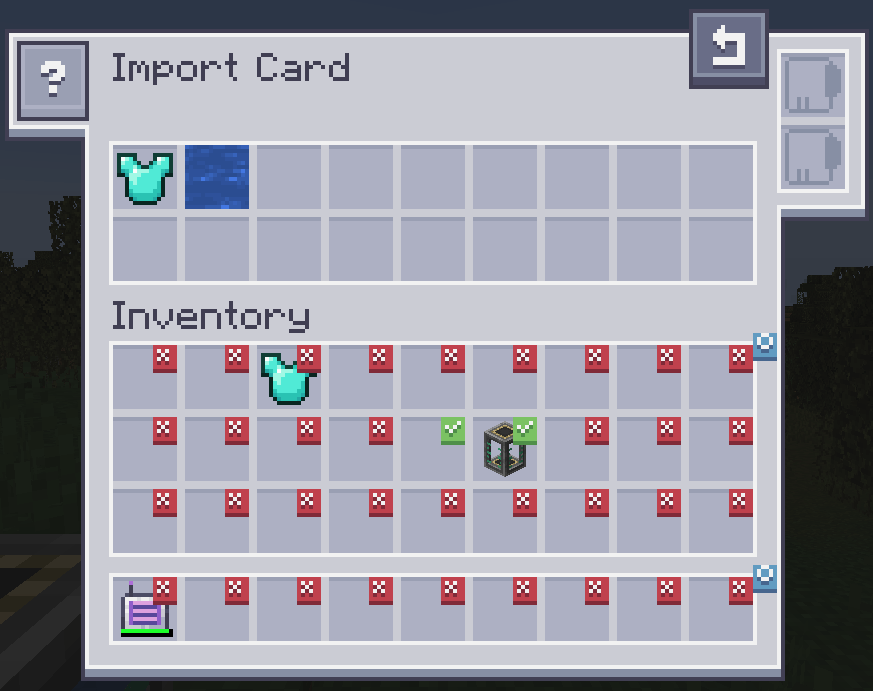
スロットをクリックするとチェックマークが付きます。チェックマークが付いたスロットにあるアイテムはMEシステムにインポートされます。インベントリからアイテムを上部にドラッグしてフィルターを変更します。ファジーカードに対応しています。フィルターをブラックリストに変更するにはインバーターカードが必要です。
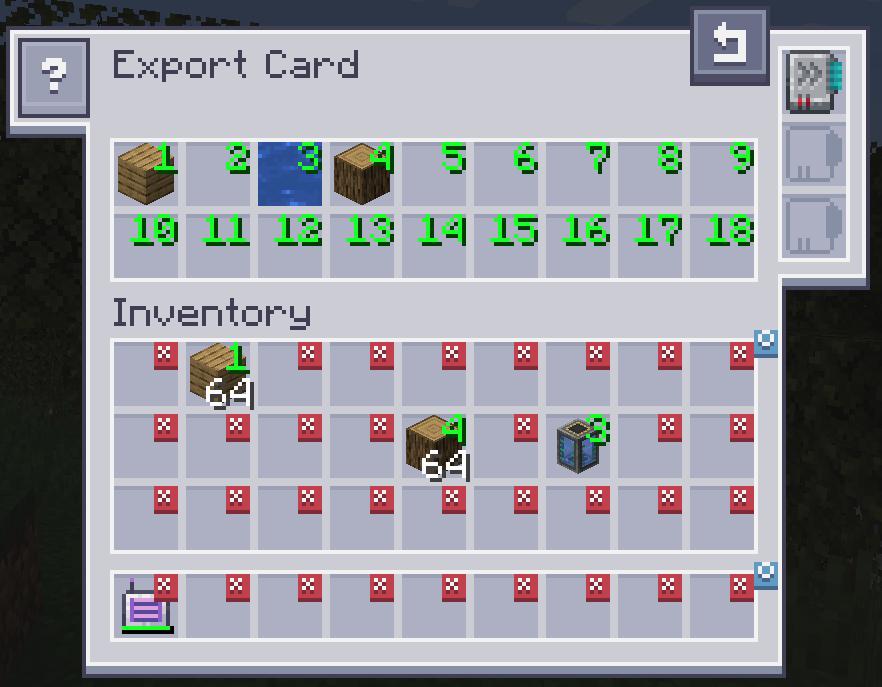
エクスポートカードもまったく同じように動作しますが、MEシステムからアイテムを取り出してインベントリに入れます。アイテムを指定するには、インベントリからアイテムを上部のスロットのいずれかにドラッグし、インベントリのスロットをクリックして希望の数に変更します。右クリックするとXに戻ります。ファジーカードに対応しています。アクセラレーションカードは転送速度を1個からスタック全体に向上させます。クラフトカードは、現在入手できないアイテムを自動的に要求してクラフトするために使用します。
ブロックピッカーカードを使うと、今見ているブロックをネットワークから直接取り出すことができます。ブロックに狙いを定めて「Pick Block」キーを押すだけです。一致するブロックがネットワークにあれば、インベントリに取り出されます。
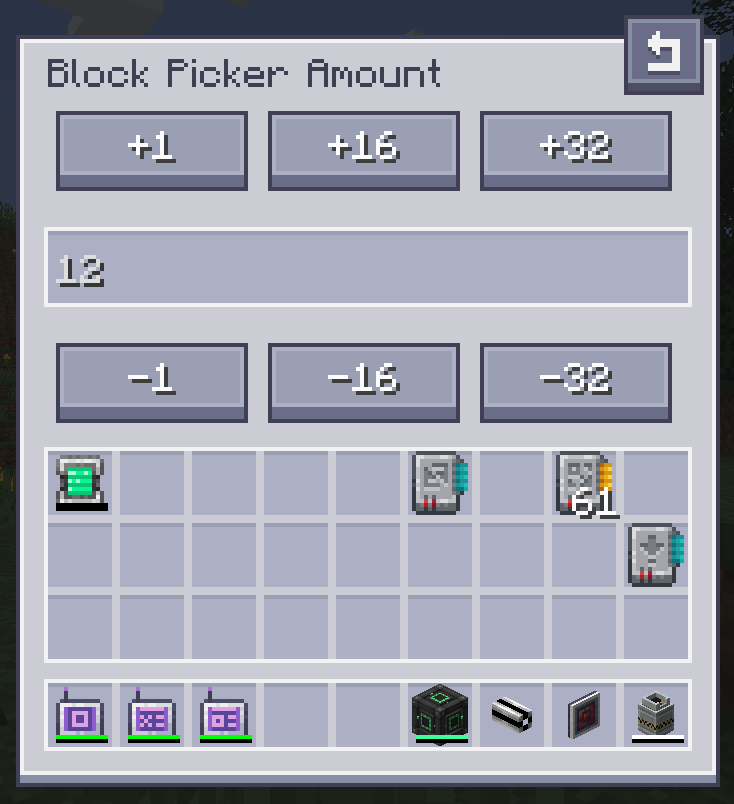
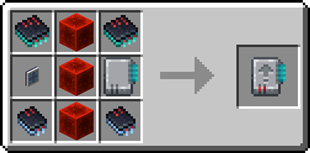
インポートカードのレシピ:
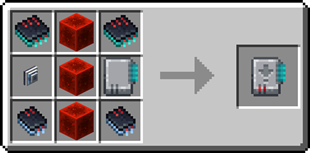
エクスポートカードのレシピ:
サーバーが必要ですか?プロモコード「ultra」を使うと最初の1か月が20%オフになります
AE2 Import Export Cardのインストール方法
With Millida Launcher
Install Millida Launcher
The launcher is free: download it at millida.net/launcher and sign in with any nickname.
Click “Install” on this page
The launcher opens and installs the mod for Minecraft 1.18.2–26.1.2 on Forge or NeoForge automatically.
Launch the game
A profile with it appears in the launcher: click “Play”.
Manually
Install Forge or NeoForge
The loader must match the game version of the mod file, for example Minecraft 26.1.2. After installing it, a separate profile appears in your launcher.
Download the file for your version
In the version list above, pick the file ae2importexportcard-26.1.2-2.3.1.jar (469 KB) for your game version and loader.
Put it in the mods folder
The folder is inside .minecraft (Windows: %appdata%\.minecraft\mods). If it does not exist, create it.
Launch the loader profile
Open “Mods” in the main menu: AE2 Import Export Card should be in the list.
バージョン
依存関係あり
| Minecraft | ローダー | ファイル | 日付 | 操作 |
|---|---|---|---|---|
| 26.1.2 | NeoForge | ae2importexportcard-26.1.2-2.3.1.jar469 KB | ||
| 1.18.2 | Forge | ae2insertexportcard-1.18.2-1.0.0.jar215 KB |
FAQ
Which Minecraft versions does AE2 Import Export Card work on?
There are files for 26.1.2, 1.18.2. The newest is 26.1.2.
Is AE2 Import Export Card for Forge or Fabric?
There are files for Forge: 1.18.2 and for NeoForge: 26.1.2. There are no files for Fabric: a mod for another loader will not start.
Does AE2 Import Export Card need other mods?
The author lists no required dependencies: the Forge or NeoForge loader is enough.
Where can I download AE2 Import Export Card safely?
On this page: the file ae2importexportcard-26.1.2-2.3.1.jar (469 KB) is stored on Millida’s server, with no link shorteners. SHA-1 checksum: bff68fd4ac4d6bff7a0e39cbe7857a73e7b9dd36.
レビュー
AE2 Import Export Cardの最初の評価を書きませんか


