

 Fabric
 NeoForge
 Forge
ForgeAccessories MODについて
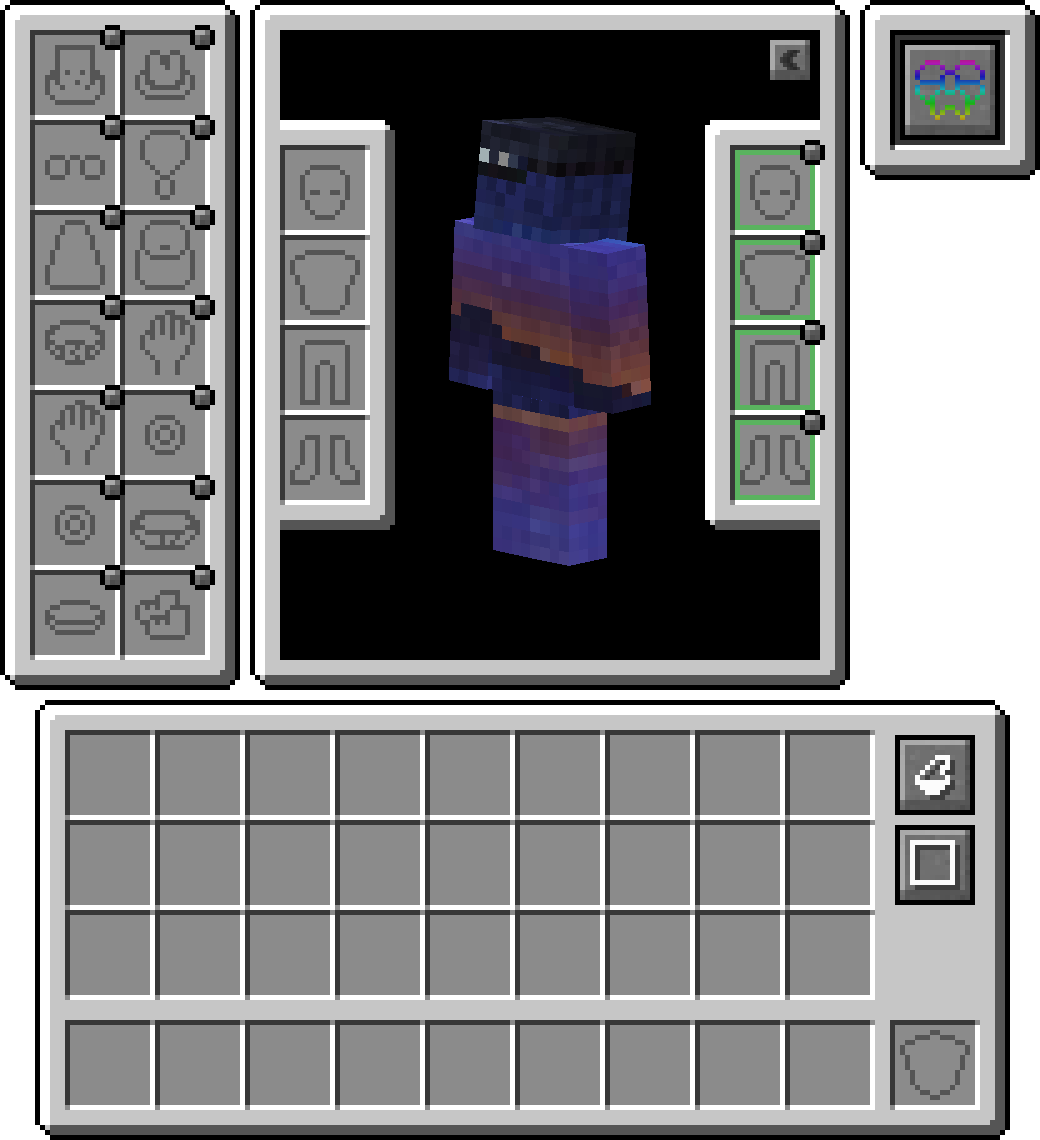
AccessoriesはNeoForgeとFabric向けのデータ駆動型アクセサリーモッドで、可能な限り両プラットフォームで共通APIを使用することを重視しています。
このライブラリのAPIのスタイルはCuriosとTrinketsの作品に基づいており、Minecraft向けアクセサリーモッドにおけるTheIllusiveC4とemilyploszajの功績に敬意を表します。
機能
互換性レイヤー
TrinketやCuriosのような既存のAPIが主に使用されているため、Accessories Compatibility Layerをインストールすることで、それらをAccessoriesの下で動作させ、統一された体験を得ることができます
モデル変換API
開発者向けに、ネイティブAccessoriesのレンダリング内で使用される適切な変換APIが含まれており、特定のエンティティモデルのパーツへの適切なリンクを可能にします。これにより、Fresh AnimationsのようなEMFリソースパックへの適切なサポートや、Figuraのような他のレンダリングMODへのサポートが計画されています。
装備中のアクセサリーの管理
他のテイムされたエンティティにアクセスできる機能により、他のMODがペットや乗り物用のアクセサリーアイテムを持てるようになります。また、サーバー管理者が必要に応じて直接管理コマンドを使わずに他のプレイヤーのアクセサリーを管理するのにも役立ちます。Shiftを押しながら任意のエンティティに対して「Accessories Open Screen」を使用する(所有されている場合は所有者である必要があります)と画面が表示されます。またはOP権限がある場合はコマンド /accessories edit <target> を実行してください。
APIの追加
Accessoriesに実装されているAPIの例をいくつか紹介します。MOD開発の参考になるかもしれません:
- NBTベースのアクセサリーの完全サポート: Wiki
- Piglin中立アイテム、エンダーマンマスク、Looting調整、Fortune調整、雪上歩行能力に関する既存のAPIイベント: Wiki
- MOD固有のアクセサリー向けのユニークスロットAPI: Wiki
Accessoriesのインストール方法
With Millida Launcher
Install Millida Launcher
The launcher is free: download it at millida.net/launcher and sign in with any nickname.
Click “Install” on this page
The launcher opens and installs the mod for Minecraft 1.20.1–1.21.1 on Fabric, Forge or NeoForge automatically.
Launch the game
A profile with it appears in the launcher: click “Play”.
Manually
Install Fabric, Forge or NeoForge
The loader must match the game version of the mod file, for example Minecraft 1.21.1. After installing it, a separate profile appears in your launcher.
Download the file for your version
In the version list above, pick the file accessories-fabric-1.1.0-beta.53+1.21.1.jar (1.0 MB) for your game version and loader.
Put it in the mods folder
The folder is inside .minecraft (Windows: %appdata%\.minecraft\mods). If it does not exist, create it.
Launch the loader profile
Open “Mods” in the main menu: Accessories should be in the list.
Minecraft 1.21.1 runs on Java 21: with a different Java version the game may close right after launch.
バージョン
依存関係あり
| Minecraft | ローダー | ファイル | 日付 | 操作 |
|---|---|---|---|---|
| 1.21.1 | Fabric | [1.21.1] Accessories [Fabric] - 1.1.01 MB 15 | ||
| 1.21.1 | NeoForge | [1.21.1] Accessories [Neoforge] - 1.1.01 MB 25 | ||
| 1.20.1 | NeoForge, Forge | [1.20.1] Accessories [Neoforge] - 1.0.01 MB 42 | ||
| 1.20.1 | Fabric | Accessories Fabric 1.0.0 Alpha 27 for 1.20392 KB 15 | ||
| 1.20.1 | NeoForge | Accessories Neoforge 1.0.0 Alpha 27 for 1.20697 KB | ||
| 1.20.1 | NeoForge, Forge | Accessories Neoforge 1.0.0 Alpha 24 for 1.20696 KB |
FAQ
Which Minecraft versions does Accessories work on?
There are files for 1.21.1, 1.20.1. The newest is 1.21.1.
Is Accessories for Forge or Fabric?
There are files for Fabric: 1.20.1–1.21.1, for Forge: 1.20.1 and for NeoForge: 1.20.1–1.21.1.
Does Accessories need other mods?
The author lists no required dependencies: the Fabric, Forge or NeoForge loader is enough.
Which Java does Accessories need?
Minecraft 1.21.1 runs on Java 21. If the game closes right after launch, the usual cause is the wrong Java version in the profile settings.
Where can I download Accessories safely?
On this page: the file accessories-fabric-1.1.0-beta.53+1.21.1.jar (1.0 MB) is stored on Millida’s server, with no link shorteners. SHA-1 checksum: fa0b11de088893bb14aff945d0e8efdee165457b.
レビュー
Accessoriesの最初の評価を書きませんか


