

Minecraft 1.20.1用Create: Back on Track ビルド
Create modなどを中心としたチャレンジパック!ここは工場だ
- 閲覧
- 14 閲覧
- 更新日
- 更新日 18.10.2026
- 1.20.1
 Forge
Forge
Create: Back on Track Modパックについて
[UPDATE COMING SOON]
Create: Back on Track is built on the foundations of Create: Above & Beyond, expanding to new horizons, with over 180 mods, 15 chapters and 15 exclusive fully functional create machines.
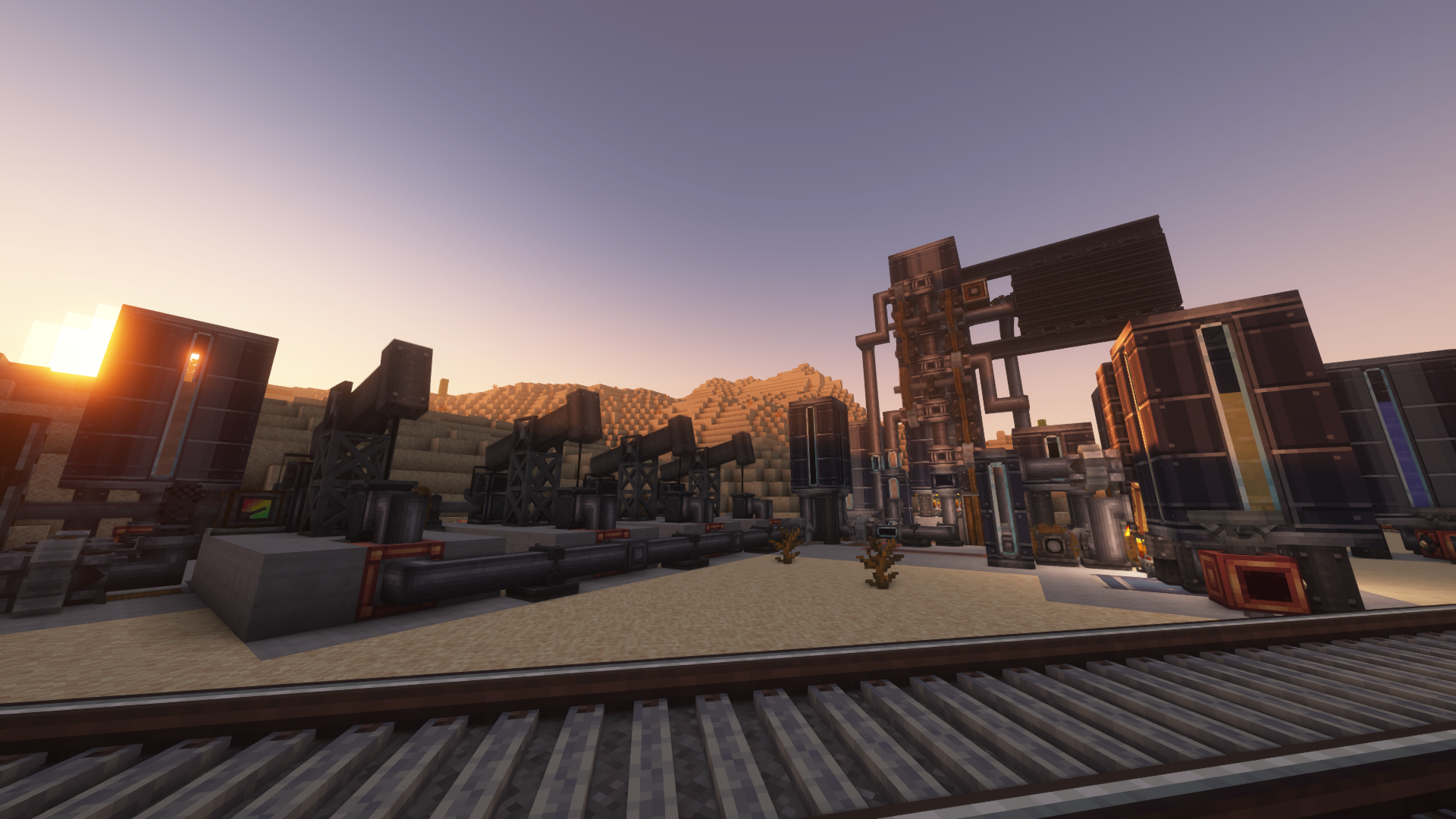
Over the chapters, over 80 contraptions with dozens mods and mechanics integrated into the progression, build an andesite alloy factory, a munitions factory, an oil processing complex, a semiconductor facility, a rocket engine production line and many more.
Employed resource packs:
BetterVanillaBuilding by StefanJ2_
Create Style Redstone Pen by Wedge1453
Created & Updated by spydnel
Create: Back on Trackのインストール方法
With Millida Launcher
Install Millida Launcher
The launcher is free: download it at millida.net/launcher and sign in with any nickname.
Click “Install” on this page
The launcher opens and installs the modpack for Minecraft 1.20.1 on Forge automatically.
Launch the game
A profile with it appears in the launcher: click “Play”.
Manually
Download the modpack archive
In the version list above, pick the file Create Back on Track-3.6.0.zip (17 MB).
Import it into a launcher
A launcher that supports modpacks (Millida Launcher, Prism) takes the archive via “Add modpack”, then “From file”. No need to unpack it yourself.
Allocate memory
Modpacks need more memory than the plain game: set 4–6 GB in the profile settings.
On a server
Use the “To server” button
On Millida Hosting, the button at the top of the page uploads the file to your server and restarts it for you.
Invite friends: they install the same modpack
To join the server, every player needs the same modpack version.
Minecraft 1.20.1 runs on Java 17: with a different Java version the game may close right after launch.
バージョン
依存関係あり
| Minecraft | ローダー | ファイル | 日付 | 操作 |
|---|---|---|---|---|
| 1.20.1 | Forge | Create Back on Track-3.6.016.6 MB |
FAQ
Which Minecraft versions does Create: Back on Track work on?
Only Minecraft 1.20.1: there are no files for other versions.
Is Create: Back on Track for Forge or Fabric?
Only for Forge: 1.20.1.
Which Java does Create: Back on Track need?
Minecraft 1.20.1 runs on Java 17. If the game closes right after launch, the usual cause is the wrong Java version in the profile settings.
Where can I download Create: Back on Track safely?
On this page: the file Create Back on Track-3.6.0.zip (17 MB) is stored on Millida’s server, with no link shorteners. SHA-1 checksum: 2dcd23e457c965ca6381889ff82c35e7e0961c39.
レビュー
Create: Back on Trackの最初の評価を書きませんか


