
 Fabric
 NeoForge
 Forge
Cobblemon Integrations
This is a fully configurable mod that provides many popular mod integrations for Cobblemon. All other dependencies are entirely optional.
Current Mod Integrations
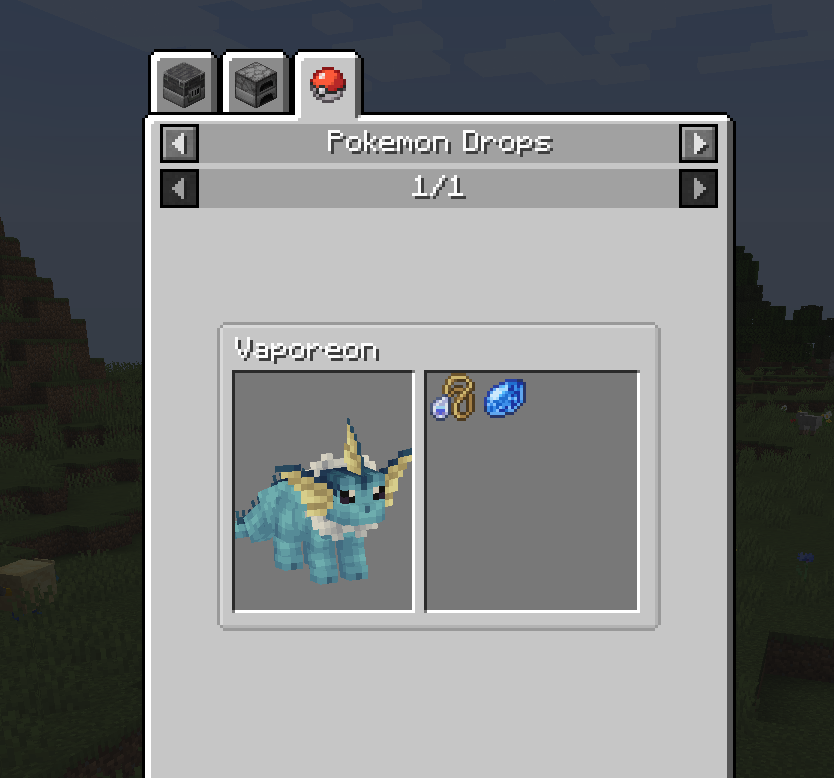
- JEI: Adds catalogs for Pokemon Drops and Evolution Items.
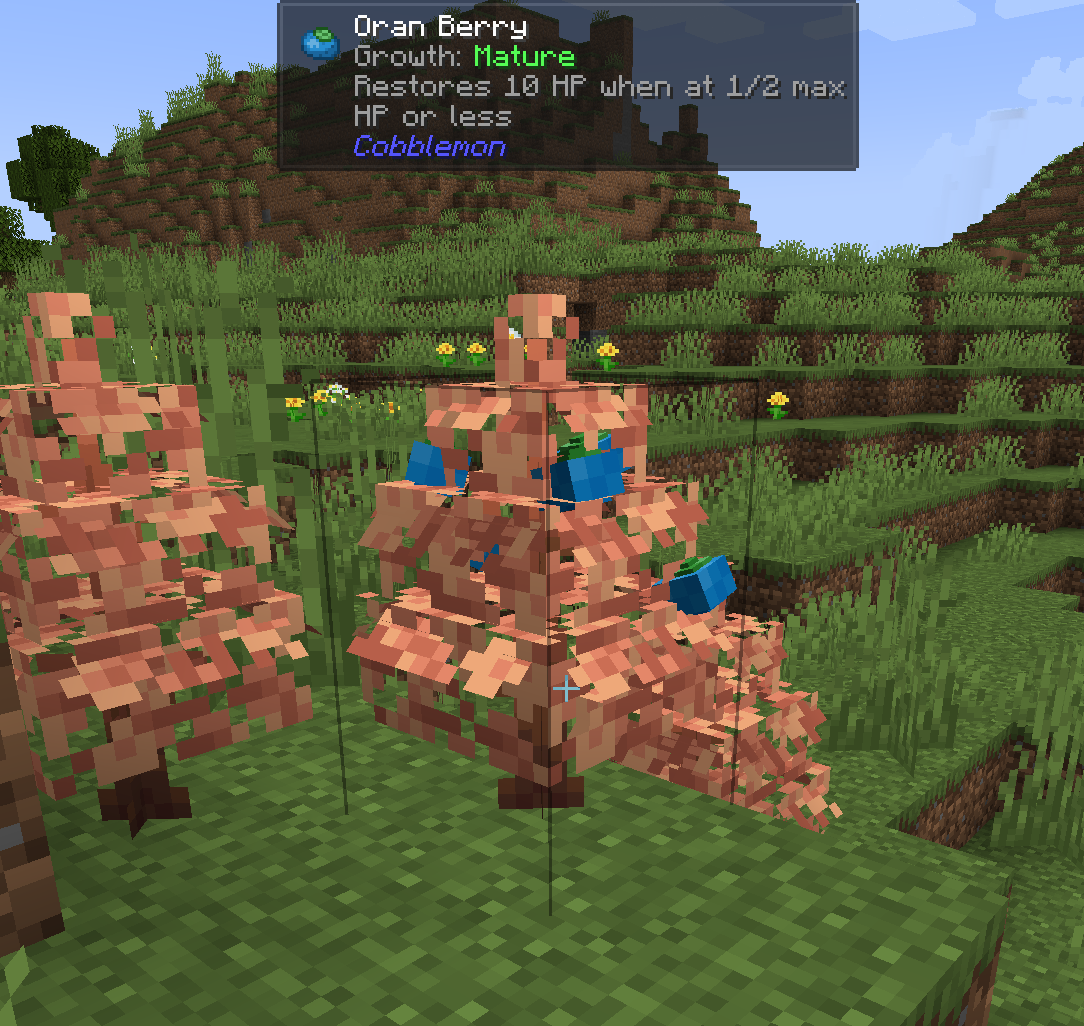
- Jade: Adds tooltips for Pokemon Info, Apricorn Growth, Healer Charge, Berry Bush Info, and Fossil Analyzer Info.
- Waystones: Adds new Pokemon interaction option to teleport to Waystones.
- Tough as Nails: Fire and ice Pokemon affect body temperature and water types can fill water bottles.
- Enhanced Celestials: Adjust shiny rates, experience gain, and EVs during lunar events. Adds custom spawn/evolution condition "lunarEvent" and the following variants: Blood Moon Umbreon, Harvest Moon Leafeon, and Blue Moon Flareon. These can be disabled/modified via datapack.
- Serene Seasons: Adds seasonal spawn/evolution conditions. Integrates Cobblemon Seasons with Serene Seasons (think Deerling forms). Adds seasonal crop fertility for Cobblemon crops. Adds the following variants: Spring Espeon, Summer Glaceon, Fall Sylveon, and Winter Jolteon. These can be disabled/modified via datapack.
Cara memasang Cobblemon Integrations
With Millida Launcher
Install Millida Launcher
The launcher is free: download it at millida.net/launcher and sign in with any nickname.
Click “Install” on this page
The launcher opens and installs the mod for Minecraft 1.20.1–1.21.1 on Fabric, Forge or NeoForge automatically.
Launch the game
A profile with it appears in the launcher: click “Play”.
Manually
Install Fabric, Forge or NeoForge
The loader must match the game version of the mod file, for example Minecraft 1.21.1. After installing it, a separate profile appears in your launcher.
Download the file for your version
In the version list above, pick the file cobblemonintegrations-fabric-1.21.1-1.1.8.jar (376 KB) for your game version and loader.
Put it in the mods folder
The folder is inside .minecraft (Windows: %appdata%\.minecraft\mods). If it does not exist, create it.
Launch the loader profile
Open “Mods” in the main menu: Cobblemon Integrations should be in the list.
Minecraft 1.21.1 runs on Java 21: with a different Java version the game may close right after launch.
Versi
Dengan dependensi
| Minecraft | Loader | File | Tanggal | Tindakan |
|---|---|---|---|---|
| 1.21.1 | Fabric | cobblemonintegrations-fabric-1.21.1-1.1.8.jar376 KB 4 | ||
| 1.21.1 | NeoForge | cobblemonintegrations-neoforge-1.21.1-1.1.8.jar370 KB 3 | ||
| 1.20.1 | Forge | cobblemonintegrations-1.20.1-1.0.7.jar166 KB 2 |
Ulasan
Jadilah yang pertama menilai Cobblemon Integrations


