

 Fabric
Tentang modpack Deez FPS
ㅤㅤㅤㅤ ㅤㅤ ㅤㅤㅤㅤㅤㅤㅤㅤㅤㅤㅤㅤㅤㅤㅤㅤㅤㅤㅤ
ㅤ

About
Deez FPS is one of the best FPS modpacks you can find right now! Using Sodium and some Crazy FPS Boost Mods. This ModPack will blow ur FPS
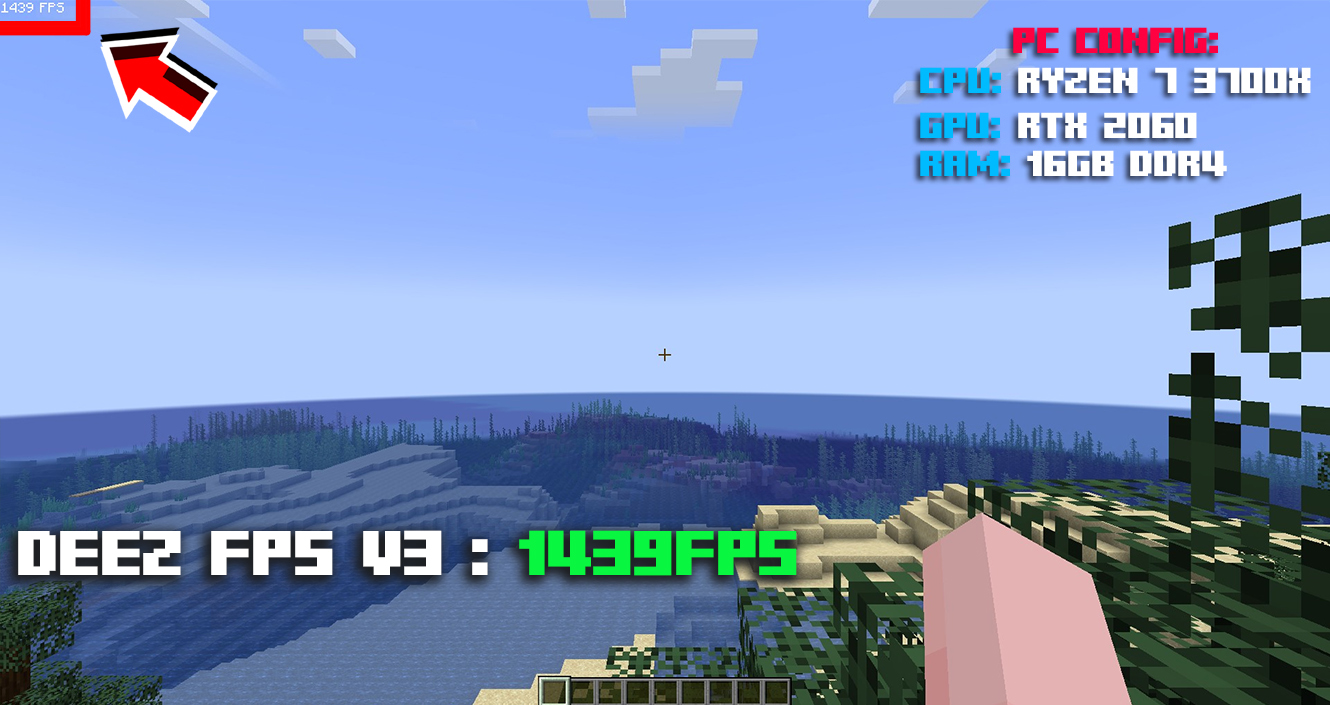
PC Config
- Cpu: Ryzen 7 3700X.
- Gpu: RTX 2060.
- Ram: 16GB - DDR4.

Compatibility
Deez FPS is compatible with all the launchers, is still not official if it works with all but half of them.
FPS Comparison
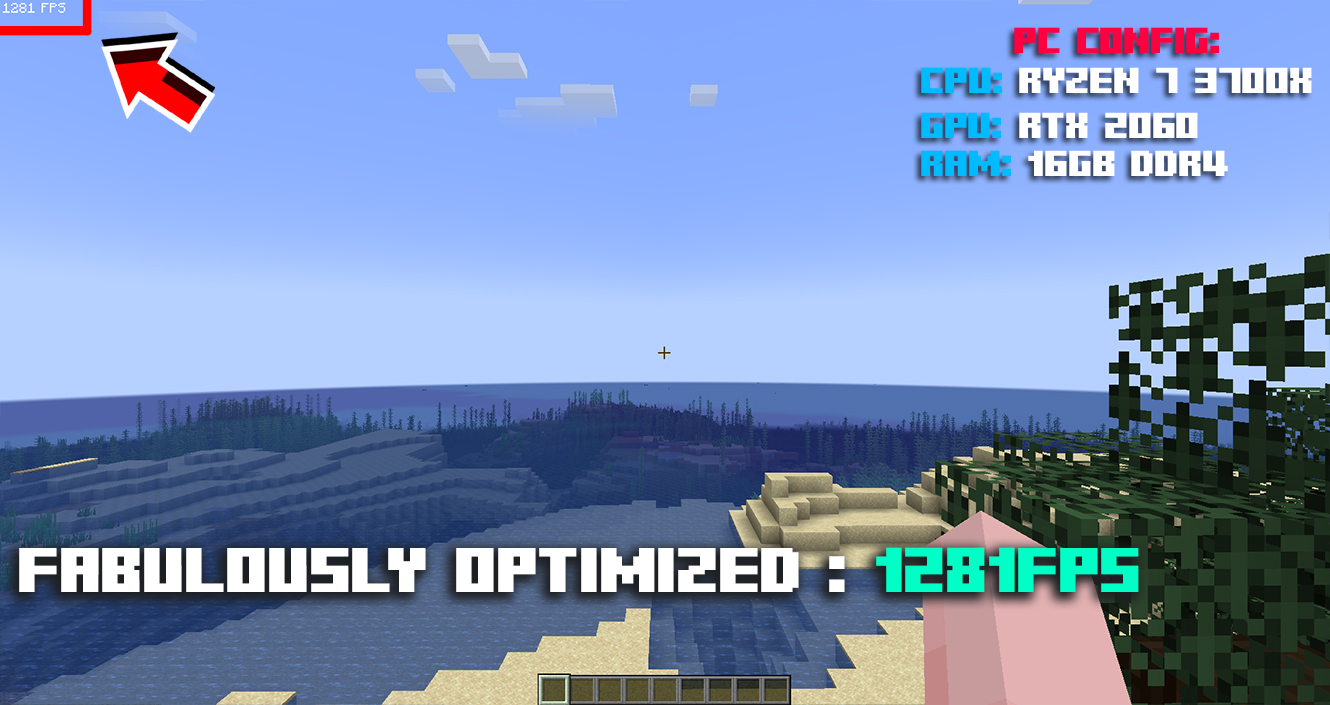
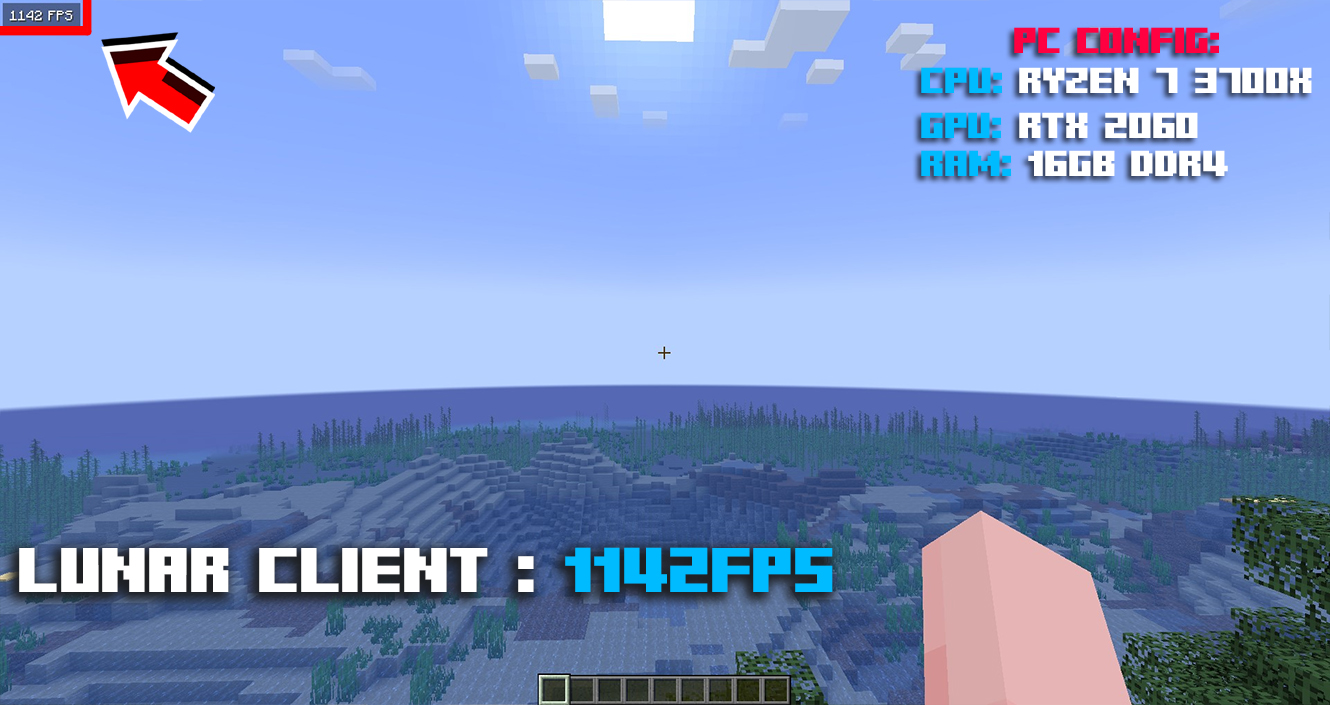
You can check the gallery I made, I tested some with vanilla, lunar client, fabulously optimized and deez fps of course [ I didn't cheat, I didn't fake anything 100% reliable, It's not guarantee you will get the same fps like mine.
Deez FPS :
Fabulously Optimized :
Lunar Client :
Shaders
Yes, This Modpack Support Shaders
Connected Textures
Yes, Deez FPS support connected textures and some optifine features.
Tweaks
Deez Fps includes a few minor tweaks, such as Model Gap Fix, ItemSwapper, AntiGhost, Smooth Boot, Chunky, [Mouse Tweaks ](https://modrinth.com/mod/mouse-tweaks/version/1.19.4-2.24-fabric ) LambDynamicLights etc....
Loader
Built on Fabric is a lightweight, experimental modding tool chain for Minecraft, not like Forge.
Support
If you need support or you have any question, you can join the discord, where there are mods and admins to assist you. Here is the link: DISCORD
LOGO
If you need the logo for youtube videos or presentations, I can send you 4 versions or more just send a message to my Discord: virgino or join the Discord.
CREDITS
Thanks Luna Pixel Studios for helping me, make sure to join their discord.gg/lunapixel they make amazing modpacks.
Cara memasang Deez FPS
With Millida Launcher
Install Millida Launcher
The launcher is free: download it at millida.net/launcher and sign in with any nickname.
Click “Install” on this page
The launcher opens and installs the modpack for Minecraft 1.21.11 on Fabric automatically.
Launch the game
A profile with it appears in the launcher: click “Play”.
Manually
Download the modpack archive
In the version list above, pick the file Deez FPS v17.mrpack (1.2 MB).
Import it into a launcher
A launcher that supports modpacks (Millida Launcher, Prism) takes the archive via “Add modpack”, then “From file”. No need to unpack it yourself.
Allocate memory
Modpacks need more memory than the plain game: set 4–6 GB in the profile settings.
Minecraft 1.21.11 runs on Java 21: with a different Java version the game may close right after launch.
Versi
Dengan dependensi
| Minecraft | Loader | File | Tindakan |
|---|---|---|---|
| 1.21.11 | Fabric | 1.21.111.2 MB 2 |
Yang dibutuhkan untuk menjalankan
- YetAnotherConfigLib (YACL)sudah termasuk
- ImmediatelyFastsudah termasuk
- Fast IP Pingsudah termasuk
- Sodiumsudah termasuk
- Reese's Sodium Optionssudah termasuk
- Cull Leavessudah termasuk
- Sodium Extrasudah termasuk
- Dependencysudah termasuk
- Iris Shaderssudah termasuk
- Dependencysudah termasuk
- Mod Menusudah termasuk
- LambDynamicLightssudah termasuk
FAQ
Which Minecraft versions does Deez FPS work on?
Only Minecraft 1.21.11: there are no files for other versions.
Is Deez FPS for Forge or Fabric?
Only for Fabric: 1.21.11.
Which mods are in the Deez FPS modpack?
Mods in the modpack include YetAnotherConfigLib (YACL), ImmediatelyFast, Fast IP Ping, Sodium, Reese's Sodium Options, Cull Leaves, Sodium Extra, Dependency and 3 more.
Which Java does Deez FPS need?
Minecraft 1.21.11 runs on Java 21. If the game closes right after launch, the usual cause is the wrong Java version in the profile settings.
Where can I download Deez FPS safely?
On this page: the file Deez FPS v17.mrpack (1.2 MB) is stored on Millida’s server, with no link shorteners. SHA-1 checksum: 6eb3e8c4b7f6d77163c5ff56e46d51c3fb70bd77.
Ulasan
Jadilah yang pertama menilai Deez FPS


