

Plastic Texture Pack pour Minecraft 1.21.1, 1.21
Rendez vos mondes simples, colorés et éclatants ! Un portage de la Legacy Console Edition.
- téléchargements
- 24 téléchargements
- vues
- 116 vues
- Mis à jour
- Mis à jour 07.10.2026
- 1.20.2 — 26.3
 Jeu vanilla
- Client
À propos du pack de ressources Plastic Texture Pack
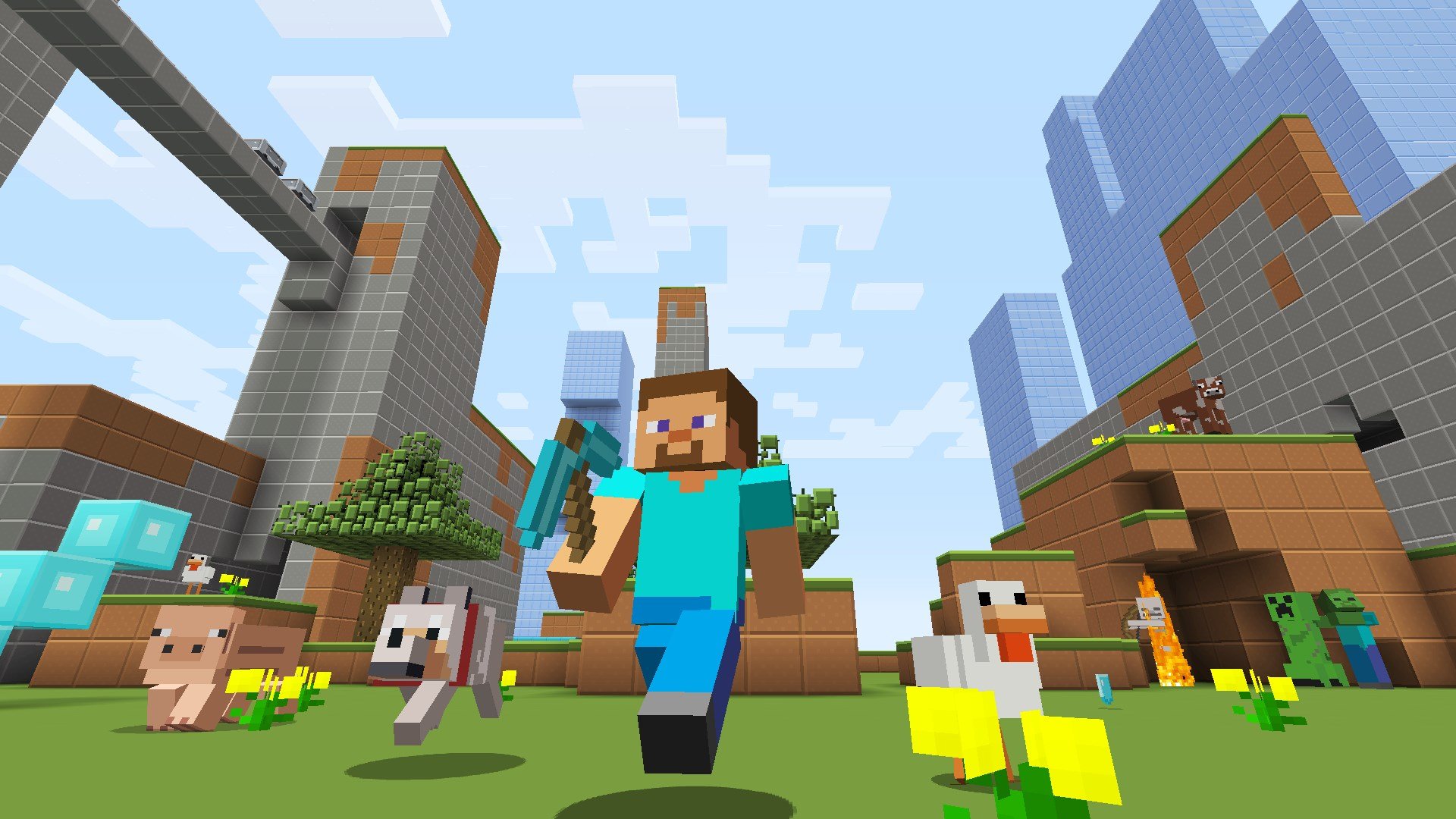
Plastic Texture Pack
Make your worlds simple, colorful and vibrant!

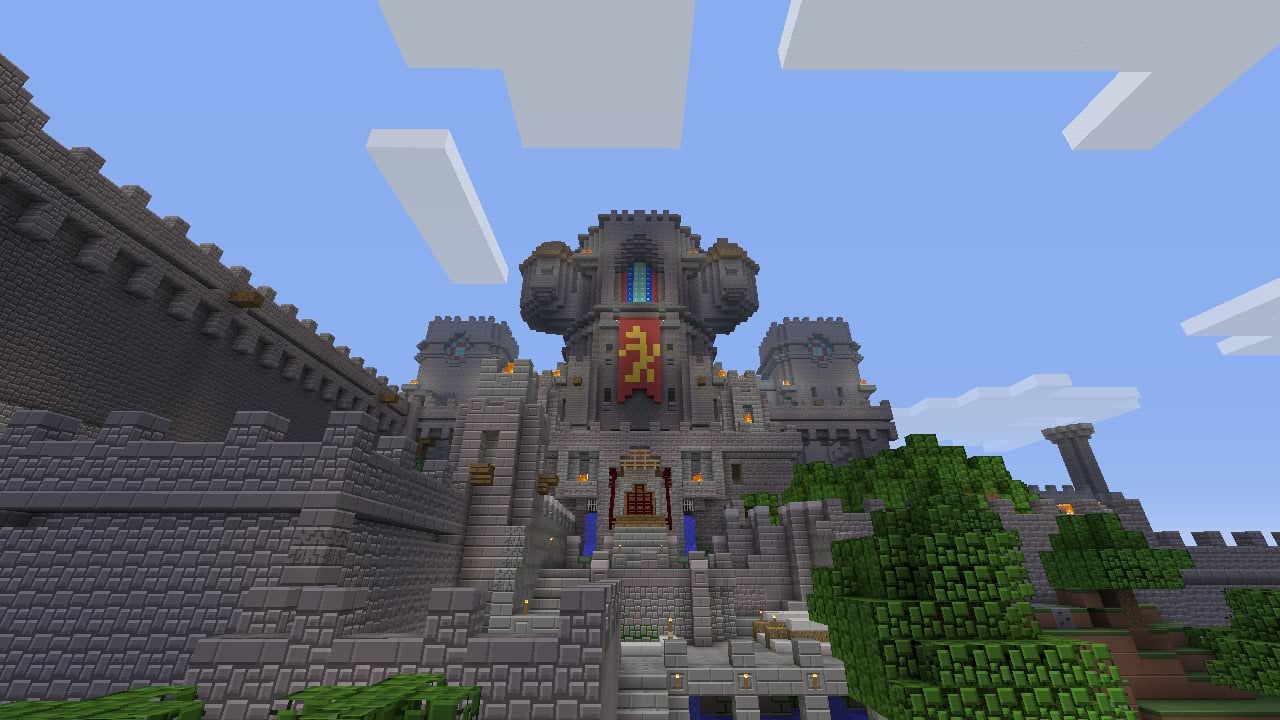
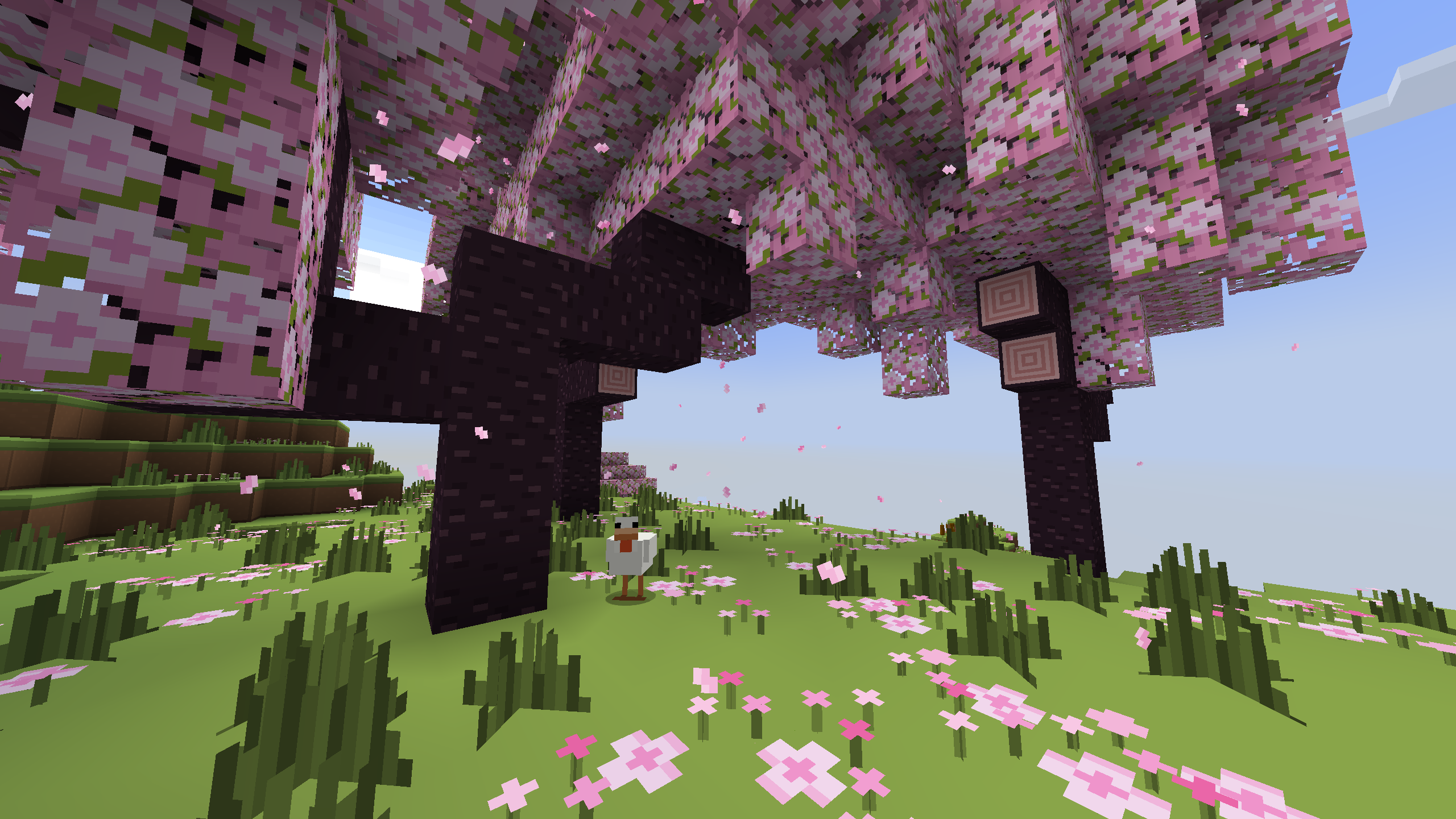
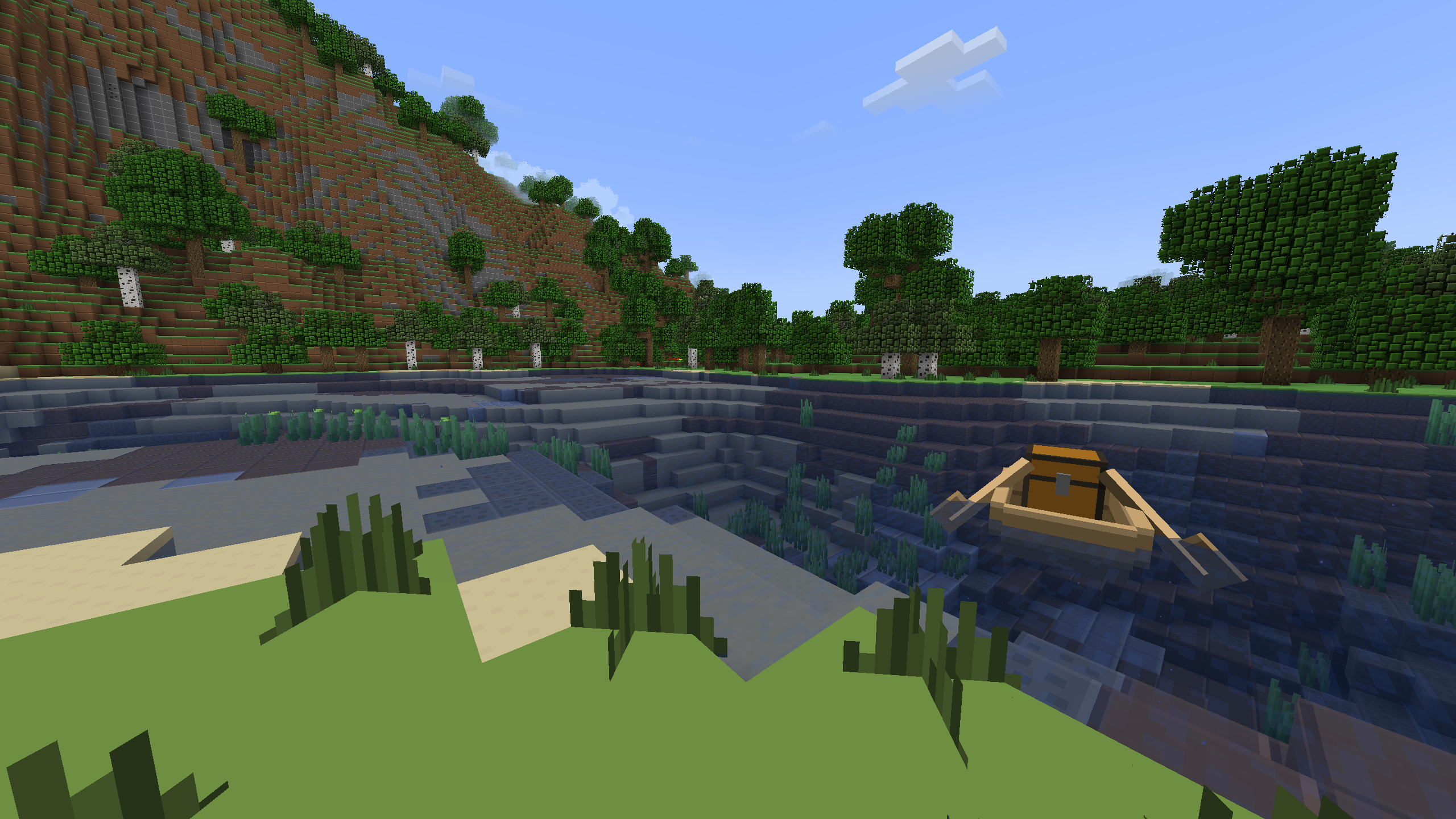
This brightly colored and simple pack adds plastic-themed textures for blocks, items, and entities, along with a completely transformed UI.
Preview
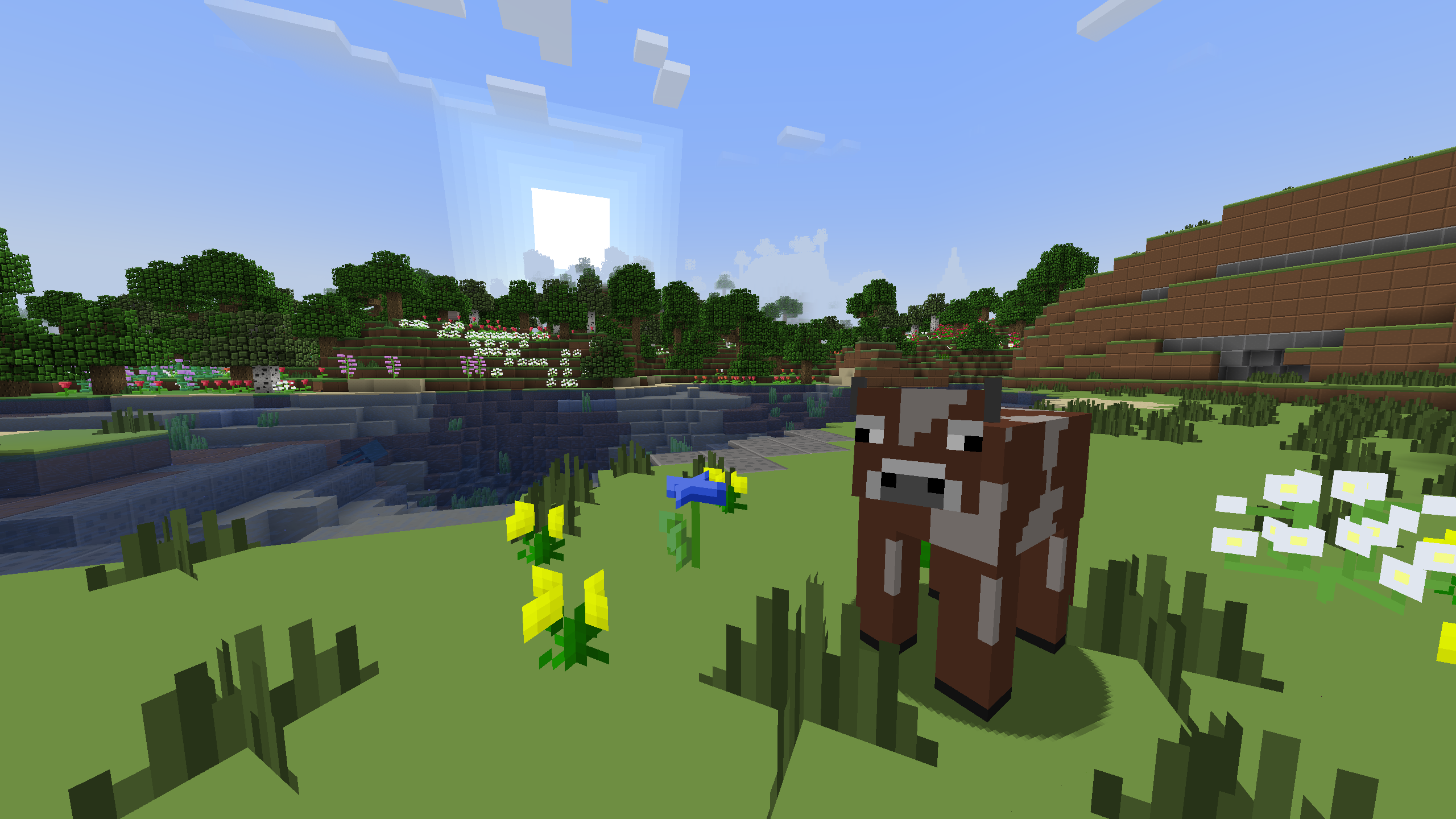
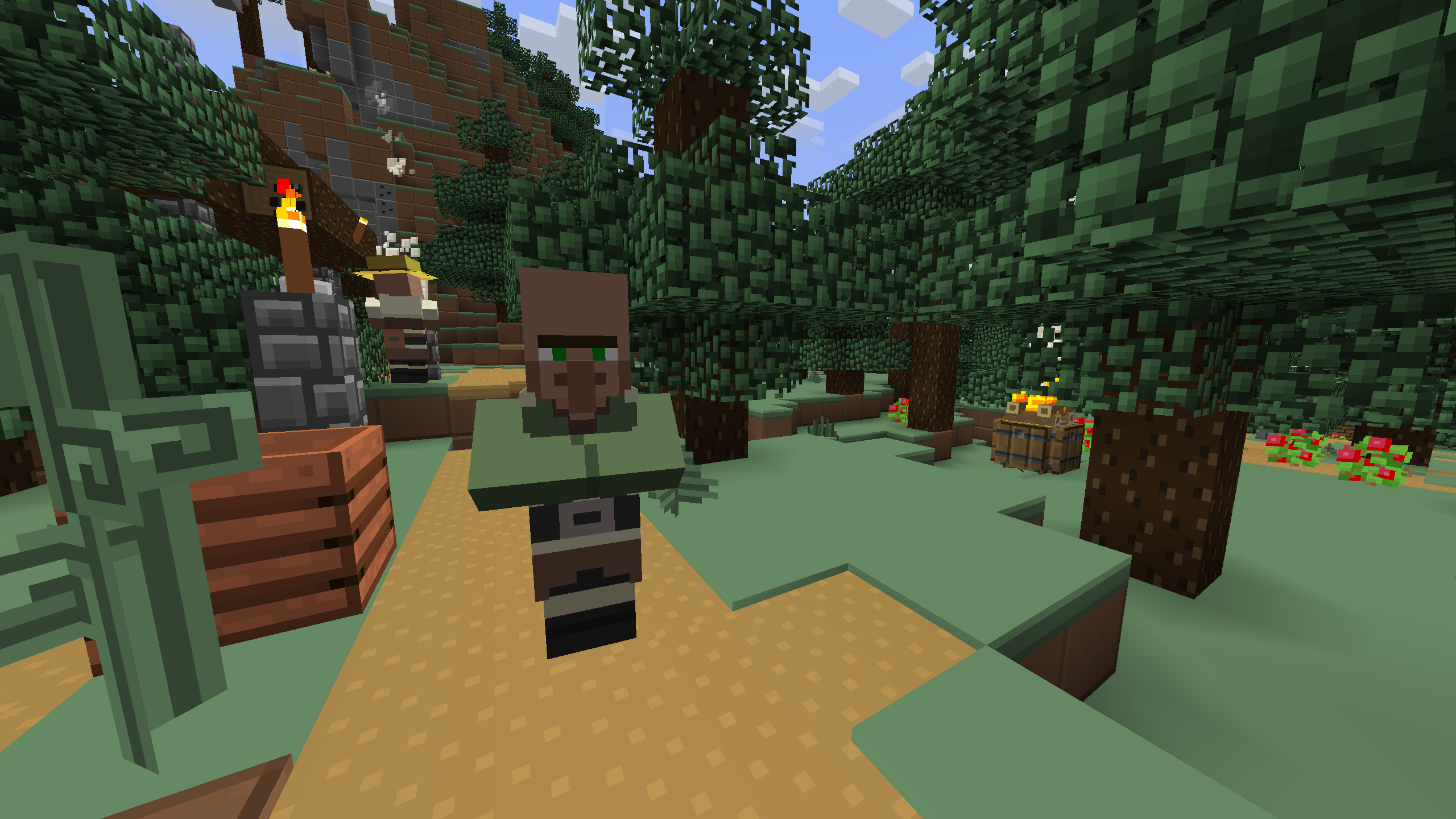
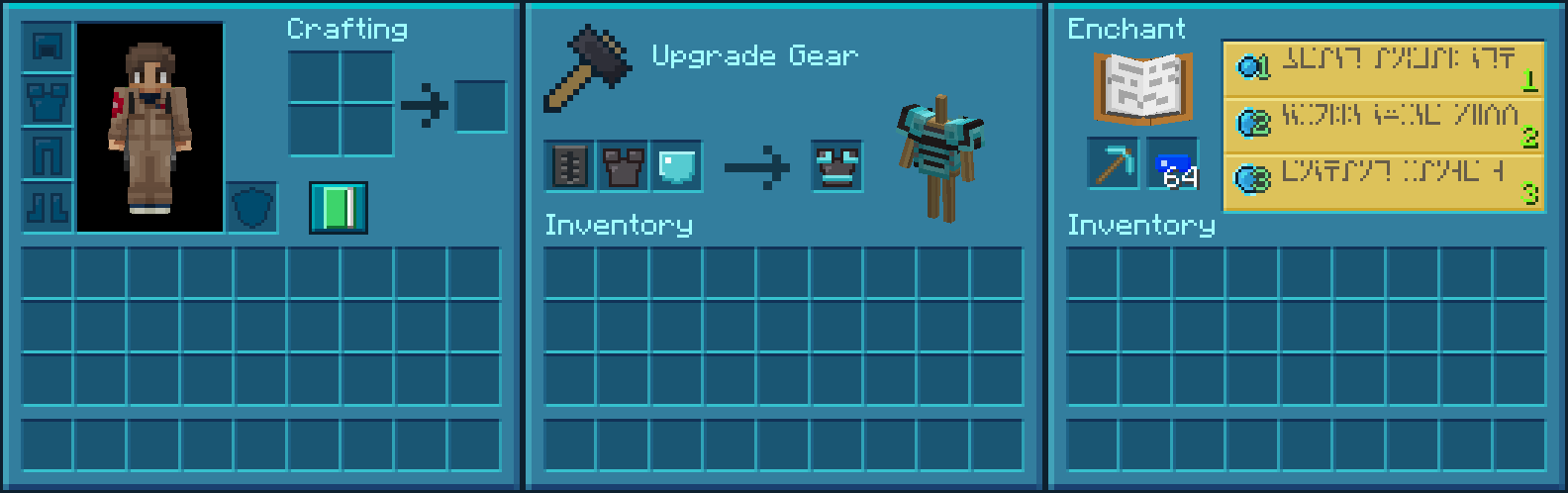
More Resource Packs
Icon Name Downloads

Plastic Texture Pack

Halloween Mash-up

Natural Texture Pack

Festive Mash-up

Fantasy Texture Pack

City Texture Pack

Candy Texture Pack

Greek Mythology Mash-up

Chinese Mythology Mash-up

Cartoon Texture Pack

Norse Mythology Mash-up

Super Cute Texture Pack

Pattern Texture Pack

Pirates of the Caribbean Mash-up

Mass Effect Mash-up

Steampunk Texture Pack

Egyptian Mythology Mash-up
This resource pack is a port of the Plastic Texture Pack from Legacy Console Edition with updated textures from Bedrock Edition. Original textures by 4J Studios.

Comment installer Plastic Texture Pack
With Millida Launcher
Install Millida Launcher
The launcher is free: download it at millida.net/launcher and sign in with any nickname.
Click “Install” on this page
The launcher opens and installs the resource pack for Minecraft 1.20.2–26.3 automatically.
Launch the game
A profile with it appears in the launcher: click “Play”.
Manually
Download the archive
Pick the file Plastic Texture Pack.zip (39 MB) for your game version. No need to unpack it.
Put it in the resourcepacks folder
The easiest way: “Options”, then “Resource Packs”, then “Open Pack Folder”, and drag the archive there.
Enable the pack
In the same window, move the pack to the right-hand “Selected” column and click “Done”.
Versions
Avec dépendances
| Minecraft | Loader | Fichier | Date | Actions |
|---|---|---|---|---|
| 26.3 | — | 26.338.6 Mo 21 | ||
| 26.3 | — | 26.329 Mo | ||
| 26.3 | — | 26.329 Mo | ||
| 26.2 | — | 26.229 Mo | — | |
| 26.1 | — | 26.129 Mo | — | |
| 1.21.11 | — | 1.21.1129 Mo | — | |
| 1.21 | — | 1.2129 Mo | — |
Ce qu'il faut pour l'exécuter
- [EMF] Entity Model Featuresfacultatif
- Dependencyfacultatif
- [ETF] Entity Texture Featuresfacultatif
- Transparency Fixfacultatif
- Dependencyfacultatif
- Legacy4Jfacultatif
- Raisedfacultatif
FAQ
Which Minecraft versions does Plastic Texture Pack work on?
There are files for 1.20.2–26.3, 22 versions in total. The newest is 26.3.
Does Plastic Texture Pack need mods?
No, the resource pack works in the plain game without loaders: put it into the resourcepacks folder and enable it in the options.
Where can I download Plastic Texture Pack safely?
On this page: the file Plastic Texture Pack.zip (39 MB) is stored on Millida’s server, with no link shorteners. SHA-1 checksum: a79fa82d55202eec12d8d41fe2fde31ddda85706.
Avis
Soyez le premier à noter Plastic Texture Pack



