
Performance+ Pack de ressources pour Minecraft 1.21, 26.50
Pack d'optimisation conçu pour réduire le lag, améliorer les performances et offrir un gameplay plus fluide sur les appareils bas de gamme.
⚡ Performance+ | FPS Optimization Pack

Official Performance Resource Pack for Minecraft Bedrock/Pocket Edition.
Performance+ is a carefully optimized resource pack for Minecraft Bedrock, designed to reduce lag, lower rendering load, and improve overall gameplay smoothness on low-end and mid-range devices.
Instead of flashy visuals, Performance+ focuses on clean textures, reduced visual noise, and smart feature optimizations that directly improve performance. Every change is made to keep Minecraft looking vanilla, readable, and lightweight, while delivering a noticeably smoother and more stable experience.
📖 Key Features
-Clear water and clear fog in all 89 biomes
-Lower fire texture for improved combat visibility
-Fast & optimized full grass rendering
-176 particles removed, with potion and spell effects kept but trimmed
-42 animated block textures frozen, including water, lava, kelp, bubble columns and portals
-Cleaner block visuals with refined 16× textures
-Reduced rendering overhead for smoother frame pacing
🎯 Best Use Cases
-Smoother gameplay and reduced lag
-Low-end phones, tablets & PCs
-Older hardware or weak GPUs
-Survival, PvP, and long gameplay sessions
-Reduced device heating and stutter
🛠 Compatibility
-Minecraft Bedrock Edition
-Supported versions: 1.21+
-Works in single-player & on servers
-Compatible with most resource packs & shaders
-Works with Vibrant Visuals
-Supports Pocket Edition
📥 Installation
1.Download the .mcpack file
2.Open the file - Minecraft will import it automatically
3.Go to Settings → Resource Packs → My Packs
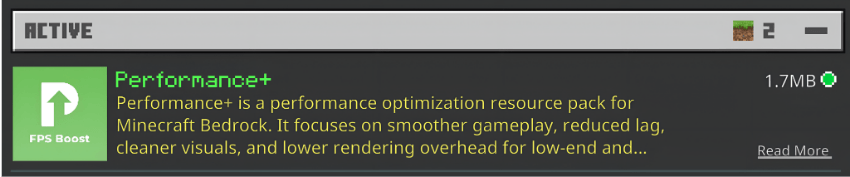
4.Activate Performance+
❤️ Support & Feedback
If Performance+ improves your gameplay, consider leaving a ⭐ on CurseForge or MCPEDL. Bug reports, suggestions, and feedback are always welcome, your support helps improve future updates.
Comment installer Performance+
With Millida Launcher
Install Millida Launcher
The launcher is free: download it at millida.net/launcher and sign in with any nickname.
Click “Install” on this page
The launcher opens and installs the resource pack for Minecraft 1.21–26.50 automatically.
Launch the game
A profile with it appears in the launcher: click “Play”.
Manually
Download the archive
Pick the file Performance+ v2.2.1.mcpack (258 KB) for your game version. No need to unpack it.
Put it in the resourcepacks folder
The easiest way: “Options”, then “Resource Packs”, then “Open Pack Folder”, and drag the archive there.
Enable the pack
In the same window, move the pack to the right-hand “Selected” column and click “Done”.
Versions
Avec dépendances
| Minecraft | Loader | Fichier | Date | Actions |
|---|---|---|---|---|
| 1.21.30 | — | Performance+ v2.2.1.mcpack258 Ko |
FAQ
Which Minecraft versions does Performance+ work on?
There are files for 1.21–26.50, 23 versions in total. The newest is 26.50.
Where can I download Performance+ safely?
On this page: the file Performance+ v2.2.1.mcpack (258 KB) is stored on Millida’s server, with no link shorteners. SHA-1 checksum: b4067b10dc2b1297d0746a33ad481166cdb850b8.
Avis
Soyez le premier à noter Performance+



