
Java HUD UI for Bedrock Edition
This pack change the Bedrock HUD to match the Java Edition layout, giving players a familiar feel while playing. Perfect for those who want the HUD similar to the Java HUD.
Creator: Uvy (https://www.youtube.com/@Uvyzz)
Before:
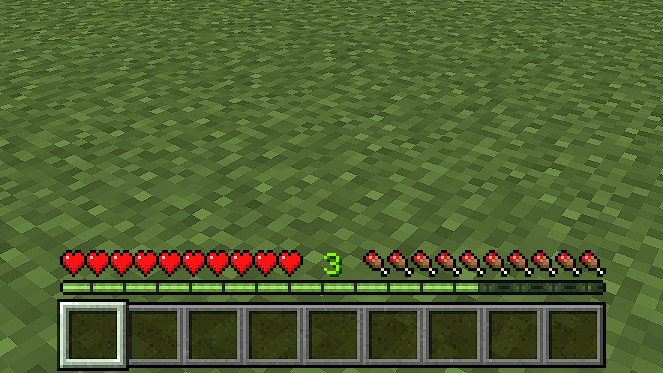
After:
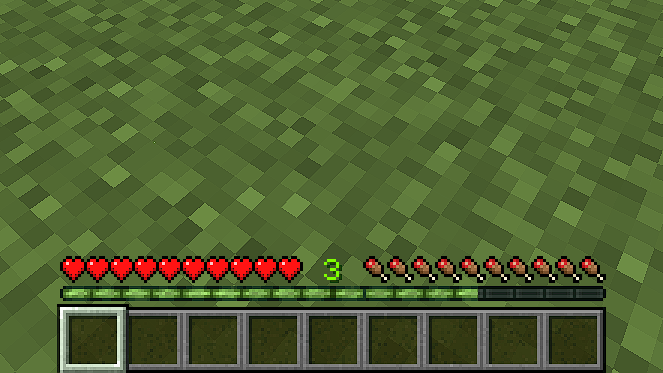
Features:
- Java-style hotbar position on Bedrock
- Java-style XP bar
- Perfectly centered crosshair
- Dark Hotbar Mode
- Lightweight and easy to use
- Compatible with all Minecraft Bedrock versions 26.10+
Installation:
- Download the .mcpack file.
- Open the mod.
- Go to settings.
- Activate it in your "Resource Packs" settings and enjoy!
Permissions & Rules:
- Do not reupload this pack to other websites.
- Do not claim this pack as your own.
- Do not create alternative download links, always link back to this official post.
- You may showcase or review this pack in videos or streams, as long as you credit me as “Uvy” and include the original download link (this post) in your description.
- You can freely use this pack in your personal worlds or servers, and you may modify it as long as it's for personal use only.
- If you wish to include this pack in a modpack or texture bundle, please ask for permission first.
Comment installer Java HUD UI [v2.1]
Install Millida Launcher
The launcher is free: download it at millida.net/launcher and sign in with any nickname.
Click “Install” on this page
The launcher opens and installs the resource pack for Minecraft 26.10 automatically.
Launch the game
A profile with it appears in the launcher: click “Play”.
Versions
Avec dépendances
| Minecraft | Loader | Fichier | Date | Actions |
|---|---|---|---|---|
| 26.10 | — | Java HUD UI v2.1 (26.10+)427 Ko |
FAQ
Which Minecraft versions does Java HUD UI [v2.1] work on?
Only Minecraft 26.10: there are no files for other versions.
How do I download Java HUD UI [v2.1]?
With Millida Launcher: it installs Java HUD UI [v2.1] into a modpack by itself, for the right game version and loader. The launcher is free.
Avis
Soyez le premier à noter Java HUD UI [v2.1]


