

Frozen Visuals Pack de ressources pour Minecraft 26.10
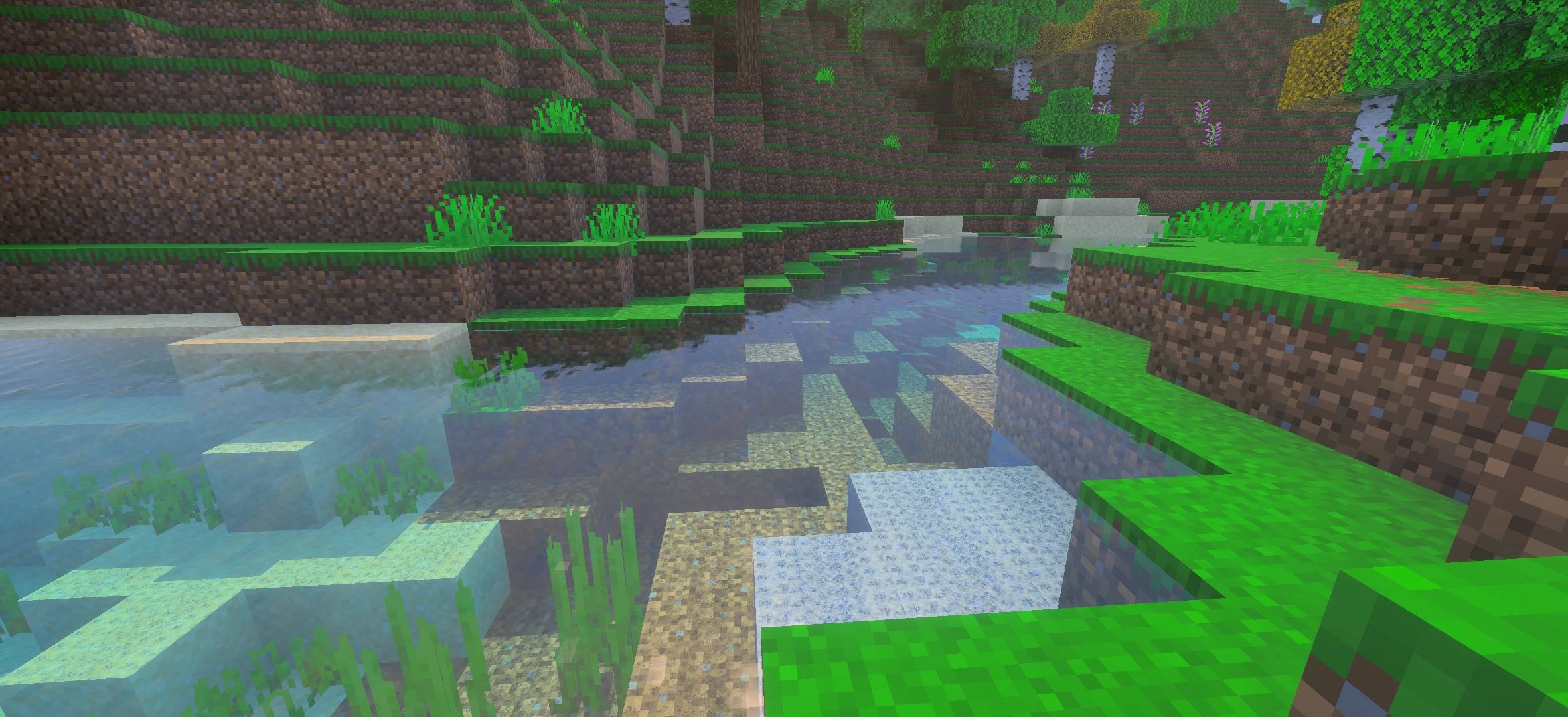
Frozen Visuals sublime la beauté naturelle de Minecraft avec des verts luxuriants et vibrants, des couchers de soleil dorés et chaleureux, et un brouillard atmosphérique doux qui donne vie au monde qui vous entoure. Chaque environnement semble distinct et vivant.
À propos du pack de ressources Frozen Visuals
From the electric green plains and rolling hills bathed in morning light, to the moody dusk skies casting a purple haze over flower-filled meadows - Frozen Visuals transforms every corner of your world. Dense forests glow with deep, saturated foliage, birch trees sport striking crimson leaves, and cherry blossom groves shimmer with soft pink petals drifting through the air. Desert villages bask in warm sandy tones under a hazy pastel sky, while savanna flatlands stretch out beneath flat-topped acacia trees with a bright, punchy green undergrowth.
Whether you're watching the sun dip below the horizon over a glassy lake or wandering through a shadowy forest canopy, Frozen Visuals delivers a consistent, stunning visual experience that feels both faithful to Minecraft's charm and boldly beautiful.
Requires: Minecraft Vibrant Visuals
Comment installer Frozen Visuals
With Millida Launcher
Install Millida Launcher
The launcher is free: download it at millida.net/launcher and sign in with any nickname.
Click “Install” on this page
The launcher opens and installs the resource pack for Minecraft 26.0–26.10 automatically.
Launch the game
A profile with it appears in the launcher: click “Play”.
Manually
Download the archive
Pick the file Frozen Visuals.mcpack (1.2 MB) for your game version. No need to unpack it.
Put it in the resourcepacks folder
The easiest way: “Options”, then “Resource Packs”, then “Open Pack Folder”, and drag the archive there.
Enable the pack
In the same window, move the pack to the right-hand “Selected” column and click “Done”.
Versions
Avec dépendances
| Minecraft | Loader | Fichier | Date | Actions |
|---|---|---|---|---|
| 26.0.02 | — | Frozen Visuals.mcpack1.2 Mo 1 |
FAQ
Which Minecraft versions does Frozen Visuals work on?
There are files for 26.10, 26.3, 26.0.02, 26.0. The newest is 26.10.
Where can I download Frozen Visuals safely?
On this page: the file Frozen Visuals.mcpack (1.2 MB) is stored on Millida’s server, with no link shorteners. SHA-1 checksum: 5fc5c2f943f8b18b77f6871674cc3bc7f3bbd158.
Avis
Soyez le premier à noter Frozen Visuals



