

Essential UI Pack de ressources pour Minecraft 1.16.5, 1.19.2
Un petit texturepack qui modifie tous les boutons et la barre d'action pour correspondre au style du mod Essential. Avec ce texturepack, votre Minecraft aura un rendu bien plus propre lorsque vous utilisez le mod Essential
- téléchargements
- 6 téléchargements
- vues
- 52 vues
- Mis à jour
- Mis à jour 04.09.2026
- 1.16 — 26.2
 Jeu vanilla
- Client
Essential UI
Essential UI is a small texturepack, that changes all buttons and the hotbar to fit the style of the Essential mod. With This texturepack, your Minecraft will look much cleaner when using the Essential mod.
If you want some preview images, check out the Gallery!

Compatibility
For this Resource Pack to work, you do not need Optifine!

Bugs and Suggestions
If you find any bugs or want to suggest something, you can join my Discord and message me there.
Hotbar
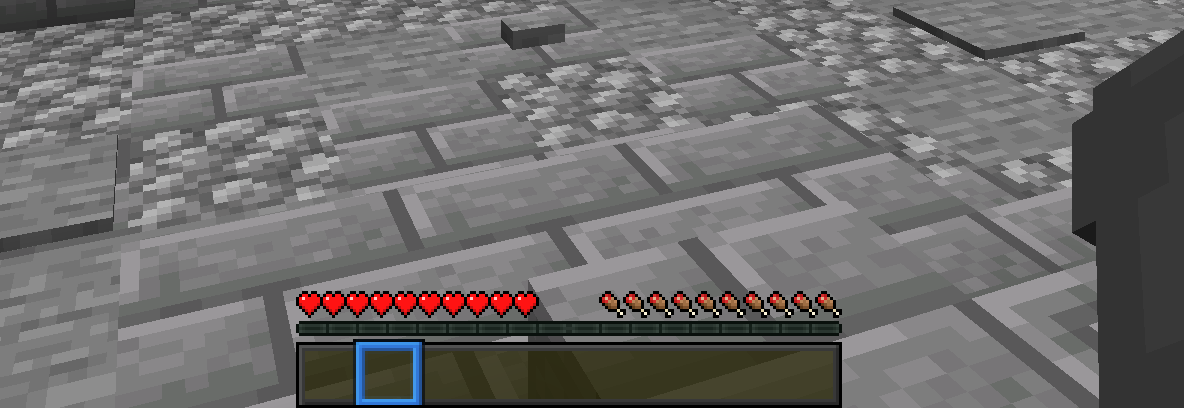
Comment installer Essential UI
With Millida Launcher
Install Millida Launcher
The launcher is free: download it at millida.net/launcher and sign in with any nickname.
Click “Install” on this page
The launcher opens and installs the resource pack for Minecraft 1.16–26.2 automatically.
Launch the game
A profile with it appears in the launcher: click “Play”.
Manually
Download the archive
Pick the file EssentialUI.zip (91 KB) for your game version. No need to unpack it.
Put it in the resourcepacks folder
The easiest way: “Options”, then “Resource Packs”, then “Open Pack Folder”, and drag the archive there.
Enable the pack
In the same window, move the pack to the right-hand “Selected” column and click “Done”.
Versions
Avec dépendances
| Minecraft | Loader | Fichier | Date | Actions |
|---|---|---|---|---|
| 1.21.11 | — | 1.21.1191 Ko | ||
| 26.2 | — | 26.291 Ko 5 | — | |
| 26.1 | — | 26.191 Ko | — | |
| 1.19.2 | — | 1.19.214.7 Ko | — | |
| 1.18.2 | — | 1.18.214.7 Ko | — | |
| 1.16.5 | — | 1.16.514.7 Ko | — |
Avis
Soyez le premier à noter Essential UI



