

Borderless Ore Glint Pack de ressources pour Minecraft 1.21.101
Je voulais quelque chose qui rende les minerais plus faciles à repérer, mais sans être aussi flagrant qu'une bordure (un éclat lumineux reste flagrant mdr). C'est mon premier pack, donc il est loin d'être parfait. Il existe 2 versions ; standard (sans images interpolées) et smooth (avec images interpolées).
VIBRANT VISUALS REQUIRED!!!
It will not do anything if it isn't enabled
UPDATE 2:
- Added 3 new packs (not sure how I feel about them, let me know what y'all think)
- Twinkle: Sporadic bright spots to make ore look sparkly. It didn't really turn out how I way imagined, open to suggestions.
- Constant (requested): Someone asked for it to be constant, so I assume they meant to remove the gap frames, personally not a fan.
- Constant+Smooth: No gap frames and also blended frames for a smoother flow.

Future Plan:
I'm probably going to merge these all into one pack that has subpacks eventually, but I kinda just mess with this when I feel like it so theres no telling when it will be.
If you have any feedback please send it my way!
Hopefully y'all enjoy🙂
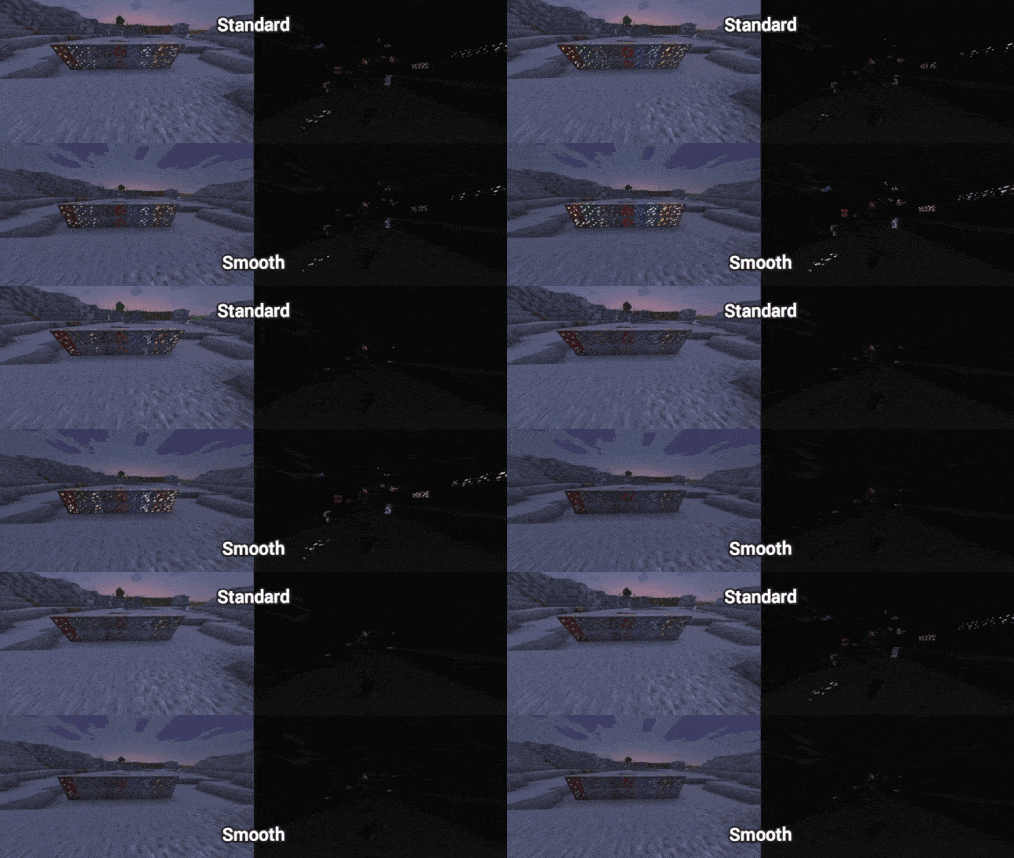
Pardon the compression😅
This pack adds an animation to ore that is emissive (glows but doesn't produce light). There are 2 versions; smooth blends frames to look more fluid, but its a bit thicker, and standard which only plays one frame at a time for a thinner glint that is more jagged. I personally prefer smooth, but my friend likes standard more, so I figured make both so people have options.
Past Changes:
UPDATE 1:
- Redid the copper glint to get rid of some unintended pixels having the glint.
- Added 2 more versions
- Subtle: The glint is slightly less bright, cycles its animation faster (~33%), and has longer down time (~4 seconds).
- Subtle+Smooth: All the same changes as subtle, just with blended frames in case it was your preference.
Comment installer Borderless Ore Glint
With Millida Launcher
Install Millida Launcher
The launcher is free: download it at millida.net/launcher and sign in with any nickname.
Click “Install” on this page
The launcher opens and installs the resource pack for Minecraft 1.21.100–1.21.101 automatically.
Launch the game
A profile with it appears in the launcher: click “Play”.
Manually
Download the archive
Pick the file Borderless Ore Glint (Twinkle).mcpack (60 KB) for your game version. No need to unpack it.
Put it in the resourcepacks folder
The easiest way: “Options”, then “Resource Packs”, then “Open Pack Folder”, and drag the archive there.
Enable the pack
In the same window, move the pack to the right-hand “Selected” column and click “Done”.
Versions
Avec dépendances
| Minecraft | Loader | Fichier | Date | Actions |
|---|---|---|---|---|
| 1.21.101 | — | Borderless Ore Glint (Twinkle).mcpack59.8 Ko |
FAQ
Which Minecraft versions does Borderless Ore Glint work on?
There are files for 1.21.101, 1.21.100. The newest is 1.21.101.
Where can I download Borderless Ore Glint safely?
On this page: the file Borderless Ore Glint (Twinkle).mcpack (60 KB) is stored on Millida’s server, with no link shorteners. SHA-1 checksum: 2a86b6bceda7de0a4820d2a27b294fffcb4b585e.
Avis
Soyez le premier à noter Borderless Ore Glint


