

DMS Shaders pour Minecraft 1.20.1, 1.21.1
Un shader atmosphérique, sombre et de style horreur
 Fabric
 OptiFine
À propos des shaders DMS
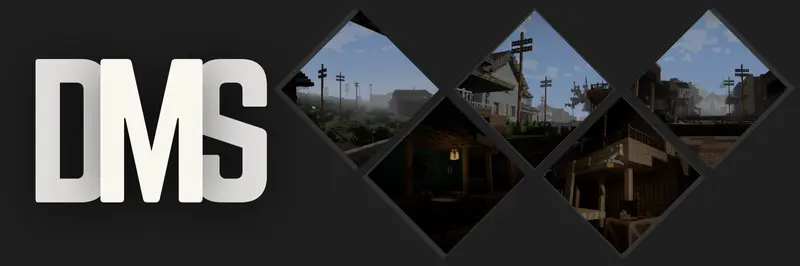
A gritty, desaturated, and deeply atmospheric overhaul for Minecraft, designed to transform your world into a dark fantasy or survival horror experience.
DMS completely strips away the vibrant, saturated look of vanilla Minecraft, replacing it with a bleak, weathered color palette and harsh dynamic lighting.

- Gritty, Realistic Colors: No more bright, radioactive vanilla greens. The world is shifted to a weathered, cinematic palette.
- Heavy, Atmospheric Fog: Distance fog rolls in cleanly to give you that perfect, moody, overcast weather vibe.

- Immersive Border Shadows: A clean vignette darkens the corners of your screen, making you feel completely locked into your surroundings.
- Harsh, Deep Shadows: Underneath trees, cliffs, and hillsides, the shadows get realistically dark and intense.
- Pitch-Black Nights: True survival nights where navigating without torches is nearly impossible.
- Realistic Torches: Torchlight doesn't artificially light up a massive area; it gives off a cozy, highly localized glow.

Comment installer DMS
With Millida Launcher
Install Millida Launcher
The launcher is free: download it at millida.net/launcher and sign in with any nickname.
Click “Install” on this page
The launcher opens and installs the shaders for Minecraft 1.20–26.2 automatically.
Launch the game
A profile with it appears in the launcher: click “Play”.
Manually
Install Iris or OptiFine
Without a shader mod the game cannot see shaders. Install it for the same Minecraft version.
Download the shader archive
Pick the file DMS 1.0.3.zip (24 KB) and do not unpack it.
Put it in the shaderpacks folder
“Options”, then “Video Settings”, then “Shader Packs”, then “Open Shader Pack Folder”, and drag the archive there.
Select the shaders
In the same window, click the pack name and “Apply”.
Versions
Avec dépendances
| Minecraft | Loader | Fichier | Date | Actions |
|---|---|---|---|---|
| 26.2 | Iris, OptiFine | 26.223.9 Ko 1 | ||
| 1.20.1 | Iris, OptiFine | 1.20.122.7 Ko |
FAQ
Which Minecraft versions does DMS work on?
There are files for 1.20–26.2, 23 versions in total. The newest is 26.2.
What do I need to run DMS?
Shaders are loaded through Iris or OptiFine: without one of them the game cannot see them.
Where can I download DMS safely?
On this page: the file DMS 1.0.3.zip (24 KB) is stored on Millida’s server, with no link shorteners. SHA-1 checksum: ccb23cf64c71acd9e264268dfbb441abc55de3a1.
Avis
Soyez le premier à noter DMS


