
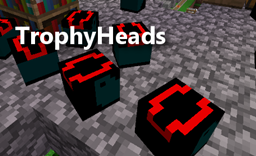
About TrophyHeads
A plugin that causes players (and or mobs) to drop their heads when they die.
Features
- Players can drop their heads when they die based on configuration settings.
- Players can spawn head with the /headspawn command. (Requires permissions.)
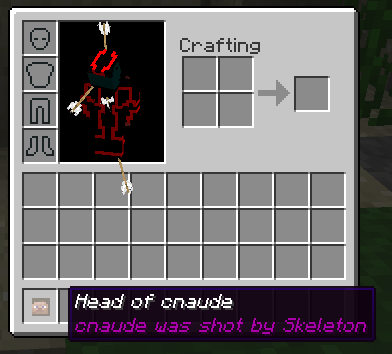
- Players can rename heads using a named piece of paper plus a head in a craftbox.
- Mobs optionally drop heads.
- Right click a skull to see who it belonged to.
How to install
- Just drop the jar file in your plugins directory and restart your server.
- Update config.yml as needed.
- Update permissions.
Permissions
trophyheads.spawn - Allow player to run /headspawn command. (Default: op)
trophyheads.give - Allow player to run /headgive command. (Default: op)
trophyheads.drop - Allows players to drop heads. (Default: true)
trophyheads.info - Allows players to sneak punch a skull to see the owner. (Default: true)
trophyheads.reload - Allows players to use /trophyreload command. (Default: op)
Configuration
See config.yml
drop-chance - The percentage chance of player dropping a head. A whole number between 0 and 100.
death-types - A list containing any of the following.
- ALL
- PVP
- CONTACT
- ENTITY_ATTACK
- PROJECTILE
- SUFFOCATION
- FALL
- FIRE
- FIRE_TICK
- MELTING
- LAVA
- DROWNING
- BLOCK_EXPLOSION
- ENTITY_EXPLOSION
- VOID
- LIGHTNING
- SUICIDE
- STARVATION
- POISON
- MAGIC
- WITHER
- FALLING_BLOCK
- THORNS
- CUSTOM
player-skin - Set to true or false. If true then a placed head will display the correct skin.
Commands
Spawn a player head. /headspawn ([player]) ([count]) Aliases: /head
/headgive [player] [skull name] ([count]) Aliases: /headg
Reload configuration /trophyreload Aliases: /threload, /thr
Addons
- HeadMap
Development
- Source
- Dev Builds
Known Issues
- Placing the head causes it to lose part of its meta data.
Comment installer TrophyHeads
A server on Paper or Spigot
The plugin runs on the server core for Minecraft 1.9; players do not need to install anything.
File goes into the plugins folder
Download the file TrophyHeads.jar (28 KB) and put it into the server’s plugins folder.
Restart the server
On startup the plugin creates its own settings folder in plugins.
Use the “To server” button
On Millida Hosting, the button at the top of the page uploads the file to your server and restarts it for you.
Minecraft 1.9 runs on Java 8: with a different Java version the game may close right after launch.
Versions
Avec dépendances
| Minecraft | Loader | Fichier | Date | Actions |
|---|---|---|---|---|
| 1.9 | — | v1.12.7-4628.4 Ko |
FAQ
Which Minecraft versions does TrophyHeads work on?
Only Minecraft 1.9: there are no files for other versions.
Which Java does TrophyHeads need?
Minecraft 1.9 runs on Java 8. If the game closes right after launch, the usual cause is the wrong Java version in the profile settings.
Where can I download TrophyHeads safely?
On this page: the file TrophyHeads.jar (28 KB) is stored on Millida’s server, with no link shorteners. SHA-1 checksum: ffa771014ecc38df8673689b0d1ae6a4fb8640f0.
Avis
Soyez le premier à noter TrophyHeads



