

Simple Suffix
Version: v1.7.1
(Follow me on Twitter for updates!) Simple Suffix is a very simple plugin. It lets players set their own custom suffix or prefix. Admins can control the layout. This can be used on servers that have a donator rank. A donator can set its own suffix/prefix but is limited to layout by admins. As an admin, you define how the suffix/prefix looks in the config. This plugin is based on permissions. If an admin doesn't like a suffix/prefix of a player, he can perform /suffix other <playername> <suffix> to set their suffix.
Features:
- Create simple suffixes with just one command!
- Handy for servers with donator ranks.
- Supports all colours.
- Simple, lightweight plugin.
- Admins can control the suffixes.
- Permissions
- Character limit
- Database support
- Support for censored words.
- Multiworld support
Permissions:
- - simplesuffix.set.suffix.self Allows a player to set their own suffix.
- - simplesuffix.set.suffix.other Allows a player to set someone else's suffix.
- - simplesuffix.set.prefix.self Allows a player to set their own prefix.
- - simplesuffix.set.prefix.other Allows a player to set someone else's prefix.
- - simplesuffix.format.random Allows a player to use '&k'.
- - simplesuffix.format.bold Allows a player to use '&l'.
- - simplesuffix.format.strike Allows a player to use '&m'.
- - simplesuffix.format.underlined Allows a player to use '&n'.
- - simplesuffix.format.italic Allows a player to use '&o'.
- - simplesuffix.format.reset Allows a player to use '&r'.
- - simplesuffix.colours Allows a player to use colours.
- - simplesuffix.colors Allows a player to use colours. (For American users)
- - simplesuffix.suffix.bypass.censor Allows a player to bypass the censor for their suffix.
- - simplesuffix.prefix.bypass.censor Allows a player to bypass the censor for their prefix.
Commands:
- /suffix <suffix> Set your own suffix.
- /suffix other <playername> <suffix> Set someones suffix.
- /suffix off Clear your own suffix.
- /suffix other <playername> off Clear someones suffix.
- /prefix <prefix> Set your own prefix.
- /prefix other <playername> <prefix> Set someones prefix.
- /prefix off Clear your own prefix.
- /prefix other <playername> off Clear someones prefix.
Dependencies:
- Vault is necessary to run Simple Suffix!
- A permissions plugin which supports chat (PEX, bPermissions)
Pictures
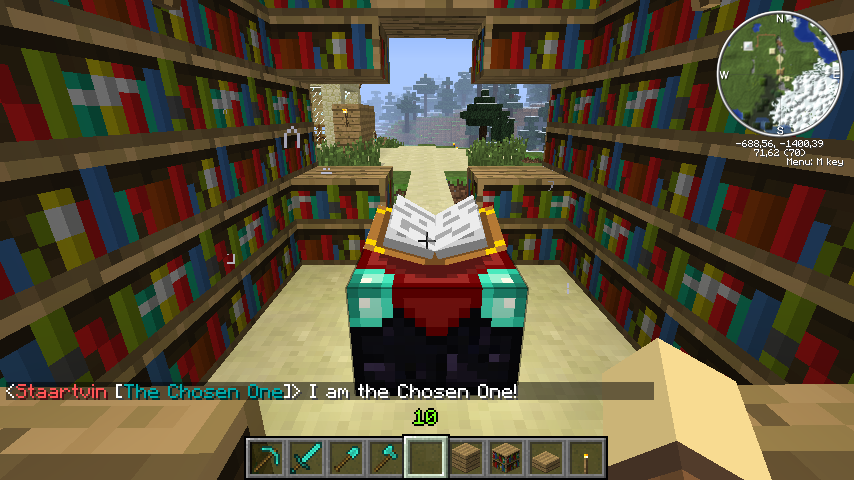
Staartvin sets his own suffix to 'The Chosen One' in blue.
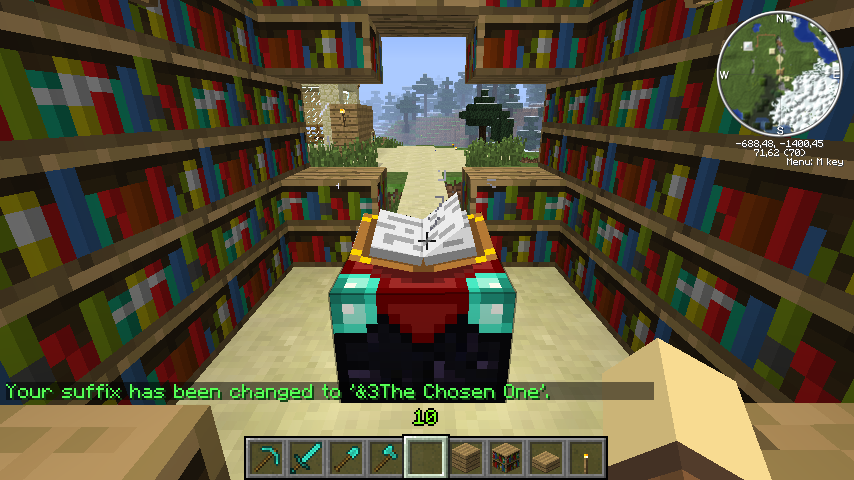
Staartvin shows off his suffix.
Donations
I'm a poor student and I'm developing this plugin in my free-time, if you like my plugin and want to help me, please donate. Donating is the best way to help me out, it goes towards more bug-fixing. Thanks! Donate is in the top right corner. ;)
Donators
Thanks to all the people who donated and downloaded this plugin! I love you all! <3 Especially thanks to my donators who gave me that little boost:
- FaxionMC for 20 dollars (!)
- TanveerGT5 - mc.minesmp.com for 10 dollars.
- Sk89r - mc.minesmp.com for 10 dollars.
Comment installer Simple Suffix
A server on Paper or Spigot
The plugin runs on the server core; players do not need to install anything.
File goes into the plugins folder
Download the file SimpleSuffix.jar (32 KB) and put it into the server’s plugins folder.
Restart the server
On startup the plugin creates its own settings folder in plugins.
Use the “To server” button
On Millida Hosting, the button at the top of the page uploads the file to your server and restarts it for you.
Versions
Avec dépendances
| Minecraft | Loader | Fichier | Date | Actions |
|---|---|---|---|---|
| — | — | Simple Suffix v1.7.132.2 Ko |
Avis
Soyez le premier à noter Simple Suffix



