
PistonChest Plugin pour Minecraft 1.8.1
Poussez les blocs dans les coffres
À propos du plugin PistonChest
You can now give pistons certain abilities which extend their basic boring nature.
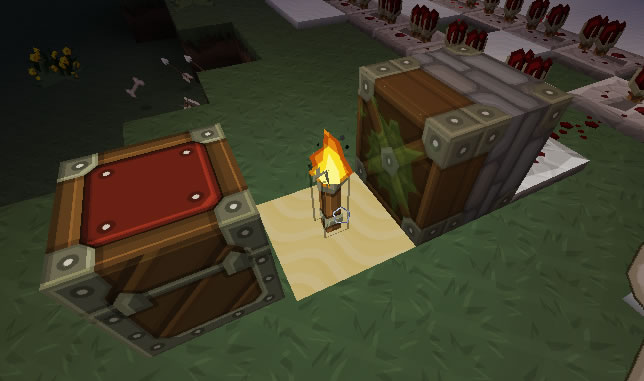
Supports:
- LWC (command 'pcpassword <password>' allows the user to assign a password to a piston, to give to LWC password protected chests)
- Lockette
- Secure Chests
About:
Whenever you place a piston it will be registered in your name. This prevents players from destroying them or claiming them for themselves. PistonChest supports the above plugins which can prevent a piston from accessing a chest if they do not have permission. In this plugin there are certain abilities which modify how the piston behaves, and can be combined to create the ultimate machine. The basic ability is being able to push and retrieve blocks and items from a chest. In order to add an ability the player must use the specified tool (default: stick) then right click on their piston to bring up a GUI from where they can either add items to use abilities or simply turn them on and off. See below for a list of abilities...
To Install,
- Copy and paste the 'PistonChest.jar' file into the plugin folder...
No more need for Commands!
Use a stick by default to modify your piston functionality! (Version 1.8)
NEW VERSION UPDATES AND FIXES
Videos
Commands and Permissions
- /pcreload - pistonchest.reload - Reloads the config file
- /pcregister - pistonchest.register - Registers an unregistered Piston. (Pistons are registered on place by default).
- /pcunregister - pistonchest.unregister - Unregisters a piston that is registered by you. (Allows other people to claim it)
- /pcpassword - pistonchest.password - Assigns a password to unlock a password protected chest (For LWC).
- /pcdetails - pistonchest.details - Gets the details of the clicked piston.
- /pcability - pistonchest.ability - Gives pistons certain abilities.
Config
View config file
Change Log:
Change Log
Abilities:
Type '/pcability <add/remove> <ability>' then click on the piston, to manage piston abilities. Abilities can be combined to make the ultimate piston machines!
chest_access
Description:
Gives the piston the ability to push and pull blocks/items in and out of chests.
How To:
super_push
Description:
Gives pistons the ability to shoot blocks/items. Note: To increase the power of the piston, surround it with obsidian. Works 1 block all the way around.
How To:
chest_dispenser
Description:
Gives pistons the ability to push blocks from a chest.
How To:
Ultimate Setup
Please note you will have to adjust the obsidian according to how far the chest is away, and what item is being fired. (Players and monsters encounter wind resistance).
Comment installer PistonChest
A server on Paper or Spigot
The plugin runs on the server core for Minecraft 1.8.1; players do not need to install anything.
File goes into the plugins folder
Download the file PistonChest.jar (102 KB) and put it into the server’s plugins folder.
Restart the server
On startup the plugin creates its own settings folder in plugins.
Use the “To server” button
On Millida Hosting, the button at the top of the page uploads the file to your server and restarts it for you.
Minecraft 1.8.1 runs on Java 8: with a different Java version the game may close right after launch.
Versions
Avec dépendances
| Minecraft | Loader | Fichier | Date | Actions |
|---|---|---|---|---|
| 1.8.1 | — | PistonChest v1.8102 Ko |
FAQ
Which Minecraft versions does PistonChest work on?
Only Minecraft 1.8.1: there are no files for other versions.
Which Java does PistonChest need?
Minecraft 1.8.1 runs on Java 8. If the game closes right after launch, the usual cause is the wrong Java version in the profile settings.
Where can I download PistonChest safely?
On this page: the file PistonChest.jar (102 KB) is stored on Millida’s server, with no link shorteners. SHA-1 checksum: f0d41ca8ef0758d43671b8f96478307900990b76.
Avis
Soyez le premier à noter PistonChest



